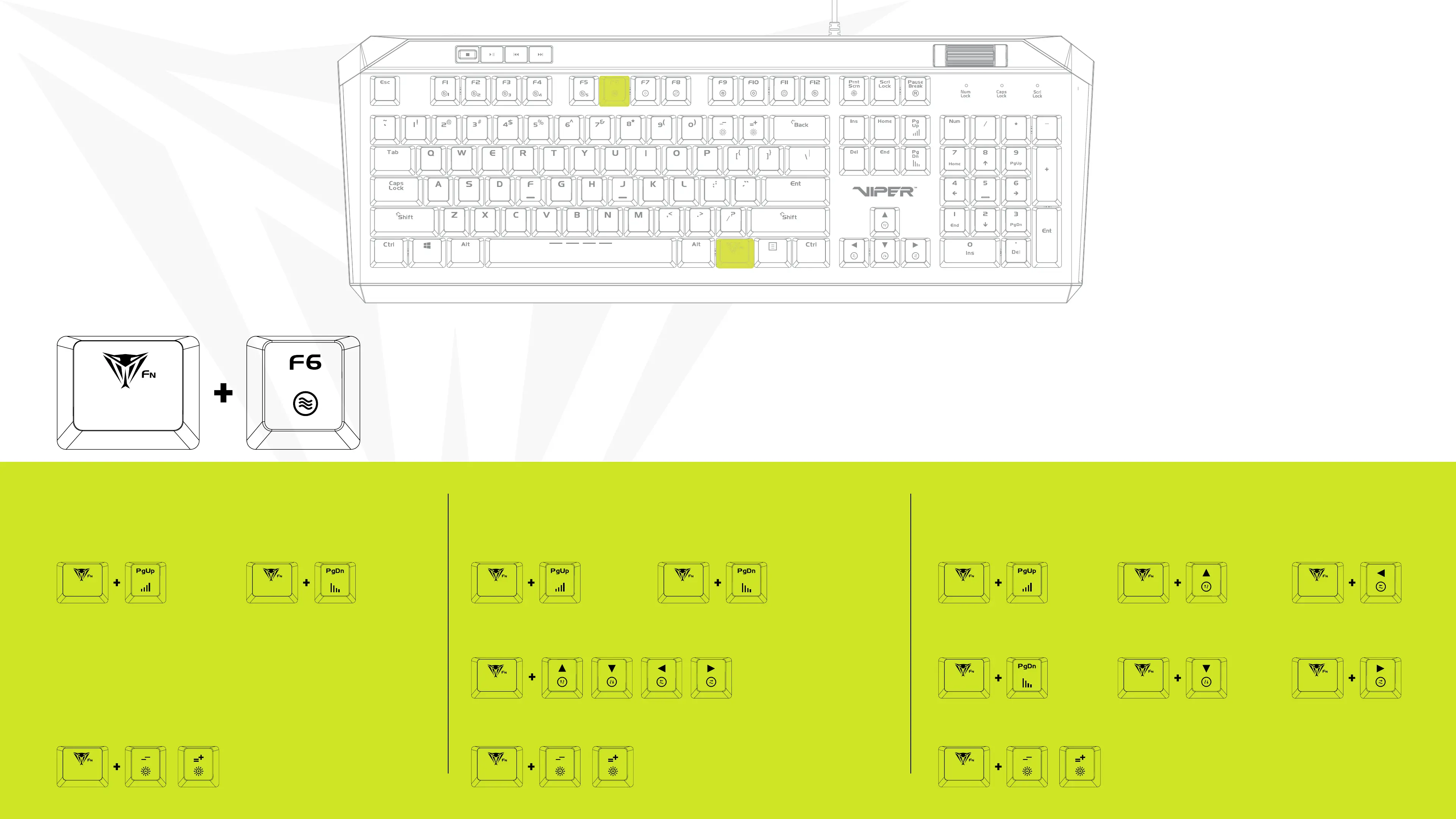
FN+ (-/+)
Increases/Decreases Brightness
FN+ (-/+)
Increases/Decreases Brightness
FN+ (-/+)
Increases/Decreases Brightness
RADAR MODE
Lighting travels along the edge of the keyboard
covering a section of the keys at a time
FN+PgUp
Increases Speed of Radar Mode
FN+ Any Arrow Key
Alternates the direction of the
radar clockwise or counter
clockwise
FN+PgDn
Decreases Speed of Radar Mode
SPOTLIGHT MODE
Keys light up on both sides of the keyboard,
meet in the middle and then return
FN+PgUp
Increases Speed of Radar Mode
FN+PgDn
Decreases Speed of Radar Mode
WAVES MODE
Color spectrum moves from one end of the
keyboard to the other
FN+PgUp
Increases Speed of Wave Mode
FN+UpArrow
Increases Speed of Wave Mode
FN+UpArrow
Increases Speed of Wave Mode
FN+PgDn
Decreases Speed of Wave Mode
FN+DownArrow
Decreases Speed of Wave Mode
FN+DownArrow
Decreases Speed of Wave Mode
RADAR/SPOTLIGHT/WAVE MODES
Press FN+F6 to continuously alternate between modes


 To Next Page