Page 8 of 36
HOTSPOT HOMEPAGE
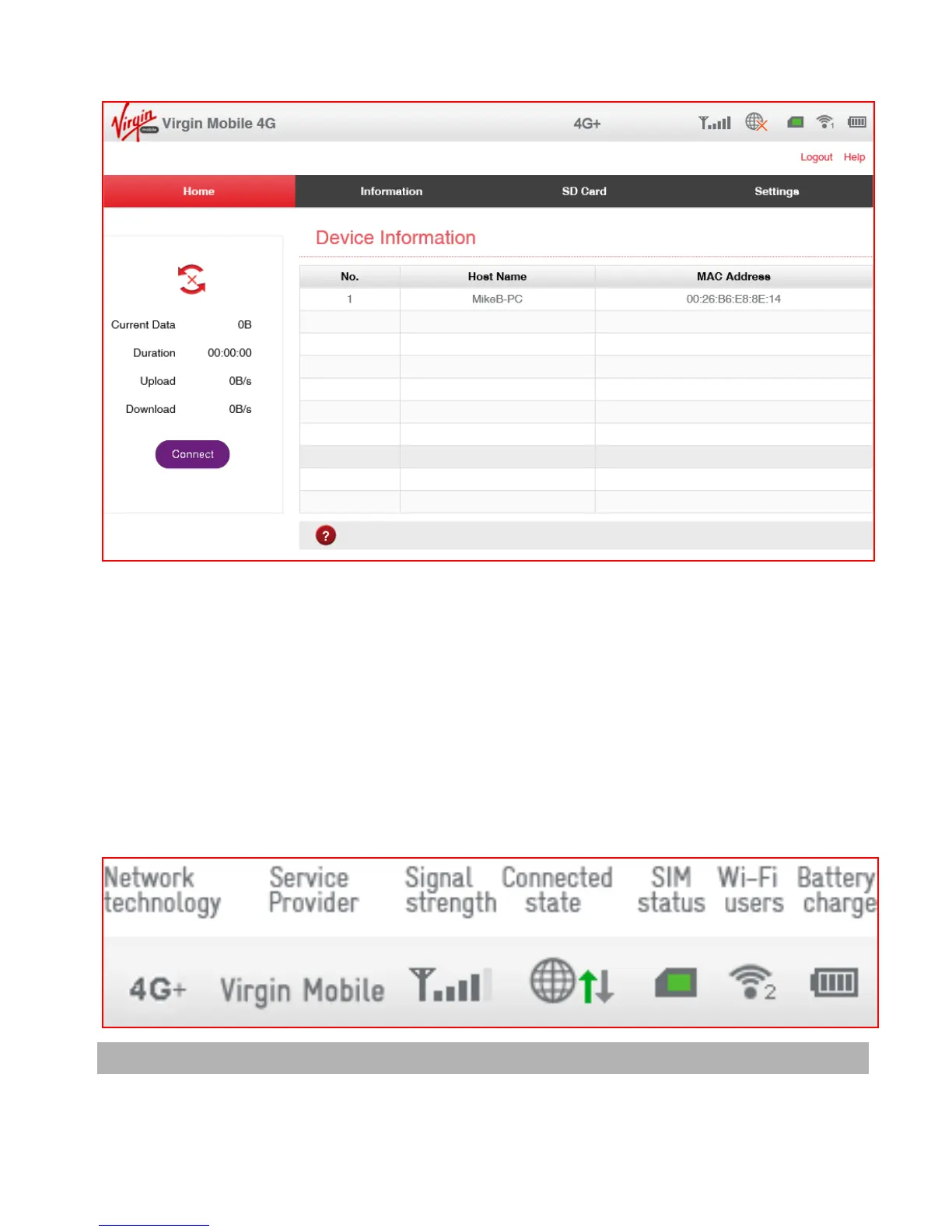
The home page shows you how many users are connected and shows your
network connection state and data usage summary.
• The device will automatically connect to the network so it shows the Disconnect
button status by default.
• To change this behaviour press Disconnect first, then go to Settings > Network
Settings > WAN Connection Mode, and select Manual.
• The number of devices connected to your Wi-Fi hotspot is displayed and you
can select to Block unwanted devices if required.
STATUS INDICATORS
Tip use your mouse to hover over the icons to see a brief description for each icon.



 To Next Page