2
1. BATTERY INSTALLATION
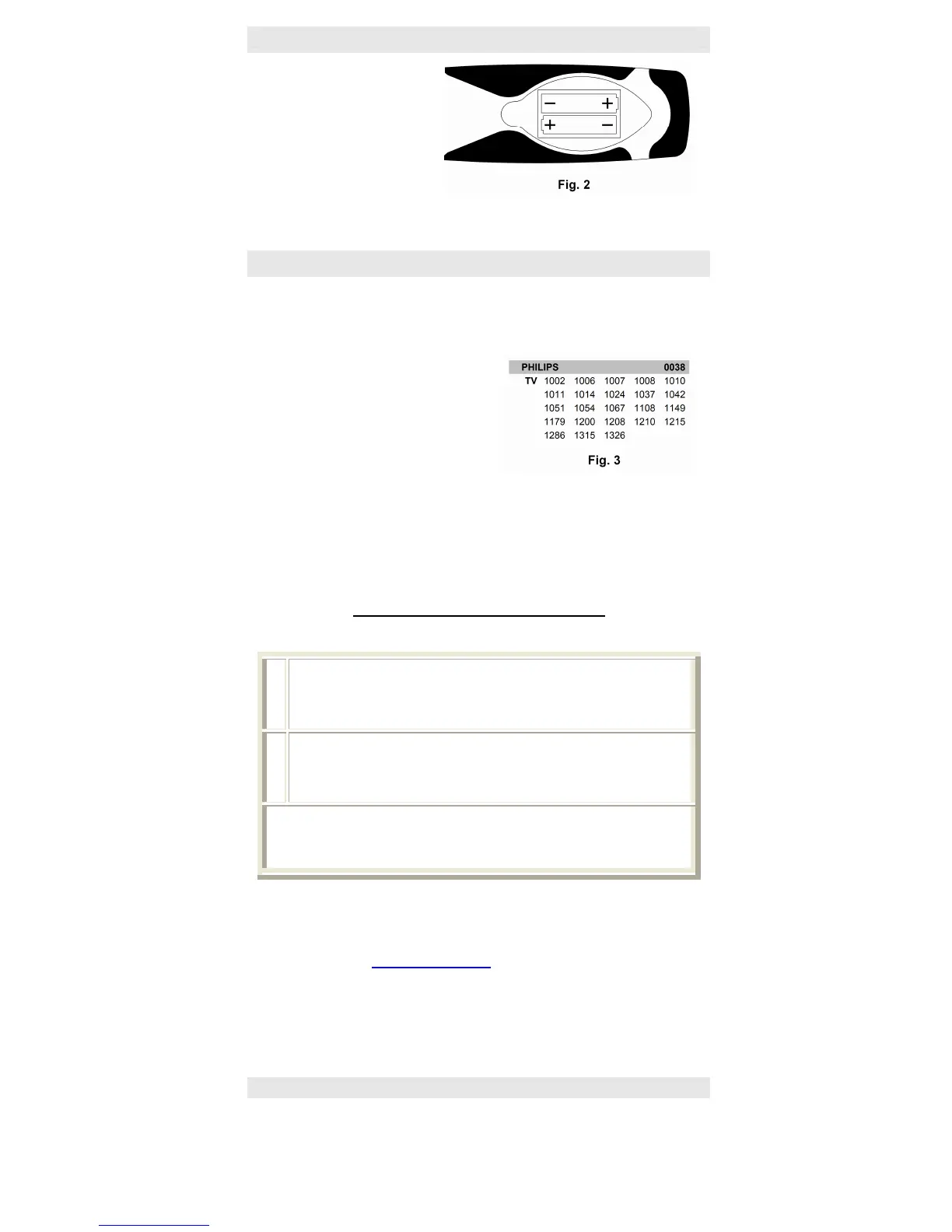
The LUX works with 2 1.5 AM3 – AA-
LR6 type batteries; open the cover of
the battery compartment on the back
of the remote and install the batteries
in the space provided, being careful to
match the +/- (see fig.2); then close
the compartment; The device keys will
signal the correct installation of the
batteries with three slow flashes.
Otherwise check that they are installed the right way around and make sure that they are new.
2. HOW TO SET UP YOUR REMOTE CONTROL
Choose a device key for each device you want to command and where you will enter all the
functions of the original remote control.
Look up the list of codes (in the booklet provided, according to brand) that apply to the the
devices you want to use for your brand. (fig.3)
If the number of individual codes for your
brand is very high, we suggest that you speed up
the process by following the procedure described
in chapter 3A.
If you don’t know the brand, or if the brand of
your device is not included in the list, skip to the
procedure in chapter 3B.
Try to enter the individual codes one after the
other, through the herewith procedure for directly learning code, until the most suitable code is
identified by checking the remote control is functioning correctly. Each code is made up of 4 digits.
To make it easier to find the code in the “code booklet”, the first digit of the code has been
assigned to the various devices as follows: if the first digit is “1” the programming code is for a
“TV”, if it is “2” then it is for a VCR/DVD, if it is a “3” it refers to AUX or HI-FI, and lastly if it is “4” is
it for a STB.
PROCEDURE FOR DIRECTLY LEARNING A CODE
Example: Let us learn save the code 1011 for a Philips TV device
1
Switch on your device (e.g. your TV) Press the device key on your remote control
for the type of device you want to control (in this case “TV1” or “TV2”) for
approximately 10 seconds. Release when the device keys light up: the device
keys start flashing
2
In the following 10 seconds enter the 4 digits of the code you have identified
(e.g.: for the code “1011”, press the buttons in the following order: 1 - 0 - 1 - 1).
The device key chosen emits 2 short flashes = OK
The LUX is ready to control the device you have programmed it for.
Note A prolonged flash emitted by the device keys at the end of the procedure signals
an error. Check to make sure you selected the right code from the “code booklet” and
then repeat the procedure.
Try out the functions of the remote and check that your device responds to the commands. If some
of the functions do not correspond to your device, select other codes from the code booklet until
you find the most complete one.
If you know the exact brand/model of your device the correct code you have to programmed it can
be found on our website (www.visaelectronics.com
) in the search area “find your remote control”
or downloading the catalogue
☺ Write down the appropriate code learned for future reference
You must repeat the operation for each available device key, and thus for each device
to be commanded.
3. ALTERNATE METHODS FOR SETTING CODES
The following methods should be used if the procedure in chapter 2 has not been successful.
- Turn on the device that you want to command. If it is a VCR, DVD player or a stereo insert a
cassette, CD, or DVD.


 To Next Page