4
4. HOW TO READ BACK A MEMORIZED CODE
If you have followed the procedure in chapter 3, once the search is over and the code is set, it is
useful to know it and to write it down for future reference.
1
Press the device key (e.g. “TV”) for the code belonging to the device that you want
to read and keep it pressed for approximately 10 seconds. Release when the
device keys light up: the device keys start flashing.
2
Press the device key again (e.g. “TV”) for the code belonging to the device that you
want to read and observe well the next following flashes.
3
Look at the device key for the code you want to read
The LED shows the saved 4-digit code with 4 series of brief flashes (1/2 second
pauses) (e.g. for the code “1014”: 1 flash … 10 flashes … 1 flash … 4 flashes).
5. USING AND PERSONALIZATION OF THE LUX
The LUX adopts the symbols commonly used by the remote controls of the most popular devices,
thus permitting intuitive and easier use. On the keypad appears all the most frequently
commands but it can be possible use all the commands of the original remote control, even the
less frequently used (secondary functions)
5.1 Secondary functions
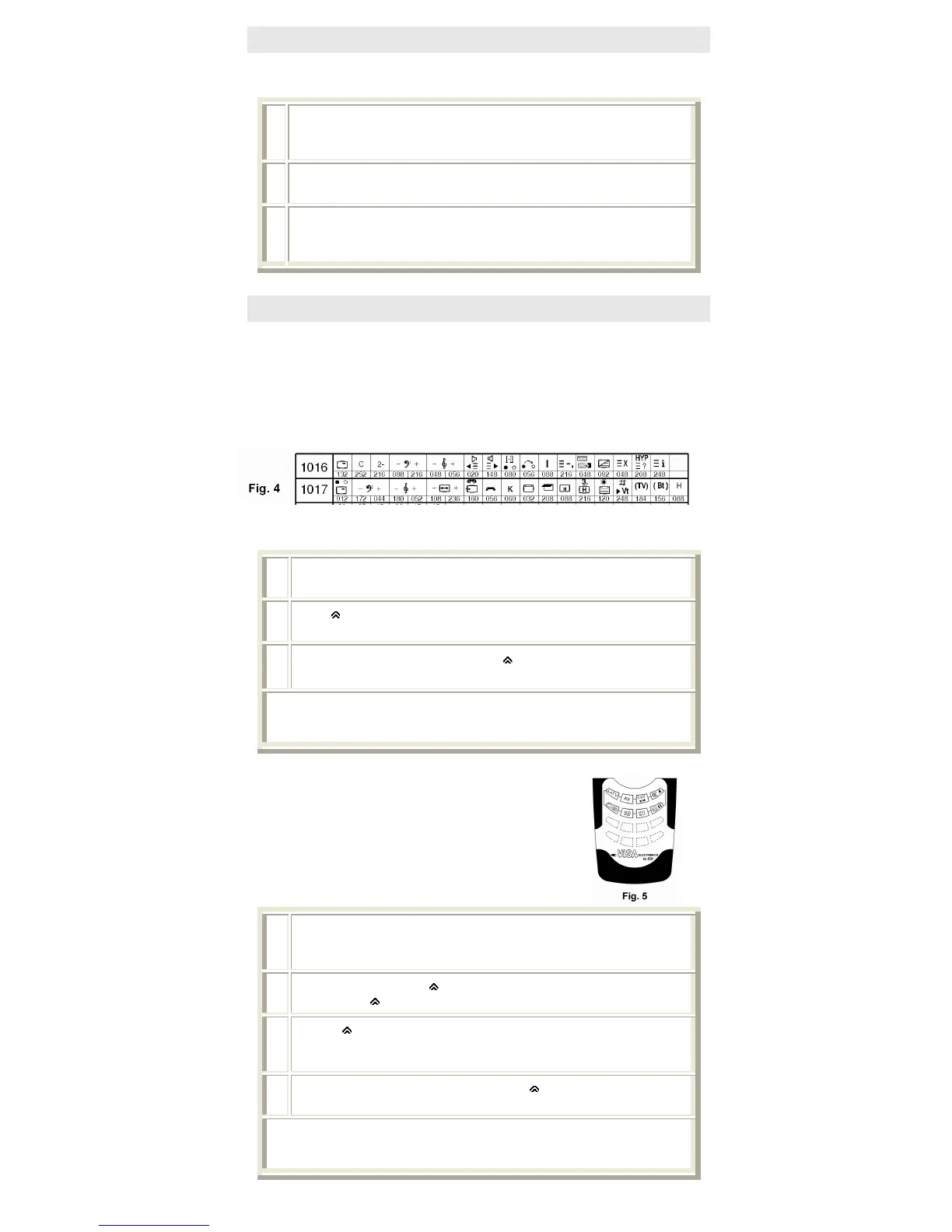
Consult the SECONDARY FUNCTIONS of the code booklet (fig.4)
Identify in the first column from the left the memorized code . Then look, on the same line, for the
symbol of the desired function and note the code that is assigned to it underneath.
1
Press the device key (e.g. “TV1”) for the code belonging to the device that you are
using.
2
Press “
”, keep it pressed while entering the function code: the device keys flash
(See note ).
3
Point the remote at the device and release "
".
The desired command is transmitted
Note A prolonged flash emitted by the device keys at the end of the procedure signals an error.
Check to make sure you selected the right code from the “code booklet” and then repeat the
procedure
.
5.2 Memorization of the secondary functions
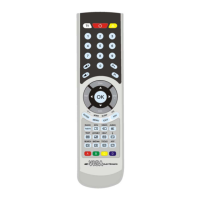
It is possible to personalize the LUX by memorizing the secondary
functions you want to have directly available on the keypad, using
the 8 programmable keys (fig. 5).
Consult the SECONDARY FUNCTIONS section of the code booklet
(fig.4) and identify in the first column from the left the memorized
code (fig.4) Then look, on the same line, for the symbol of the desired
function and note the code function that is assigned to it underneath.
1
Press the device key (e.g. “TV1”), on which you memorized the code you are using
and keep it pressed for approximately 10 seconds. Release when the device keys
light up: the device keys start flashing
2
Within 15 seconds, press “
”, keep it pressed while entering the function code
desired (keep “
” pressed down): the device keys flash (See note )
3
Release “
” and press one of the 8 programmable keys (see fig. 5) on which you
want the desired function to be saved:
the device key (chosen at point 1), emits 2 short flashes = OK
4
To use the learned command keep the “
” pressed followed by the
appropriate programmable key and release both.
Note A prolonged flash emitted by the device keys at the end of the procedure signals an error.
Check to make sure you selected the right code from the “code booklet” and then repeat the
procedure


 To Next Page