31 of 52
1300 884 987 www.medion.com.au
11. Preparing the device
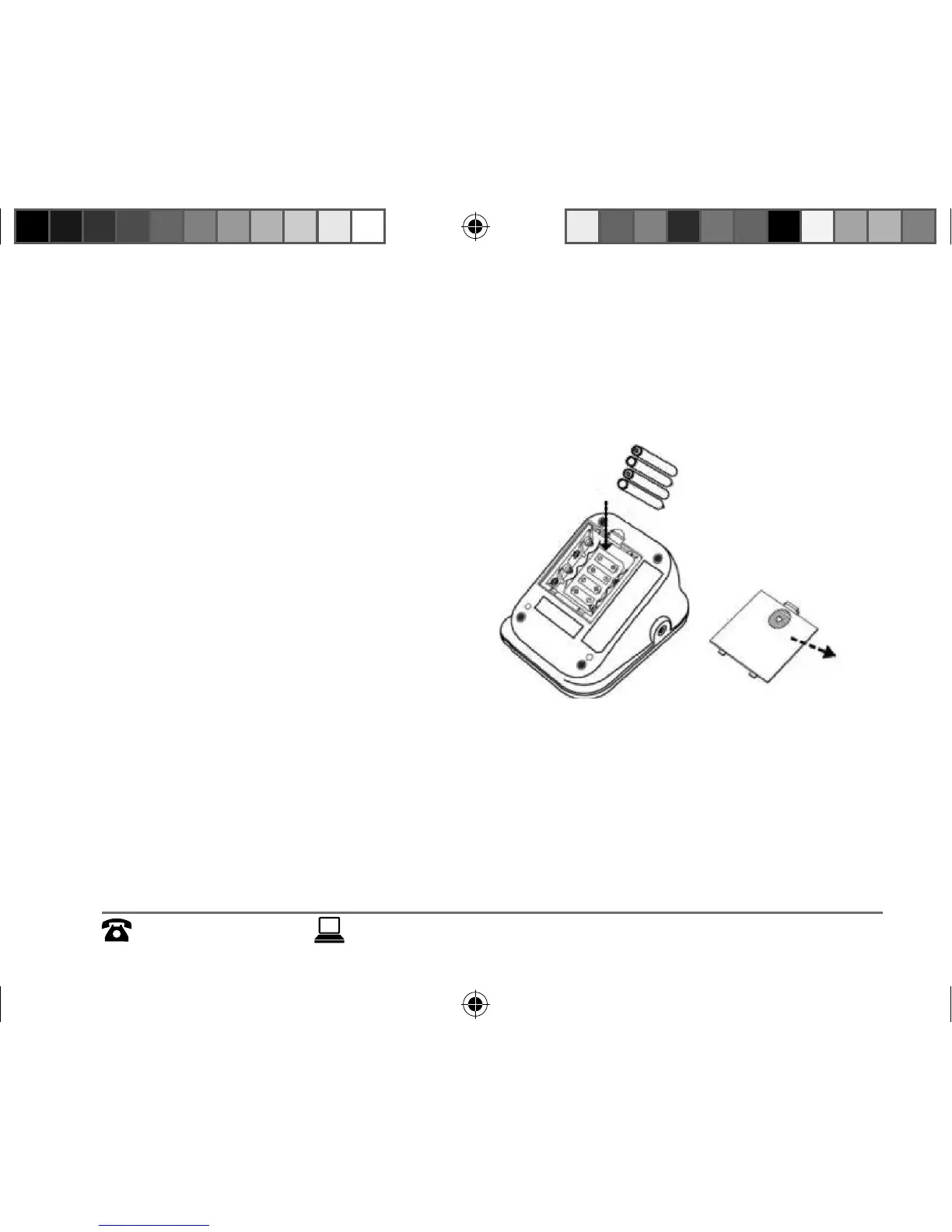
11.1. Inserting the batteries
Open the battery
compartment on the
underside of the appliance.
Insert four 1.5V batteries of
type R6/LR6/AA (included),
observing the correct polarity.
Close the battery
compartment.
Basic settings must be made
after changing the batteries.
See page 32.
15469_MSN 5004 7183 EN Aldi AUS Content Final REV2.indd 3115469_MSN 5004 7183 EN Aldi AUS Content Final REV2.indd 31 23.09.2014 08:33:3423.09.2014 08:33:34


 To Next Page