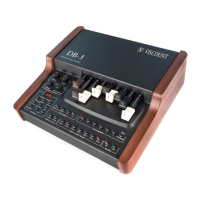
DB-3 Drawbar Organ
9. MIDI
9.1 SETTING THE MIDI FUNCTIONS
You can press the [MIDI] button to show the video pages relating to the MIDI settings on
the display. For a more detailed description of the MIDI messages transmitted and received
by the DB-3, please consult the “Detailed MIDI Implementation” section on page 56.
The first video page displayed allows setting of the MIDI Mode to be used to receive and
transmit the messages.
You can use the VALUE [+] and [-] buttons to select the MIDI Mode you require from the
following options:
- MIDI Mode 1 (Md1 on display): the instrument receives and transmits on just one
MIDI channel (the one of the Upper section, which can be set using the video page
displayed by pressing [MIDI] again). The notes received are played on the Upper,
Lower and Bass sections in accordance with the split settings in the instrument.
- MIDI Mode 2 (Md2): the instrument receives and transmits on two channels (those
of the Upper and Lower sections, which can be set by pressing the [MIDI] button).
In reception, the notes on the channels of the Upper and Lower sections can be
received across the entire keyboard range of the DB3, while the Bass section will
play on the basis of its split point.
49









 To Next Page