07/08
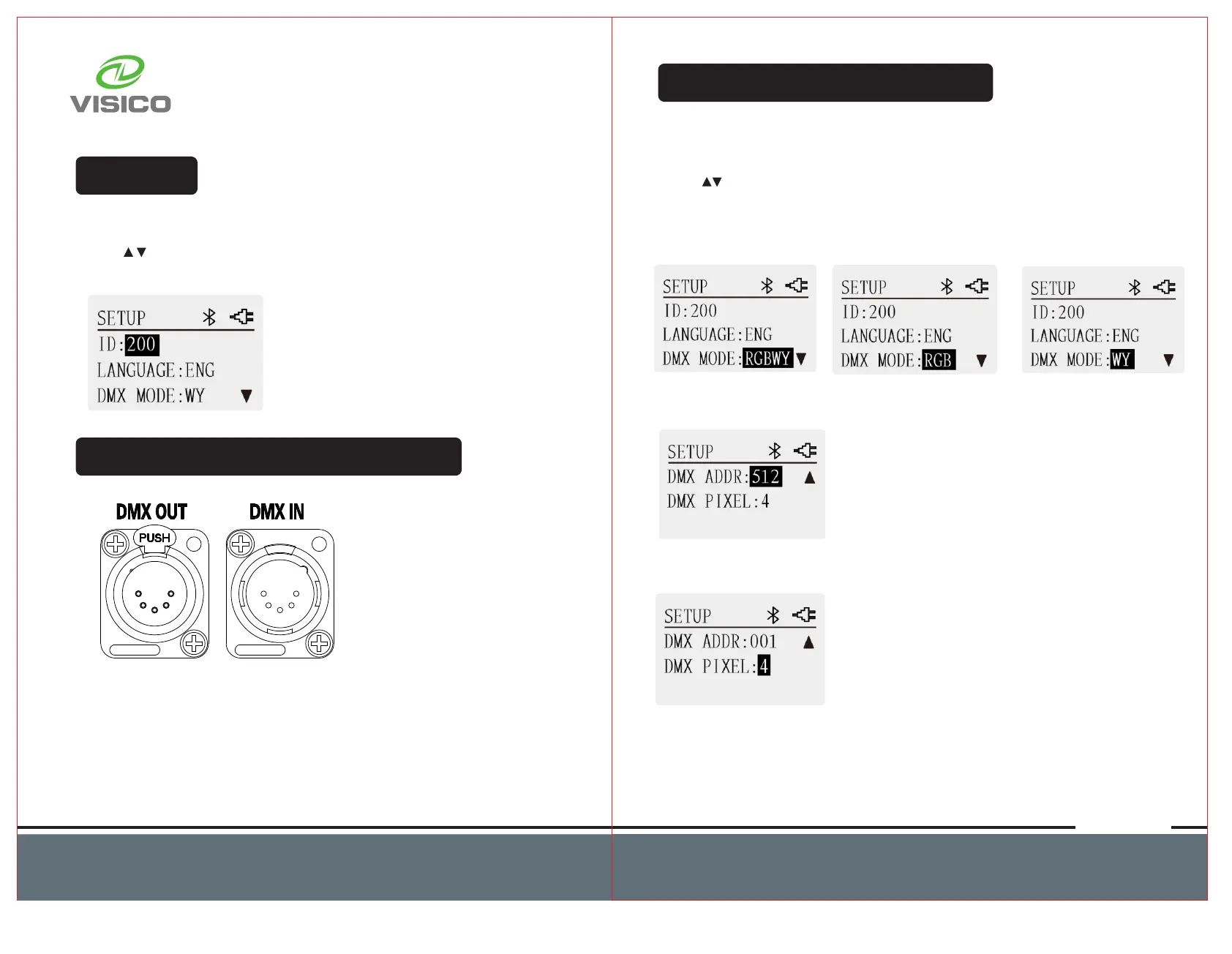
Set ID
ID is used to identify light fixture. You can set every light fixture with
a unique ID. Press SET button to get access to SETUP interface.
Press button to locate to ID. Rotate regulator to select ID value
001-200.
DMX Control(Only with FT-650RX)
1. Use DMX adapter cable (not include) to establish the connection
between light fixtures and DMX console.
2. To prevents interference caused by DMX signals in the transmitting
process, in DMX control mode,the DMX output of the last light fixture
should be connected with a DMX terminator (not included).
3. For specific operation methods, please refer to the DMX console
operation manual.
SetDMX(OnlywithFT-650RX)
This light fixture supports DMX 512.
First, connect light fixture with DMX console. Then, set DMX value
on the light fixture.
Press button to select between DMX MODE,
DMX ADDRESS and DMX PIXEL. Rotate regulator to adjust the value
of DMX mode, DMX address and DMX pixel.
DMX MODE range: RGBWY, RGB, WY
DMX address range: 001-512
DMX PIXEL value : 1 or 4.
When pixel 1 is selected, one color is displayed on the entire light
fixture. When pixel 4 is selected, a total of 4 colors will be displayed
on the entire light fixture.



 To Next Page