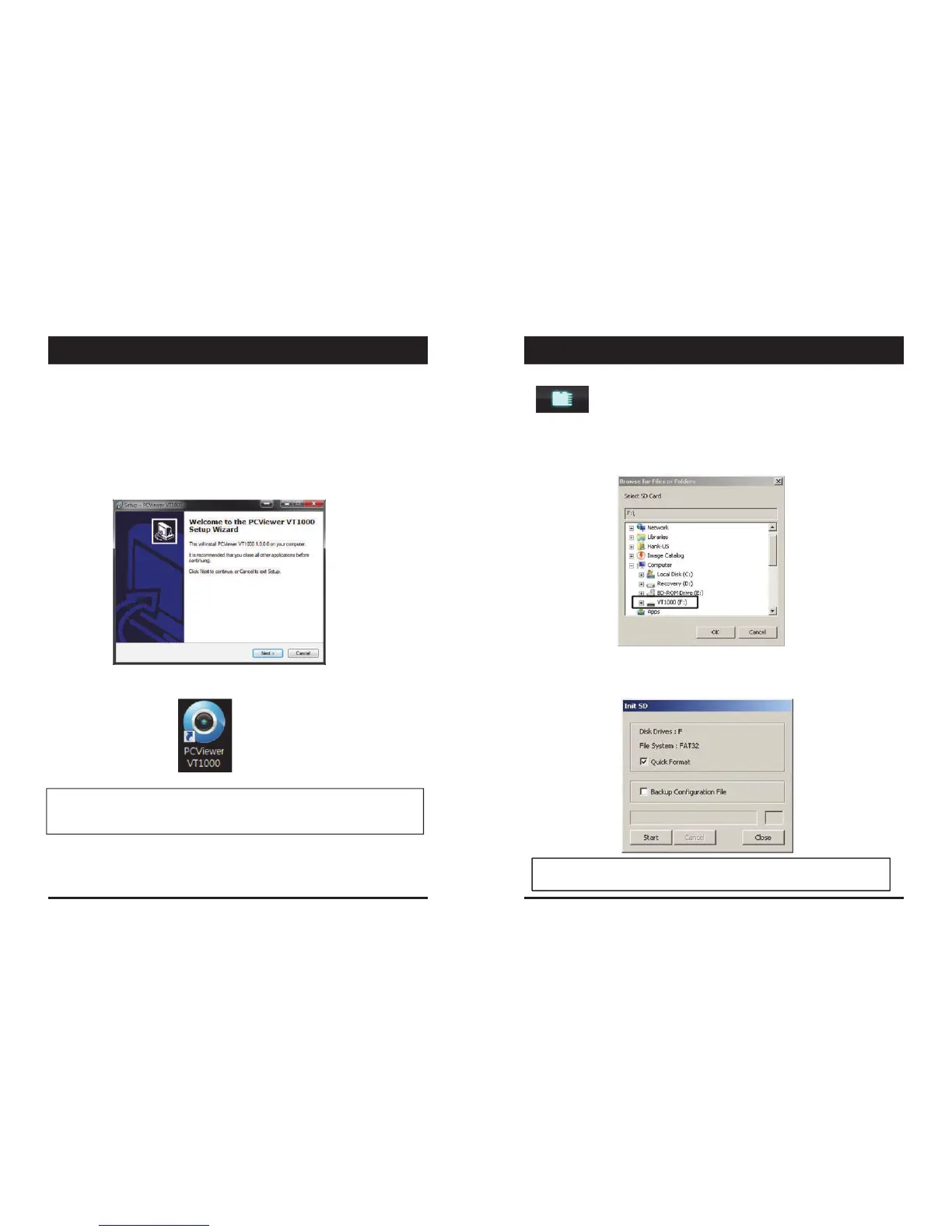
1.ConnecttheSDcardintoyourPC(ifyourcomputerdoesnothaveand
SDcardslotusetheUSBSDcardreader)andopenthe“MyComputer”
2.Right‐clickthe“VR1000”driveandselect[Open]
3.Doubleclick[SETUP.EXE]inthe[pcsw]folder.
4.Selectthelanguageandthenfollowthedialogboxprompts.
5.The“PCViewerVT1000”iconwillbedisplayedonyourdesktop.
NOTE:ToUn‐installthePCViewerSoftware
Makesuretheprogramisnotrunningandopenthe‘ControlPanel’
Select‘RemoveProgram’andremovethePCViewerSoftware.
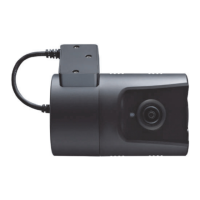
ToinitializetheSDcard,clickontheaboveiconandyouwillbe
presentedwiththefollowingscreentochoosethecardtoinitialize.Click‘Ok’
whenselected.
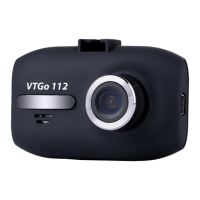
Onthefollowingscreen,checkthe‘QuickFormat’buttonanduncheckthe
‘BackupConfigurationFile’andclick‘Start’tobegininitialisation.
initializeSDCard’Icon
NOTE:ThePCViewersoftwarewillautomaticallybecopiedto[pcsw]
folderontheSDcard.
13 14
INITIALIZE SD CARDSOFTWARE INSTALLATION


 To Next Page