EasyManua.ls Logo

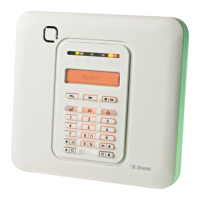
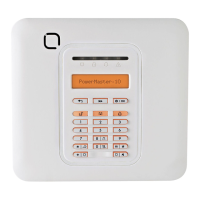
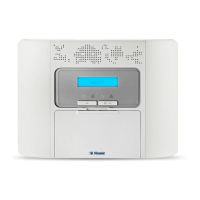
Visonic POWERMASTER 10 - User Manual

Visonic POWERMASTER 10
76 pages
Print Icon
To Next Page IconTo Next Page
Loading...
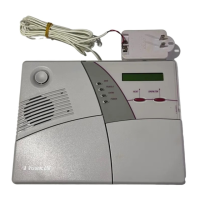
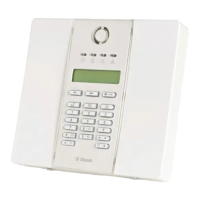
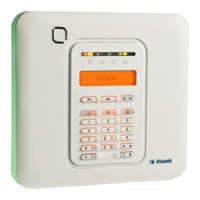
Fully supervised wireless alarm control system
Fully supervised wireless alarm control system Fully supervised wireless alarm control system Fully
supervised wireless alarm control system Fully supervised wireless alarm control system Fully supervised

wireless alarm control system Fully supervised wireless alarm control system Fully supervised wireless
alarm control system Fully supervised wireless alarm control system Fully supervised wireless alarm
control system Fully supervised wireless alarm control system Fully supervised wireless alarm control
system Fully supervised wireless alarm control system Fully supervised wireless alarm control system Fully
supervised wireless alarm control system Fully supervised wireless alarm control system Fully supervised
wireless alarm control system Fully supervised wireless alarm control system Fully supervised wireless
alarm control system Fully supervised wireless alarm control system Fully supervised wireless alarm
control system Fully supervised wireless alarm control system Fully supervised wireless alarm control
system Fully supervised wireless alarm control system Fully supervised wireless alarm control
system Fully supervised wireless alarm control system Fully supervised wireless alarm control system Fully
supervised wireless alarm control system Fully supervised wireless alarm control system Fully supervised
User Guide
PowerMaster-10/
PowerMaster-30

Other manuals for Visonic POWERMASTER 10

Questions and Answers

  • V
    vmcdanielAug 20, 2025
    What to do if my Visonic Security System shows a low battery?
    • M
      Michael SullivanAug 20, 2025
      If your Visonic Security System indicates a low battery, first check if AC power is available and properly connected to the device if it's AC powered. If it is not AC powered, replace the device battery.
  • E
    espinozasamuelAug 22, 2025
    What to do if my Visonic POWERMASTER 10 shows CPU TAMPER?
    • M
      Michael GarzaAug 22, 2025
      If your Visonic Security System displays a CPU TAMPER message, it means the control panel is not closed properly. Open the control panel and then close it securely.
  • J
    Jerry DavisAug 25, 2025
    Why is my Visonic POWERMASTER 10 showing an AC FAILURE?
    • E
      Elizabeth JacksonAug 25, 2025
      If your Visonic Security System displays an AC FAILURE message, ensure that the AC power supply is correctly connected.
  • J
    James KaufmanAug 26, 2025
    Why is my Visonic POWERMASTER 10 Security System showing an AC SUPPLY FAILURE?
    • K
      Kathleen EdwardsAug 26, 2025
      If your Visonic Security System displays an AC SUPPLY FAILURE message, ensure that the AC power supply is correctly connected.
  • M
    Megan AlvarezAug 28, 2025
    What to do if my Visonic POWERMASTER 10 Security System siren has AC FAILURE?
    • S
      Seth MooreAug 28, 2025
      If your Visonic Security System siren indicates an AC FAILURE, make sure that the AC power supply is connected properly.
  • T
    Tina PaceAug 29, 2025
    What to do if my Visonic POWERMASTER 10 has COMM. FAILURE?
    • J
      Jesse HuntAug 29, 2025
      If your Visonic Security System displays a COMM. FAILURE message: * Check the telephone cable connection. * Verify that the correct telephone number has been dialed. * Dial the Monitoring Station to check whether or not events are being received.
  • A
    Alejandra TaylorAug 31, 2025
    What to do if my Visonic POWERMASTER 10 Security System shows MISSING device?
    • C
      Chad LeeAug 31, 2025
      If your Visonic Security System indicates a MISSING device: * Ensure the device is physically present. * Check the display for device faults, such as low battery. * Use RF diagnostics to check the current signal strength and during the last 24 hours. * Replace the battery. * Replace the device.
  • A
    Ashley SuarezSep 2, 2025
    How to fix Visonic POWERMASTER 10 Security System GSM NET FAIL?
    • R
      Rebecca CrawfordSep 2, 2025
      If your Visonic Security System displays a GSM NET FAIL message: * Move the Panel and GSM unit to another location. * Enter and exit the installer menu. * Disconnect the GSM unit and install it again. * Replace the SIM card. * Replace the GSM unit.
  • C
    Christopher DavisSep 4, 2025
    How to resolve Visonic Security System 1-WAY issue?
    • L
      Lonnie LiSep 4, 2025
      To resolve a 1-WAY issue with your Visonic Security System: * Ensure the device is physically present. * Check the display for device faults, such as low battery. * Use RF diagnostics to check the current signal strength and during the last 24 hours. * Open the device cover and replace the battery or press the tamper switch. * Install the device in a different location. * Replace the device.
  • J
    Jesse WarnerSep 6, 2025
    What causes JAMMING on Visonic POWERMASTER 10 and how to fix it?
    • B
      blewisSep 6, 2025
      To address jamming issues on your Visonic Security System, locate the source of interference by switching off any wireless devices (cordless telephones, wireless ear plugs, etc.) in the house for 2 minutes, then check if the trouble continues. Also, use RF diagnostics to check the signal strength.

Summary

Introduction to PowerMaster Systems

Panel Indicators and Controls

Understand the layout and function of the control panel's LEDs, keys, and buttons.

Users and Codes

Learn how to manage user access levels, security codes, and permissions.

Operating the PowerMaster System

Basic Arming and Disarming

Master the fundamental procedures for arming and disarming your alarm system.

Electrical Appliance Control

Reviewing Troubles and Alarm Memory

Displaying Trouble Information

Identify and understand system trouble conditions and their causes.

Correcting Trouble Situations

Actions to resolve system faults and clear trouble indications.

Menus and Functions

Entering User Settings Menu

Navigate and access the system's user configurable settings.

Programming User Codes

Set up and manage user access codes, security levels, and partition assignments.

Event Reporting and Control

Testing the System

Periodic System Test

Perform regular tests to ensure all system components are functioning correctly.

Maintenance

Battery Replacement

Instructions for replacing backup and wireless device batteries to ensure continuous operation.

Appendix A: Partitioning

Visonic POWERMASTER 10 Specifications

General IconGeneral
Communication ProtocolsPowerG
Frequency433-434 MHz, 868-869 MHz
System TypeWireless
CommunicationGSM
Remote ControlYes
Event Log1000 events
Partitions3
Humidity85% non-condensing
User Codes8
Backup BatteryNi-MH battery pack
Operating Temperature-10°C to +50°C

Related product manuals