EasyManua.ls Logo

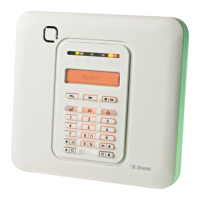
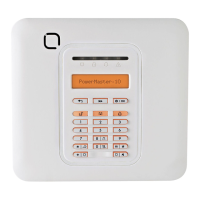
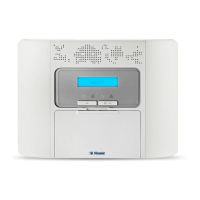
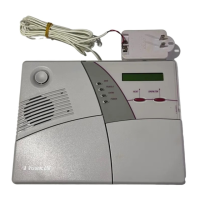
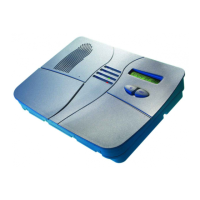
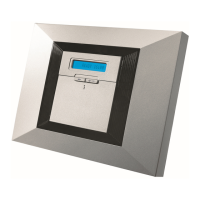
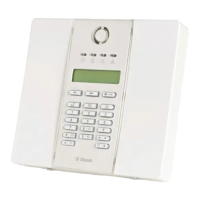
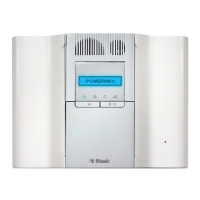
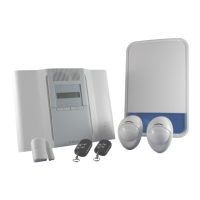
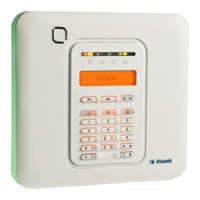
Visonic POWERMASTER 10 - User Manual

Visonic POWERMASTER 10
76 pages
Print Icon
To Next Page IconTo Next Page
Loading...
Fully supervised wireless alarm control system
Fully supervised wireless alarm control system Fully supervised wireless alarm control system Fully
supervised wireless alarm control system Fully supervised wireless alarm control system Fully supervised

wireless alarm control system Fully supervised wireless alarm control system Fully supervised wireless
alarm control system Fully supervised wireless alarm control system Fully supervised wireless alarm
control system Fully supervised wireless alarm control system Fully supervised wireless alarm control
system Fully supervised wireless alarm control system Fully supervised wireless alarm control system Fully
supervised wireless alarm control system Fully supervised wireless alarm control system Fully supervised
wireless alarm control system Fully supervised wireless alarm control system Fully supervised wireless
alarm control system Fully supervised wireless alarm control system Fully supervised wireless alarm
control system Fully supervised wireless alarm control system Fully supervised wireless alarm control
system Fully supervised wireless alarm control system Fully supervised wireless alarm control
system Fully supervised wireless alarm control system Fully supervised wireless alarm control system Fully
supervised wireless alarm control system Fully supervised wireless alarm control system Fully supervised
User Guide
PowerMaster-10/
PowerMaster-30

Other manuals for Visonic POWERMASTER 10

Questions and Answers

  • N
    noah34Sep 8, 2025
    What does CLEAN ME mean on my Visonic Security System and how to resolve it?
    • K
      Kathryn NormanSep 8, 2025
      If your Visonic Security System displays a 'CLEAN ME' message, use a vacuum cleaner to occasionally clean the detector air vents to keep them free of dust.
  • R
    Randy RomanSep 9, 2025
    What does GAS TROUBLE mean on my Visonic POWERMASTER 10 and how to resolve it?
    • I
      Ian StoutSep 9, 2025
      If your Visonic Security System displays a GAS TROUBLE message: * For a gas detector: Disconnect and then put back the AC power supply connector. * For a CO Gas detector: Replace the detector.
  • N
    nguyenkaylaSep 12, 2025
    What to do if my Visonic POWERMASTER 10 shows RSSI LOW?
    • J
      John WalkerSep 12, 2025
      If your Visonic Security System displays an RSSI LOW message, move the Panel and GSM unit to another location.
  • T
    taylor91Sep 13, 2025
    What to do if my Visonic POWERMASTER 10 Security System LINE FAILURE?
    • W
      wayne20Sep 13, 2025
      If your Visonic Security System indicates a LINE FAILURE: * Lift the telephone receiver and make sure a telephone line can be heard. * Check the telephone connection to the control panel.
  • B
    Benjamin HernandezSep 15, 2025
    What to do if my Visonic POWERMASTER 10 Security System shows CPU LOW BATTERY?
    • B
      Brian DodsonSep 15, 2025
      If your Visonic Security System displays a CPU LOW BATTERY message: * Check if AC power is available in the Panel. * If the trouble persists for more than 72 hours, replace the battery pack.
  • S
    Samantha JacksonSep 18, 2025
    What does FUSE TROUBLE mean on my Visonic POWERMASTER 10 Security System and how to resolve it?
    • M
      Melissa HamiltonSep 18, 2025
      If your Visonic Security System displays a FUSE TROUBLE message, ensure that the connection load conforms to the specifications.

Summary

Introduction to PowerMaster Systems

Panel Indicators and Controls

Understand the layout and function of the control panel's LEDs, keys, and buttons.

Users and Codes

Learn how to manage user access levels, security codes, and permissions.

Operating the PowerMaster System

Basic Arming and Disarming

Master the fundamental procedures for arming and disarming your alarm system.

Electrical Appliance Control

Reviewing Troubles and Alarm Memory

Displaying Trouble Information

Identify and understand system trouble conditions and their causes.

Correcting Trouble Situations

Actions to resolve system faults and clear trouble indications.

Menus and Functions

Entering User Settings Menu

Navigate and access the system's user configurable settings.

Programming User Codes

Set up and manage user access codes, security levels, and partition assignments.

Event Reporting and Control

Testing the System

Periodic System Test

Perform regular tests to ensure all system components are functioning correctly.

Maintenance

Battery Replacement

Instructions for replacing backup and wireless device batteries to ensure continuous operation.

Appendix A: Partitioning

Visonic POWERMASTER 10 Specifications

General IconGeneral
Communication ProtocolsPowerG
Frequency433-434 MHz, 868-869 MHz
System TypeWireless
CommunicationGSM
Remote ControlYes
Event Log1000 events
Partitions3
Humidity85% non-condensing
User Codes8
Backup BatteryNi-MH battery pack
Operating Temperature-10°C to +50°C

Related product manuals