27
[autorun.exe] to start the program. You can also click [Run] in the
Windows Startup menu, enter "D:\autorun.exe" (where D is your CD-ROM
drive letter) in the text box, and click [OK].
6.1 Install Driver
1: Click [Install Driver].
2: Follow the on-screen instructions to install the drivers.
6.2 How to use the PC Camera
Please install the video camera driver first.
Connect the video camera to the computer
with a USB cable, and then set the video
camera to PC CAM mode by press “Mode”
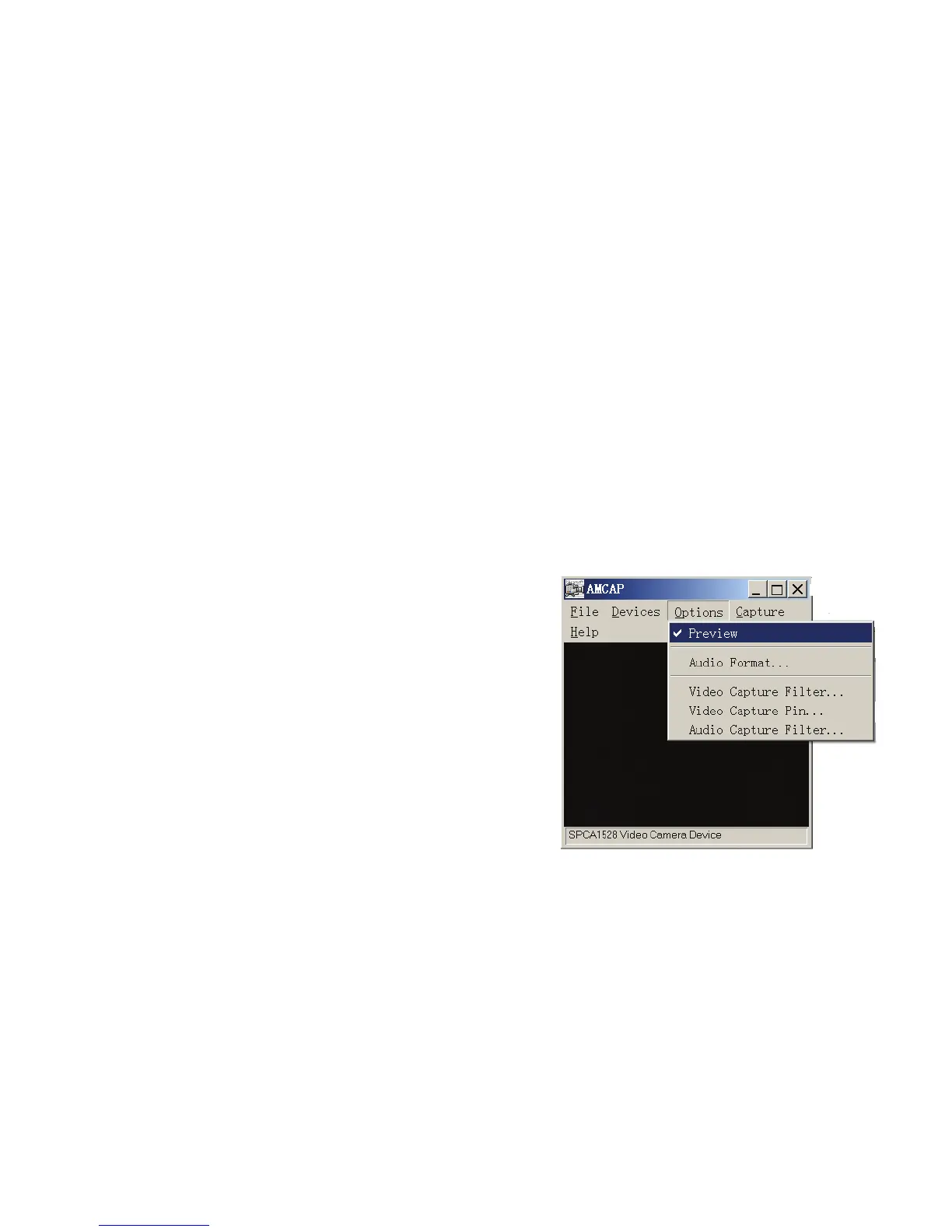
button. Run the program Amcap on the
desktop. If it was the first time you use this
function please select the item < Preview>
as in the illustration. And then you can use it as the pc camera function.
If you want to change the imaging size, select <Video Capture Pin> to
change the Output Size.



 To Next Page