
 To Next Page
G
Gregory WhiteAug 25, 2025
What to do if my Vive DMD1001 display is dim?
- SSandra AlvaradoAug 26, 2025
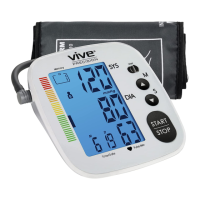
If the display of your Vive Blood Pressure Monitor is dim, the batteries may be low. Replace them with new batteries.

What to do if my Vive DMD1001 display is dim?
If the display of your Vive Blood Pressure Monitor is dim, the batteries may be low. Replace them with new batteries.
Why does my Vive Blood Pressure Monitor display E10, E11, E20, E21, or EExx?
If your Vive Blood Pressure Monitor displays error codes E10, E11, E20, E21, or EExx, it means the monitor detected motion, talking, or a poor pulse during measurement. Try loosening clothing on the arm and remeasure. Relax for a moment before retaking the measurement.
Guides the user through setting the device's date, time, and measurement units.
Provides instructions on how to correctly attach and position the blood pressure cuff on the arm.
Details the steps required to perform a blood pressure measurement.
Addresses issues related to the device not powering on.
Provides solutions for when the display is dim or shows low battery indicators.
Lists common error codes and their troubleshooting steps.
 General
| Brand | Vive |
|---|---|
| Model | DMD1001 |
| Category | Blood Pressure Monitor |
| Language | English |