14
Parental Control
The Parental Control feature can be accessed by touching the Parental
Control icon on the Home screen. The Parental Control allows you to specify
which apps can be used by your children. Once you add your user information and
set your Lock Code, you can then control which apps can be launched without a
code and which apps require a lock code to be entered in order to launch.
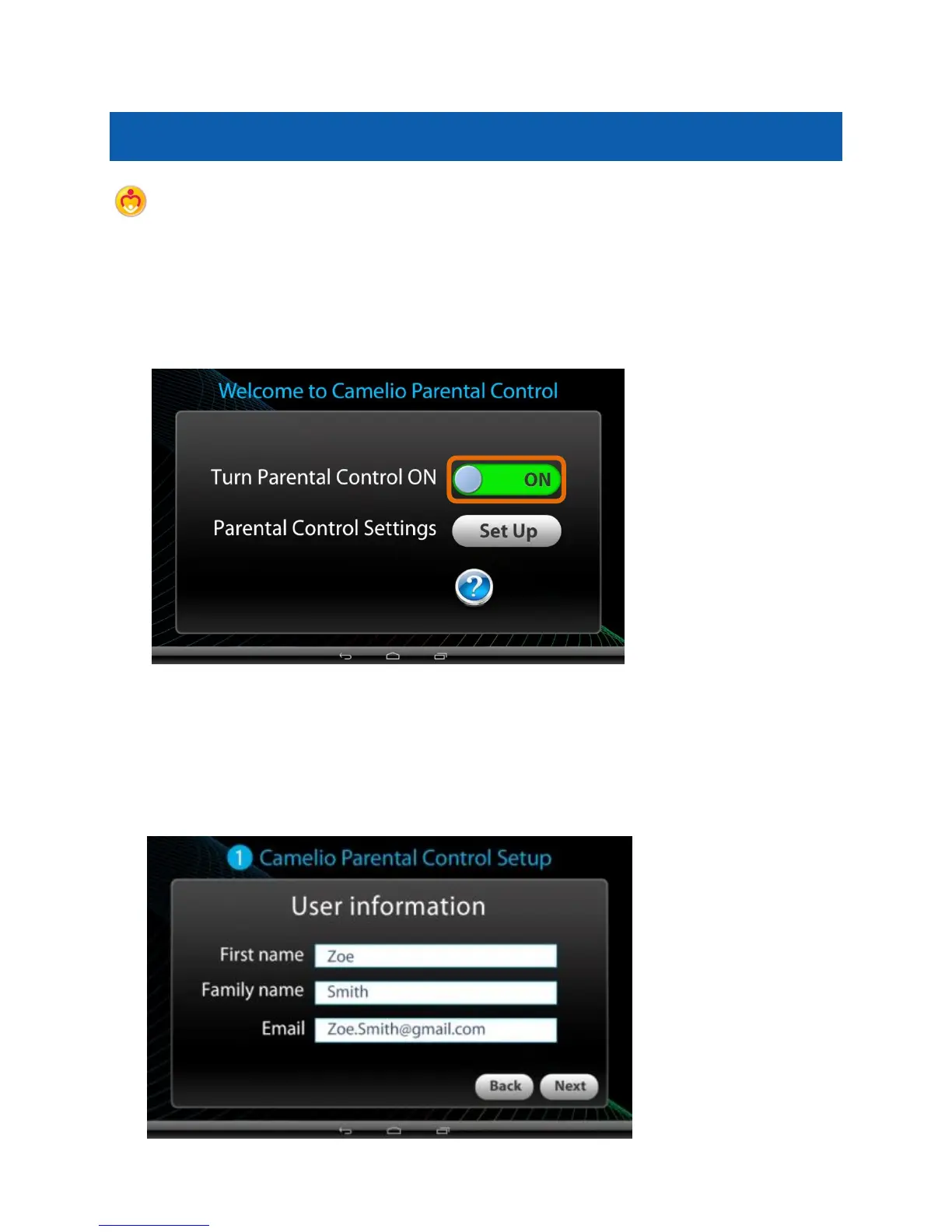
1. Parental Control Setup - Selecting ON/OFF:
By default, the Parental Control feature is turned OFF, which means that all
apps can be accessed. To activate the Parental Control, touch the ‘Turn
Parental Control On’ option to ON.
Then touch the Set Up button to continue the Parental Control set up.
2. Parental Control Setup - User Information:



 To Next Page