15
You will then be prompted to enter your first name, last name and email.
After your information has been entered, touch Next.
Note: Your existing Google email or the new Google account you defined
during the Initial Setup will automatically appear. If you do not have a Google
Account, you will be prompted to create a new account. Your lock code details
will be sent to the account specified.
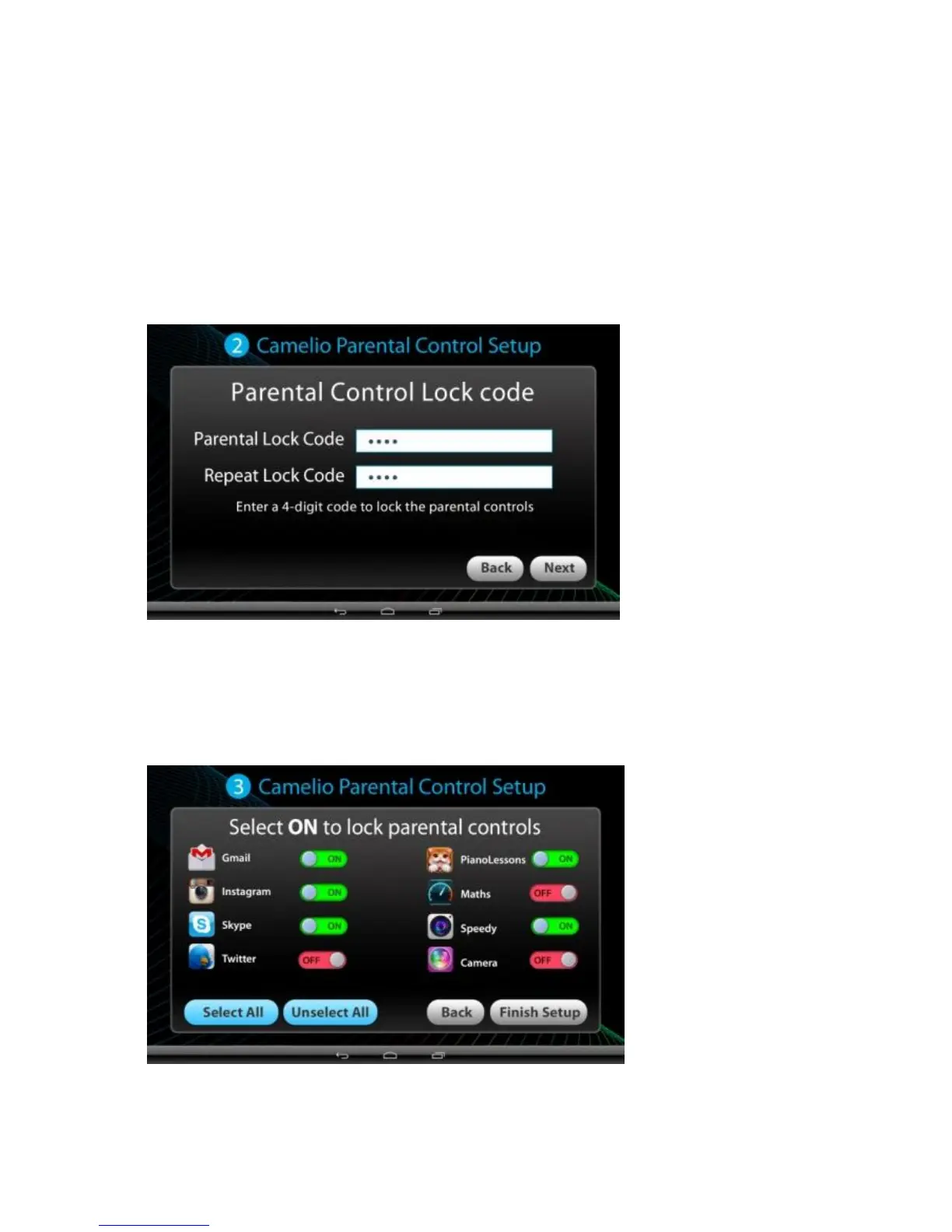
3. Parental Control Setup – Setting the Lock Code:
Enter a 4-digit Parental Lock Code and touch Next (from the onscreen keyboard).
Then reenter the Lock Code to confirm and touch Done (from the onscreen
keyboard). Touch Next to continue.
4. Parental Control Setup – Selecting the Locked Apps:
Touch ON or OFF to select the Parental Control setting for each app. ‘ON’
indicates that the Parental Control has been activated for the selected App



 To Next Page