7
Create a New Google Account
If you do not have a Google Account and have touched No on the ‘Got Google?’
screen, please follow these instructions:
1. The ‘Make it Google’ screen appears to reconfirm. Touch Get an account to
continue. Note: If you would like to create a Google account at another time
touch Not now.
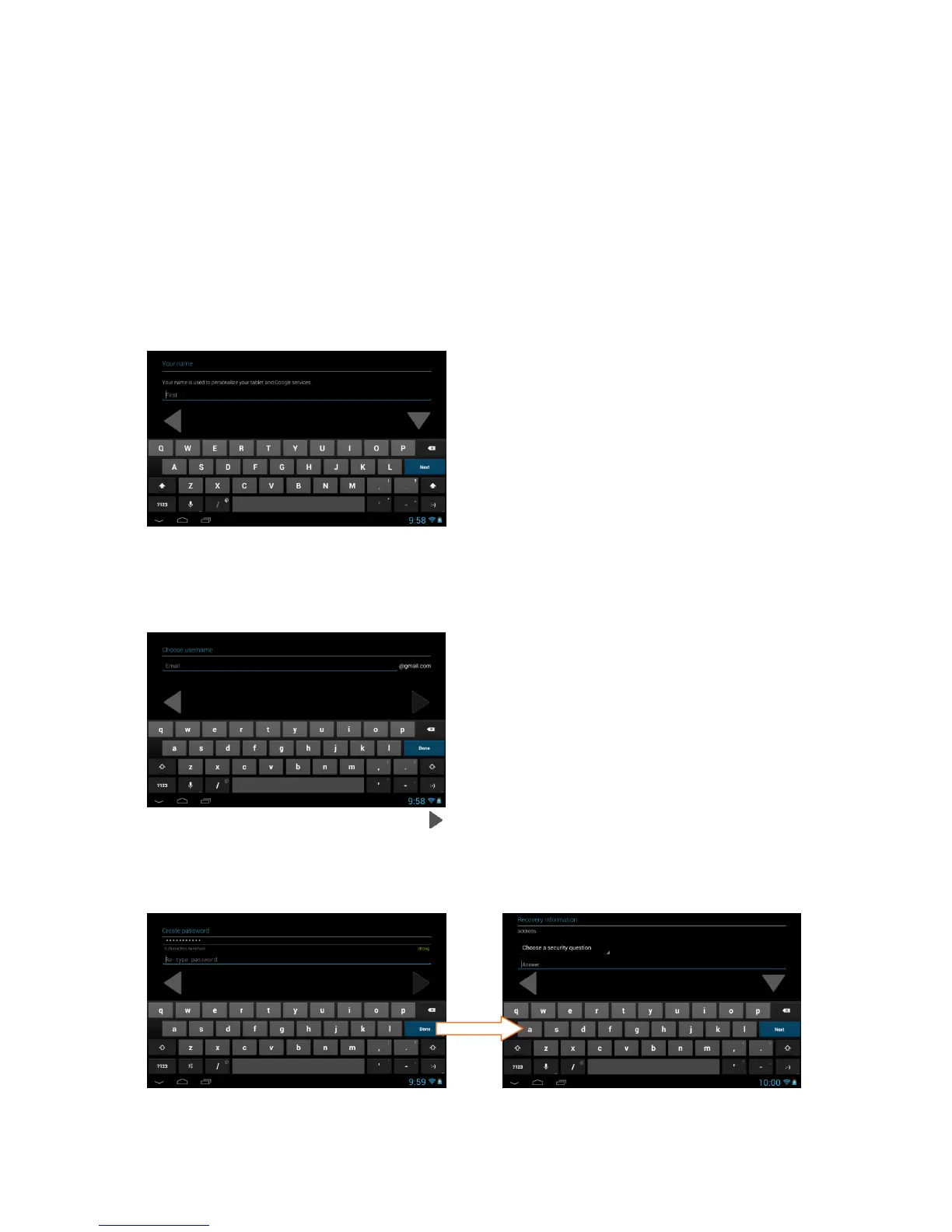
2. Enter Name:
You will be prompted to enter your first and last name. Touch Done once
complete.
3. Choose username:
Enter an email then touch Next or Done.
Note: The email entered will be checked for availability.
4. Create Password/ Recovery information:
Type your password for your account (minimum of 8 characters) and retype to
confirm your password. Touch Done when complete.



 To Next Page