8
Then select a Security question which will be used if you ever lose your
password and need to recover it. Type your Answer and then the Recovery
Address (different than your new Google email) for recovering your password.
When complete touch Next or Done to continue.
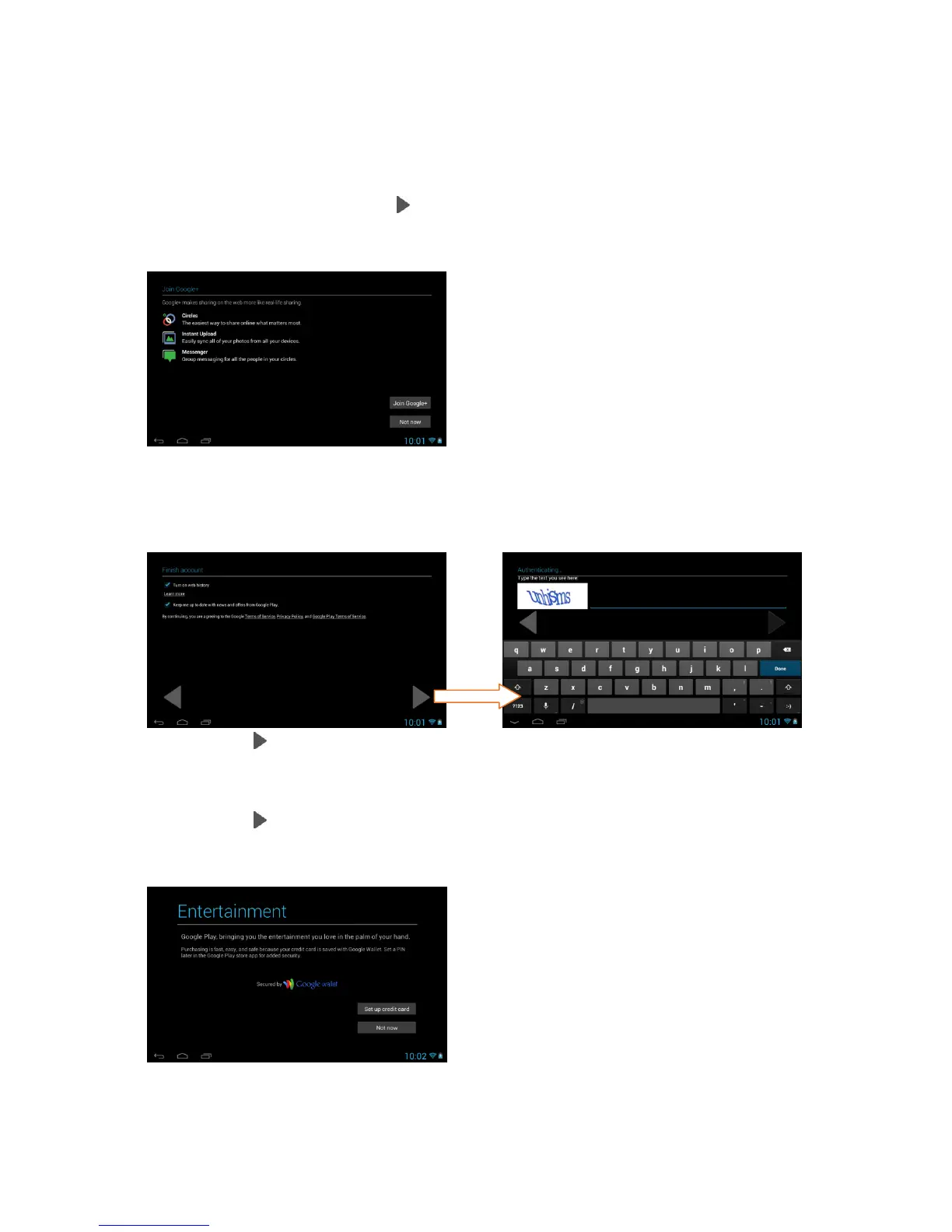
5. Join Google+:
Touch Join Google+ to enable sharing on the web via Circles, Instant Upload
and Messenger. Touch Not Now to continue without enabling Google+.
6. Terms of Service/Authenticate:
Touch Next to accept the Google Terms of Service, Privacy Policy and
Google Play Terms of Service.
Then, to authenticate your account, type the word displayed in the text field.
Touch Next or Done to continue.
7. Setup Google Play:
Touch Set up credit card and enter your details to enable easy purchasing of
apps from the Google Play Application Download Store. If you choose not to
setup Google Play, touch Not now.



 To Next Page