26
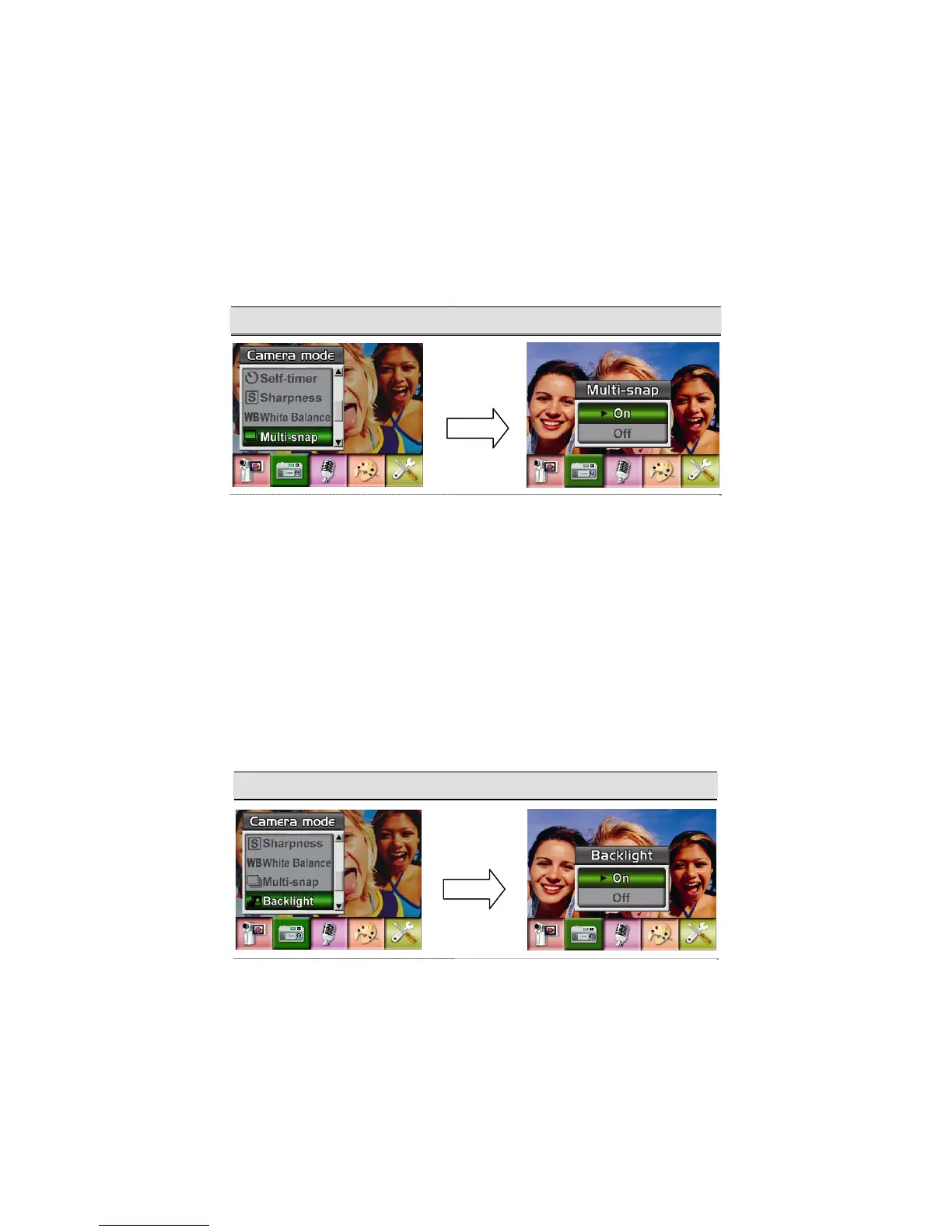
Multi-Snap (Picture Record Mode Only)
With the camera set to Multi-Snap Mode, you can take five continuous pictures.
To enable Multi-Snap:
1. When in Camera Mode, use Up/Down Buttons to select Multi-Snap, then press Enter Button
to switch to Multi-Snap submenu.
2. Use Up/Down Buttons to choose On or Off.
3. Press Enter Button to validate the setting and exit.
Display Screen Multi-Snap Option
Backlight (Picture Record Mode Only)
With the camera set to backlight Mode, you can take shots when bright light is behind the
subject.
To enable Backlight:
1. When in Camera Mode, use Up/Down Buttons to select Backlight, then press Enter Buttons
to switch to Backlight submenu.
2. Use Up/Down Buttons to choose On or Off.
3. Press Enter Button to validate the setting and exit.
Display Screen Backlight Option
Enter Button
Enter Button



 To Next Page