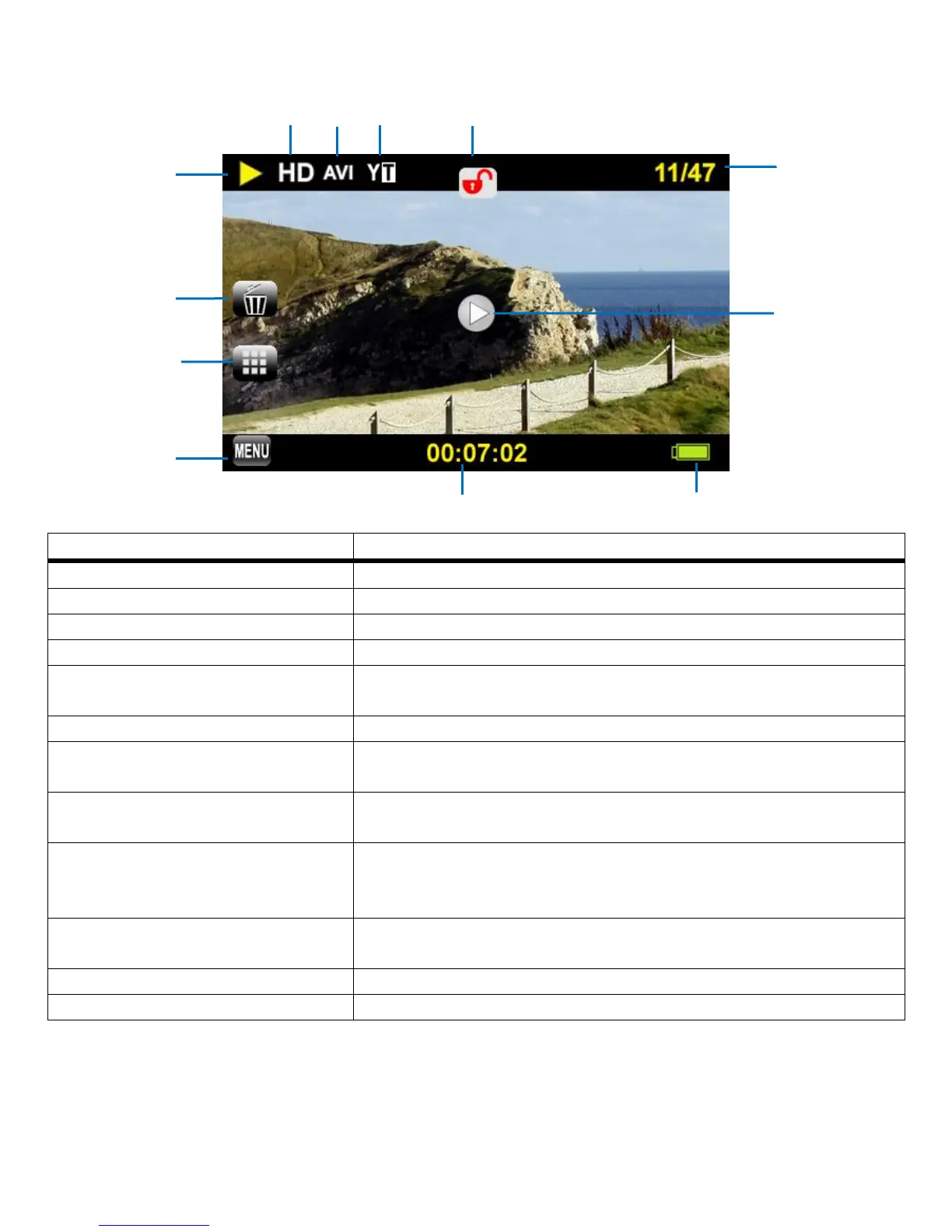
VIDEO PLAYBACK MODE: LCD SCREEN ICONS
Indicates Camcorder is in Playback Mode
Tap to open the Delete Image Menu options
Tap to open the Thumbnail View for Videos and Photos
Tap to open the Video Playback Mode Menus
Indicates the sequence number of the current file / total number of
captured images
Tap to play the selected video
Indicates the resolution in which the video was captured
(HD, VGA, QVGA)
Indicates the file type of the image
Captured Videos are saved as AVI files
Indicates which ViviLink is assigned to the video (YouTube,
Photobucket, Flickr, None)
Note: The ViviLink can be changed using the Playback Menu
Tap to lock or unlock the selected video.
Note: Locked videos cannot be deleted.
Displays the recorded time as the video plays
Indicates the camcorder battery level (Full, Medium, Low)



 To Next Page