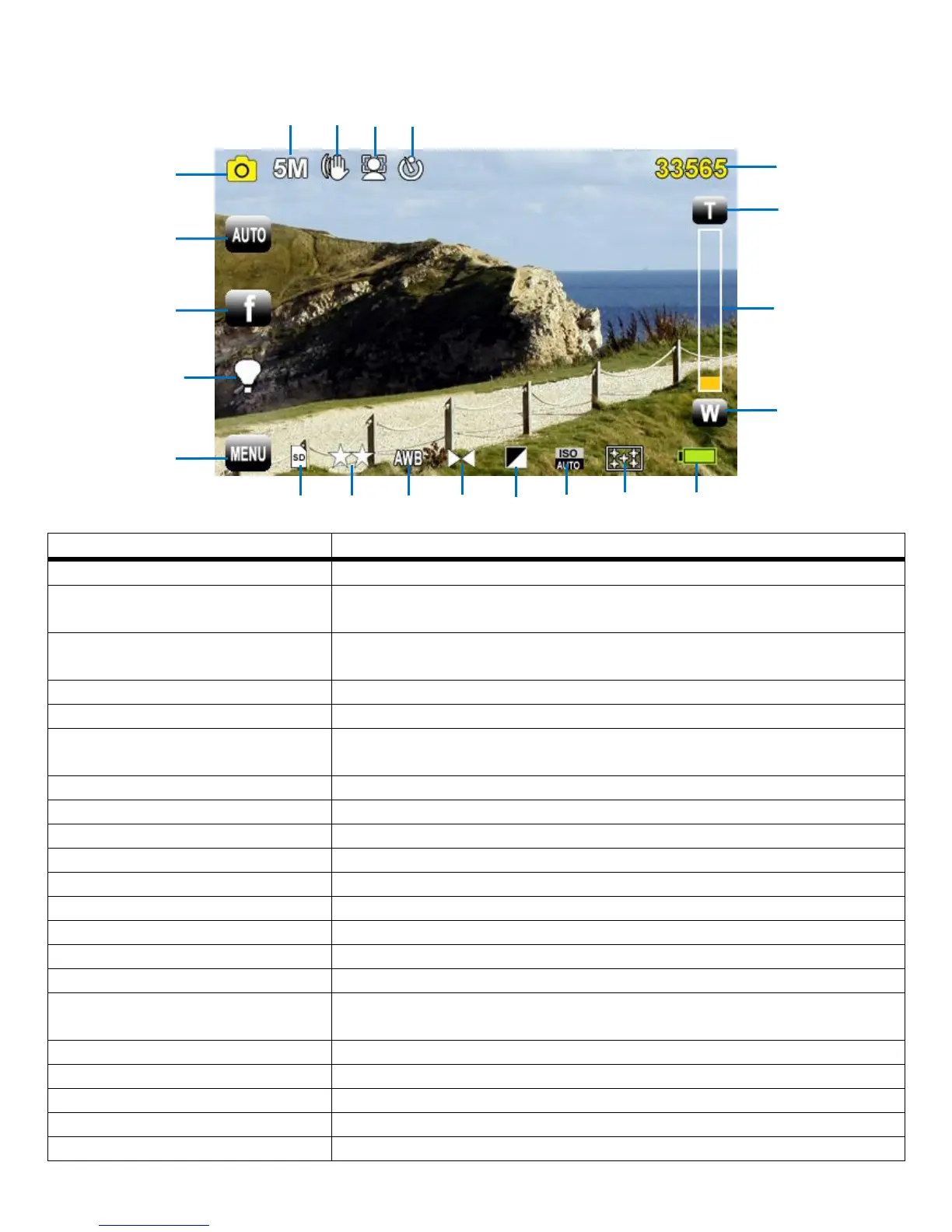
PHOTO CAPTURE MODE: LCD SCREEN ICONS
Indicates Camcorder is in Photo Capture Mode
Tap to open the Scene Menu options (Auto, Night Portrait, Night Scenery,
Portrait, Scenery, Beach, High Sensitivity)
Tap to open the ViviLink for Photos Menu options (Facebook, Twitgoo, Twitpic,
Photobucket, Flickr, MySpace, Picasa Albums, None)
Tap to turn the LED ‘flash’ light ON/OFF
Tap to open the Photo Capture Mode Menus
Standby Mode: Indicates the memory capacity – the amount of photos available
to capture videos according to the resolution and quality
Displays the current, selected zoom (up to 4x Digital Zoom)
Indicates the selected resolution (5M, 3M, 2M, VGA)
Indicates that the Anti-Shake feature is ON or OFF
Indicates that the Face Detect feature is ON or OFF
Indicates that the Self-Timer feature has been selected
Indicates the memory card has been properly inserted
Indicates the selected Image Quality (Super Fine, Fine, Normal)
Indicates the selected White Balance (Auto, Daylight, Cloudy, Fluorescent,
Incandescent)
Indicates the selected Image Sharpness (Sharp, Normal, Soft)
Indicates the selected Light Exposure (-3.0EV ~ +3.0EV)
Indicates the selected ISO (Auto, 100, 200, 400)
Indicates the selected Metering (Center, Multi, Spot)
Indicates the camcorder battery level (Full, Medium, Low)



 To Next Page