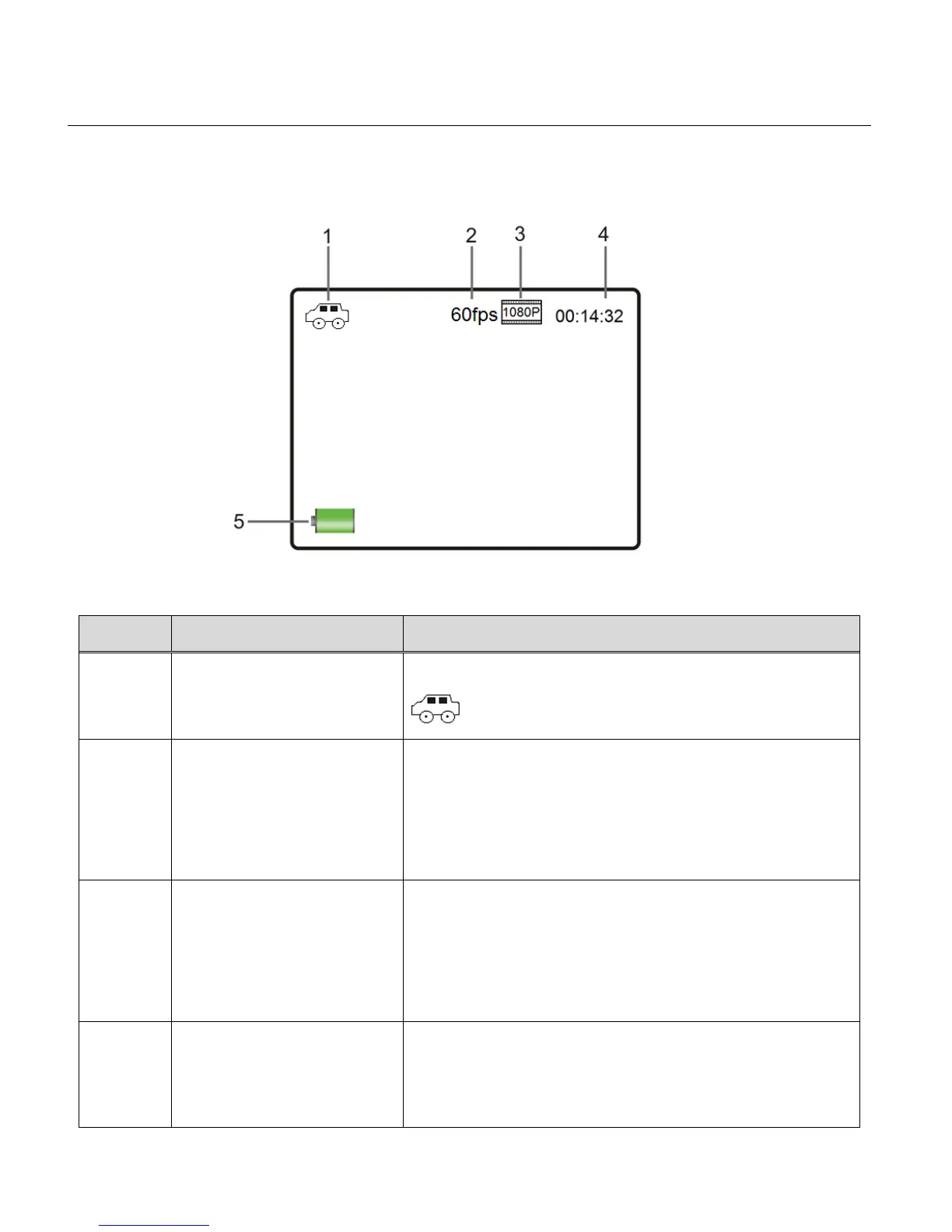
VIDEO CAPTURE MODE LCD ICON STATUS DESCRIPTION
The following icons appear on the LCD screen and indicate the selected menu options and
camera status.
Displays the current selected Mode:
Video Capture – Car Carrying Mode
Displays the frames per second as per the selected
movie size.
The frames per second options include:
30fps, 60fps, 120fps, 10fps
Displays the selected Movie Size Setting.
The Movie Size options include:
1440P (30fps), 1080P (60fps), 1080P (30fps),
720P (120fp), 720P (60fps), 4K (10fps)
Standby Mode: Video Counter
Displays the amount of time available for video
capture as per selected Movie Size and memory



 To Next Page