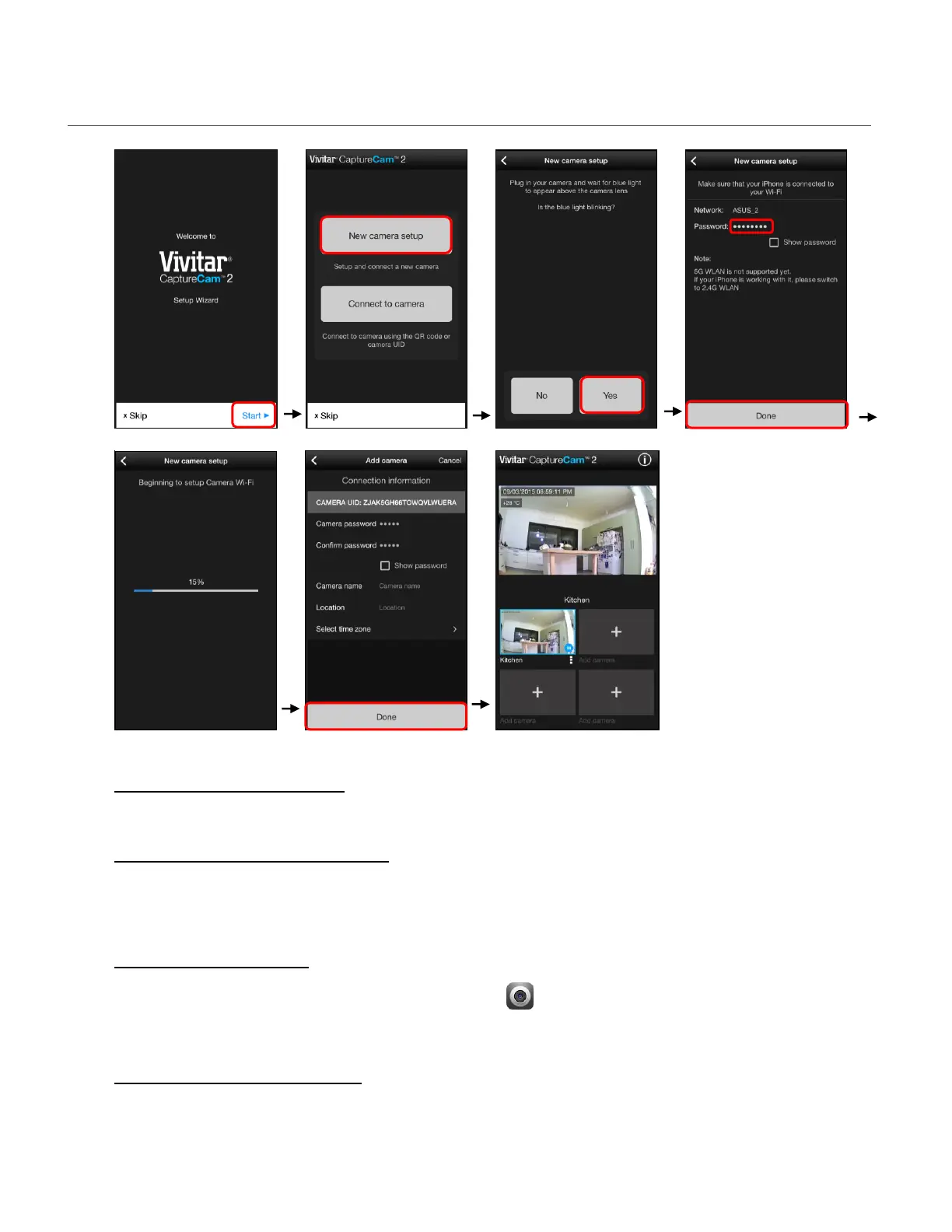
INITIAL SETUP: CONNECTING YOUR CAMERA TO THE APP
1. INSTALL MICRO SD CARD
Insert a Micro SD Memory card into your camera.
2. ENABLE MOBILE DEVICE WI-FI
Make sure to enable Wi-Fi on your smartphone or tablet via the settings of your mobile
device.
3. LAUNCH MOBILE APP
Tap the Vivitar CaptureCam2 application icon on your smartphone or tablet to launch
the installed app.
4. WELCOME: SETUP WIZARD
The Welcome screen appears with the ‘Setup Wizard’.
NOTE: The ‘Setup Wizard’ screen appears only upon first time, initial setup.
This manual downloaded from http://www.manualowl.com



 To Next Page