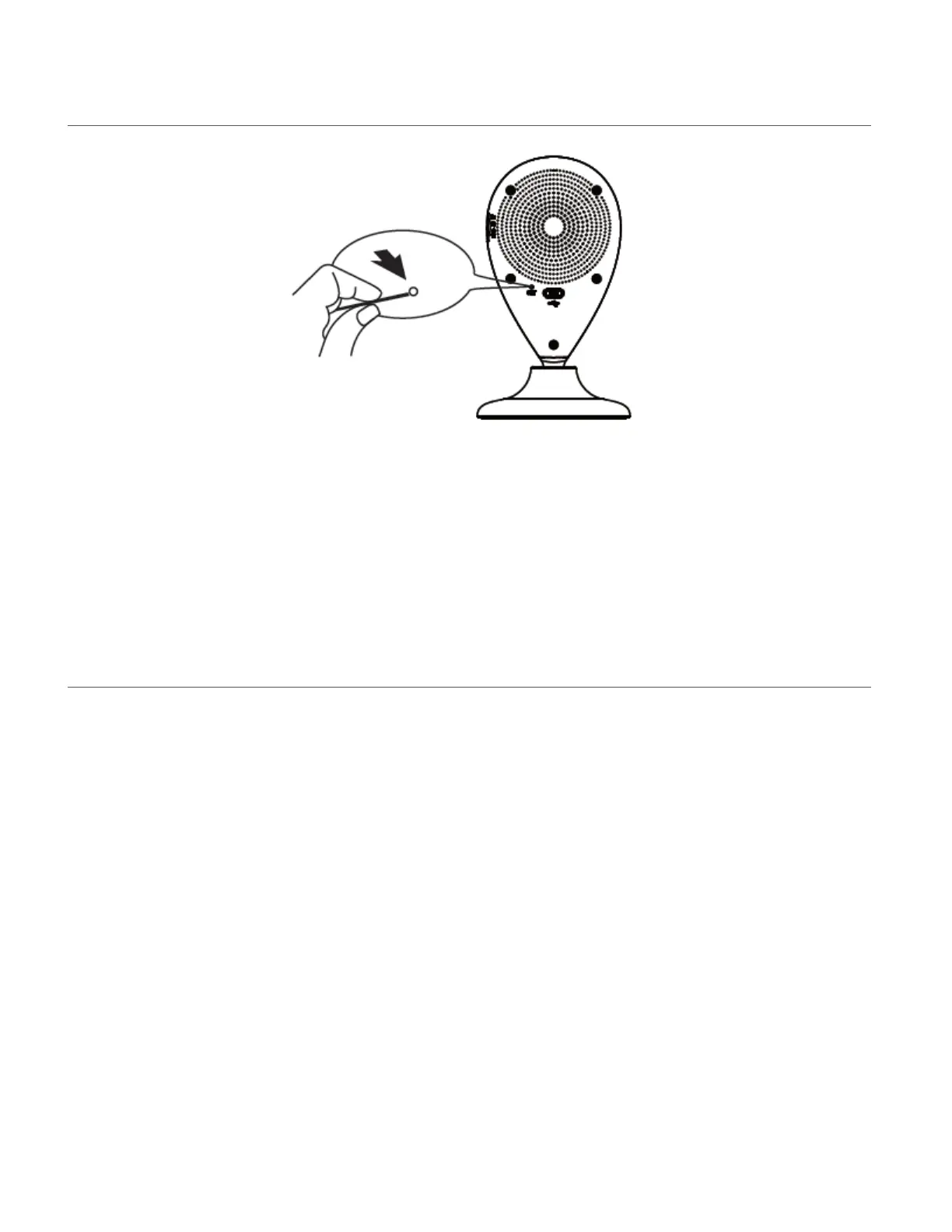
CAMERA RESTART
If the blue indicator fails to flash or if you see a red light, you need to RESET the camera. To reset
the IP Camera, use the Setup Tool to press the RESET button on the back of the camera. Hold
for 5 seconds and then release. The IP Camera will restart and reset. This may take approx. 30
seconds.
INDICATOR LIGHT
Blue Flashing Indicator Light:
When the blue indicator light is flashing, this indicates that the camera is ready for setup.
Blue Steady Indicator Light:
When the blue indicator light is steady, this indicates that the camera is connected to Wi-Fi.
Red Flashing Indicator Light:
The red indicator light indicates that the camera connection to the Wi-Fi has failed.
- Press the RESET button for 5 seconds to clear the setup data and reset the camera settings
via the Capture Cam2 application (Add New Camera).
- Press the RESET button for 1 second to restart the camera and enter setup mode to
reconnect to Wi-Fi when you have already set up the camera before via the Capture Cam2
app.
This manual downloaded from http://www.manualowl.com



 To Next Page