Using CaptureCam2
HOME SCREEN
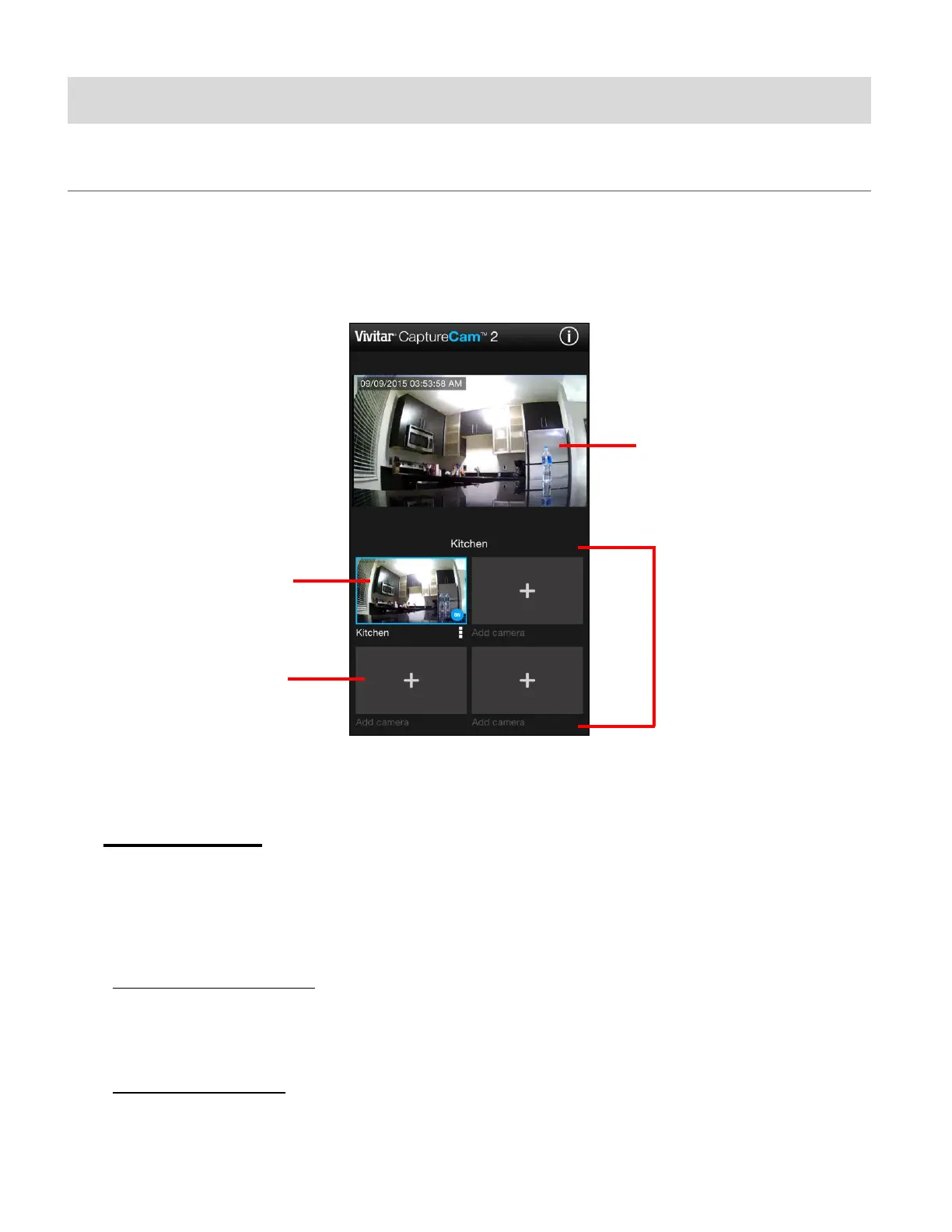
The ‘Home’ screen displays the Live Camera in the top section and the Camera List on the
bottom section.
1. CAMERA LIST
The Camera List displays a list of up to four cameras. Cameras can be added or removed from
the list at any time.
The cameras listed are shown as either connected or not connected (Add New Camera +).
- CONNECTED CAMERA: A connected camera, or one that has already been associated
with the application, appears with a camera name and current live image. The connected
camera is also highlighted by a blue box.
- ADD NEW CAMERA: A camera that is not yet available is shown with a PLUS + icon and
‘Add Camera’ text.
This manual downloaded from http://www.manualowl.com



 To Next Page