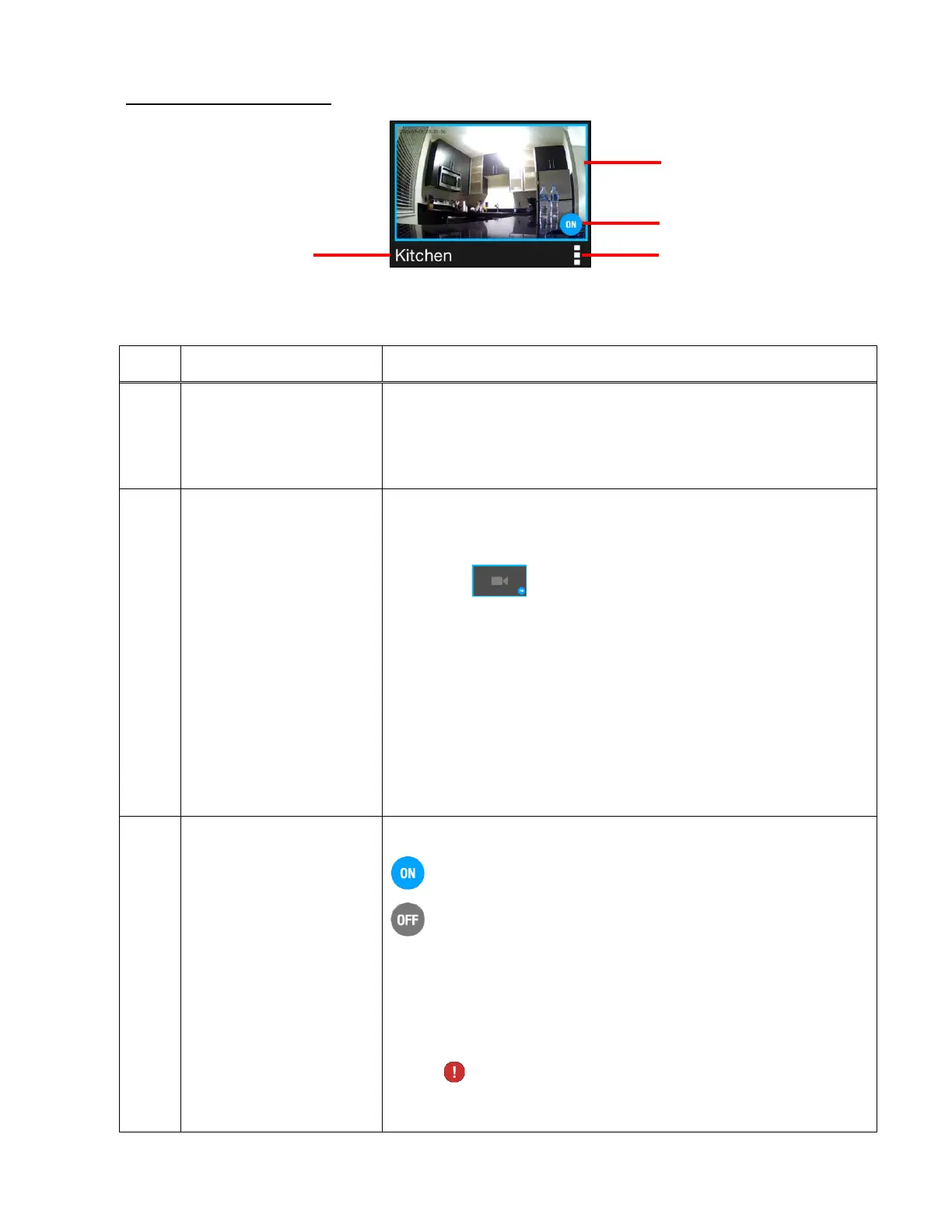
A. CONNECTED CAMERA
The connected camera displays the following:
Displays the camera name you entered during the setup.
NOTE: You can change the camera name at any time via
the Camera Menu ‘Settings’ option
Displays the thumbnail image of your live streaming
video.
NOTE: The default thumbnail appears until the
application gets the picture from the live stream.
Tap on the camera thumbnail to select and view the
camera’s streaming live capture in the Live Camera
display on the top section of the Home screen.
NOTE: If the camera connection is OFF, you can tap the
camera thumbnail to reconnect.
Displays the camera’s current status:
The camera is connected to Wi-Fi and active (ON).
The camera is not connected to Wi-Fi and inactive
(OFF).
NOTE: If an incorrect password is entered as you try to
connect to a camera, the icon changes to an exclamation
mark and a message appears indicating that the
password is incorrect and to please try again.
3. Camera Status (Off/On)
2. Camera Live Video
Stream Thumbnail
This manual downloaded from http://www.manualowl.com



 To Next Page