EasyManua.ls Logo

Vivo DESK-V103E/EW - User Manual

Vivo DESK-V103E/EW
10 pages
Print Icon
To Next Page IconTo Next Page
Loading...
LAST UPDATED: 01/06/2023
REV1.1LF
Ready to share that new amazing
setup? Want to brag about that
amazing new ergonomic solution?
Tag us in your photo!
FOR MORE GREAT VIVO PRODUCTS,
CHECK OUT OUR WEBSITE AT: WWW.VIVO-US.COM
LOVE YOUR NEW VIVO SETUP?
VIVO-us @vivo_us
Electric Dual Motor Desk Frame
Follow along step-by-step with our video walk through by scanning
the QR code with your mobile device or by following the product
link: vivo-us.com/products/desk-v103e
Instruction Manual
SKU: DESK-V103E/EW
ASSEMBLY VIDEO AVAILABLE:
help@vivo-us.com
www.vivo-us.com
309-278-5303
Question and Answer IconNeed help?

Do you have a question about the Vivo DESK-V103E/EW and is the answer not in the manual?

Overview

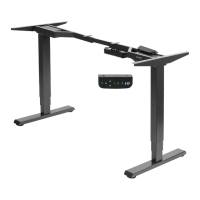
This document describes the VIVO Electric Dual Motor Desk Frame, model SKU: DESK-V103E/EW. This is an adjustable height standing desk frame designed to provide a more ergonomic workspace.

Function Description

The VIVO Electric Dual Motor Desk Frame allows users to easily adjust the height of their desk, promoting a healthier and more dynamic work environment. It features dual motors for smooth and stable height adjustments. The desk frame is designed to support a desktop (not included) and can be customized with various accessories such as speaker mounts, cable management solutions, and monitor mounts to create a complete ergonomic setup. The control panel allows for easy height adjustments and includes memory settings to save preferred heights.

Important Technical Specifications

  • Weight Capacity: The desk frame can support a maximum weight of 275 lbs (125 kg) when plugged in and 176 lbs (80 kg) when unplugged.
  • Height Adjustment Range: The desk frame offers a wide range of height adjustments. The minimum height is 62.2cm (24.4") and the maximum height is 121.9cm (48").
  • Desktop Size Compatibility: The frame is designed to accommodate desktops with a width range of 72.13cm (28.3") to 121.9cm (48") and a depth range of 72.13cm (28.3") to 121.9cm (48").
  • Motor Type: Dual motor system for efficient and stable height adjustments.
  • Power: Connects to a standard wall outlet.
  • Materials: Constructed from durable materials suitable for office furniture.

Usage Features

  • Easy Height Adjustment: The control panel features up and down arrows for simple height adjustments.
  • Memory Settings: Users can save up to three preferred height settings (M1, M2, M3) for quick recall.
  • Customizable Minimum & Maximum Height Settings: The desk allows users to set their own minimum and maximum height limits, preventing accidental over-extension or retraction.
  • Anti-Collision Sensitivity: The desk frame includes an anti-collision system with adjustable sensitivity (levels 1-5). If the desk encounters an obstacle during adjustment, it will stop and reverse direction to prevent damage.
  • Gyro Sensor: The desk is equipped with a gyro sensor to detect uneven desktop conditions. Users can adjust the sensitivity of this sensor.
  • Displayed Height with Desktop Thickness: The control panel can be programmed to account for the thickness of the desktop, ensuring accurate height display.
  • Screen Lock Setting: The control panel can be locked to prevent accidental adjustments.
  • Timer Function: The control panel includes a timer that can be set for up to 30 minutes, reminding users to adjust their posture or take breaks.
  • Sleep Mode: After resting for 10 minutes, the screen will turn off to prevent accidental operation and save energy.
  • Height Adjustment Reminder: The control panel can be set to flash "L.SH" (long sit reminder) after a set period (e.g., 30 minutes) to prompt users to change their posture.
  • Quick Assembly: The manual provides clear, step-by-step instructions for assembly, including attaching the crossbar, brackets, and installing the frame and control panel.
  • Cable Management: The design incorporates features for installing cable clips to keep wires organized and tidy.
  • Leveling Feet: Adjustable leveling feet ensure stability on uneven surfaces.

Maintenance Features

  • Troubleshooting Guide: The manual includes a comprehensive troubleshooting section for common issues such as motor not connected, abnormal electrical current, power cable damage, sensor wire damage, short circuit, motor problems, motor running in reverse, and overload. Each issue is accompanied by a resolution, often directing the user to check connections or contact customer service.
  • Reset Function: If the desk encounters an unusual electrical problem or needs to be recalibrated, a reset procedure is available. This involves pressing and holding the up and down arrows until the desk beeps and moves to the fully lowered position.
  • Error Codes: The control panel displays error codes (e.g., E01, E07) to help diagnose specific problems. A full list of error codes, descriptions, and resolutions is provided.
  • Over-Current Protection: The system includes over-current protection. If the load on the desk exceeds rated specifications, the system will enter into over-current protection mode to prevent damage.
  • Thermal Protection: The unit will enter a protective mode should the system operate in excess of 5 minutes with "HOT" on the controller display. The system will return to normal operation after approximately 18 minutes.
  • Do Not Remove or Reconnect Power: Users are advised not to remove or reconnect power to reset the unit when in a protective or "HOT" state, as this may damage the electronics.
  • Customer Support: VIVO offers customer support via phone (309-278-5303) and email (help@vivo-us.com) for assistance with assembly, troubleshooting, and parts replacement. They emphasize a "DO NOT RETURN ITEM" policy, encouraging customers to contact them directly for support.
  • Warranty: The product comes with a 30-day free return policy for damaged or defective parts, with replacement parts shipped within 30 days of product delivery.
  • Regular Cleaning: While not explicitly detailed, general maintenance for office furniture would include regular cleaning to keep the desk in good condition.

Vivo DESK-V103E/EW Specifications

General IconGeneral
BrandVivo
ModelDESK-V103E/EW
CategoryIndoor Furnishing
LanguageEnglish

Related product manuals