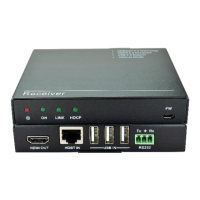
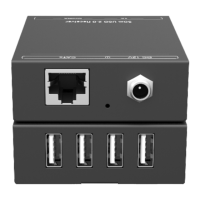
Mode ①: Transmitter: ARC; Receiver: ARC
The audio signal is transmitted from the display back to HDMI IN and AUDIO OUT
ports.
Connection procedure:
Step1. Connect the OPTICAL OUT port of the transmitter to the OPTICAL IN port of
the receiver with two OM3/OM4 multi-mode fiber cables.
Step2. Connect an amplifier to the HDMI IN port of Transmitter, and then connect HDMI
source device (e.g. Blue-ray DVD) and Speaker to the amplifier.
Step3. Connect a broadcast device (e.g. Speaker) to the AUDIO OUT port of
transmitter with toslink audio cable.
Step4. Connect a display device (e.g. TV) to the HDMI OUT port of receiver with HDMI
cable.
Step5. Bi-directional IR control: Both transmitter and receiver have IR IN and IR OUT
port. When one model use for IR signal receiver, the IR signal must be sent out
by the other model.
For example: When IR IN port of transmitter connects with an IR receiver, the IR
Emitter must be connected to the IR OUT port of receiver.
Step6. Bi-directional RS232 control: Both transmitter and receiver have RS232 port.
When one model use for control device, the other must be used for the third-
party device needed to be controlled.
For example: When RS232 port of transmitter connects with a control PC, the
third-party device must be connected to the RS232 port of receiver.


 To Next Page
 Loading...