VIVOTEK
120 - User's Manual
Recording > Recording settings
This section explains how to congure the recording settings for the Network Camera.
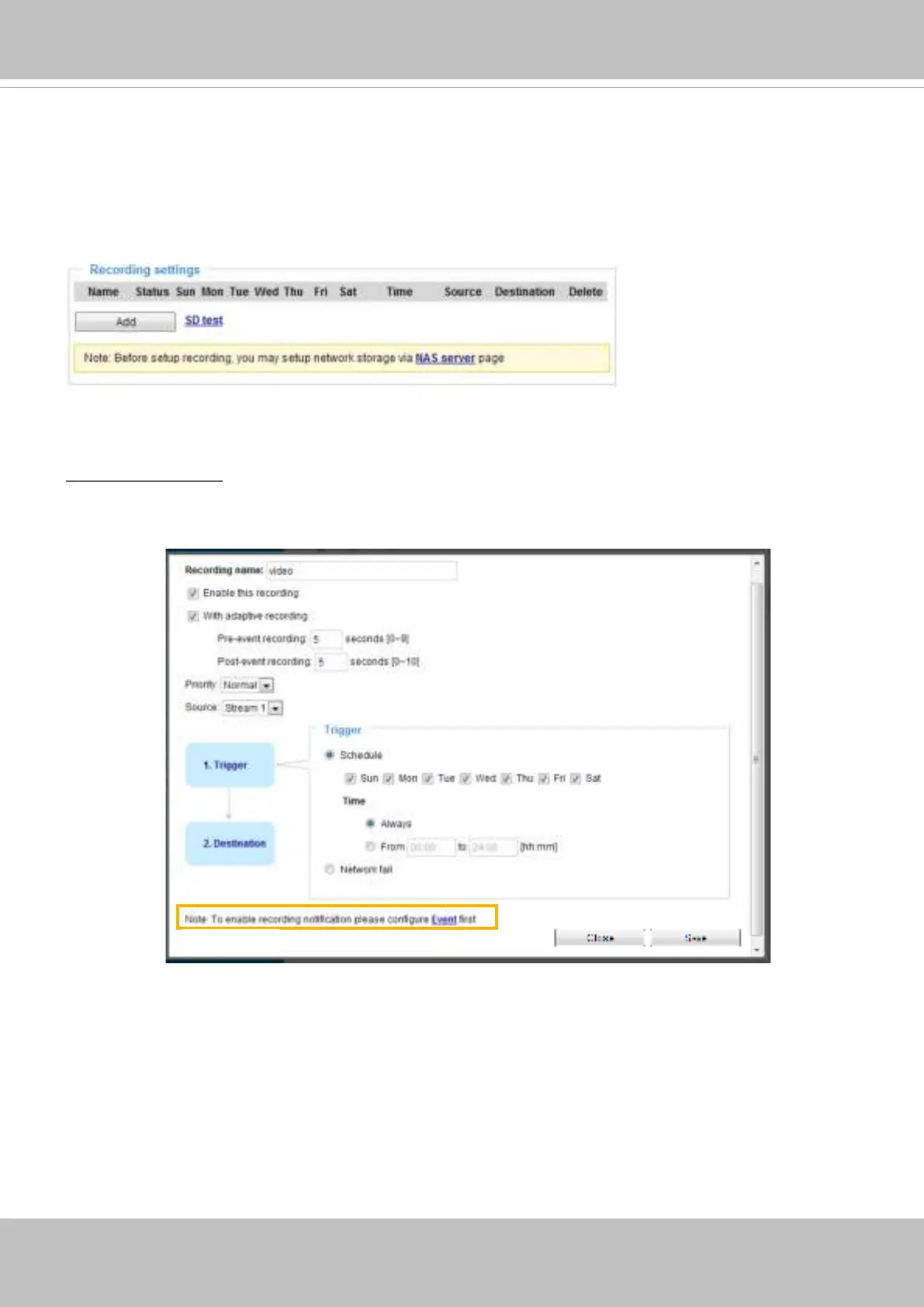
Recording Settings
Recording Settings
Click Add to open the recording setting window. On this page, you can dene the adaptive recording,
recording source, recording schedule, and recording capacity. A total of 2 recording settings can be
congured.
■ Recording name: Enter a name for the recording setting.
■ Enable this recording: Select this option to enable video recording.
■ With adaptive recording:
Select this option will activate the frame rate control according to alarm trigger.
The frame control means that when there is a triggered alarm, the frame rate will raise up to the value
you’ve congured on the Video quality page. Please refer to page 121 for more information.














 To Next Page