VIVOTEK
22 - User's Manual
Main Page
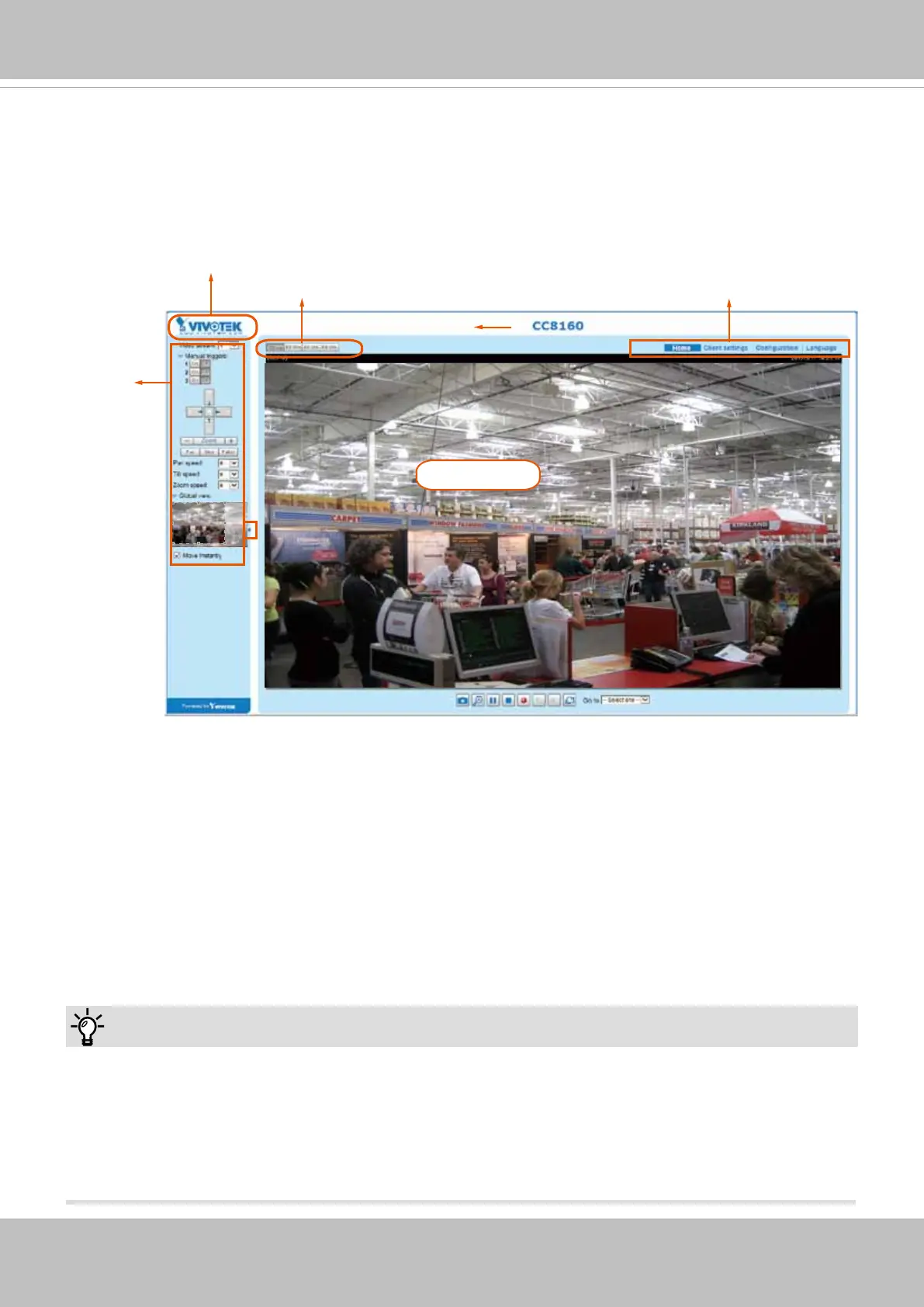
This chapter explains the screen elements on the main page. It is composed of the following
sections: VIVOTEK INC. Logo, Host Name, Camera Control Area, Conguration Area, and Live
Video Window.
VIVOTEK INC. Logo
Click this logo to visit the VIVOTEK website.
Host Name
The host name can be customized to t your needs. For more information, please refer to System > General
Settings on page 33.
Host name
Resize Buttons
VIVOTEK logo
Camera Control
Panel
Configuration
Area
Live View window
Tips:
The onscreen Java control can malfunction under the following situations:
A PC connects to different cameras that are using the same IP address (or the same camera
running different rwmare versions).
Removing your browser cookies will solve this problem.














 To Next Page