VIVOTEK
48 - User's Manual
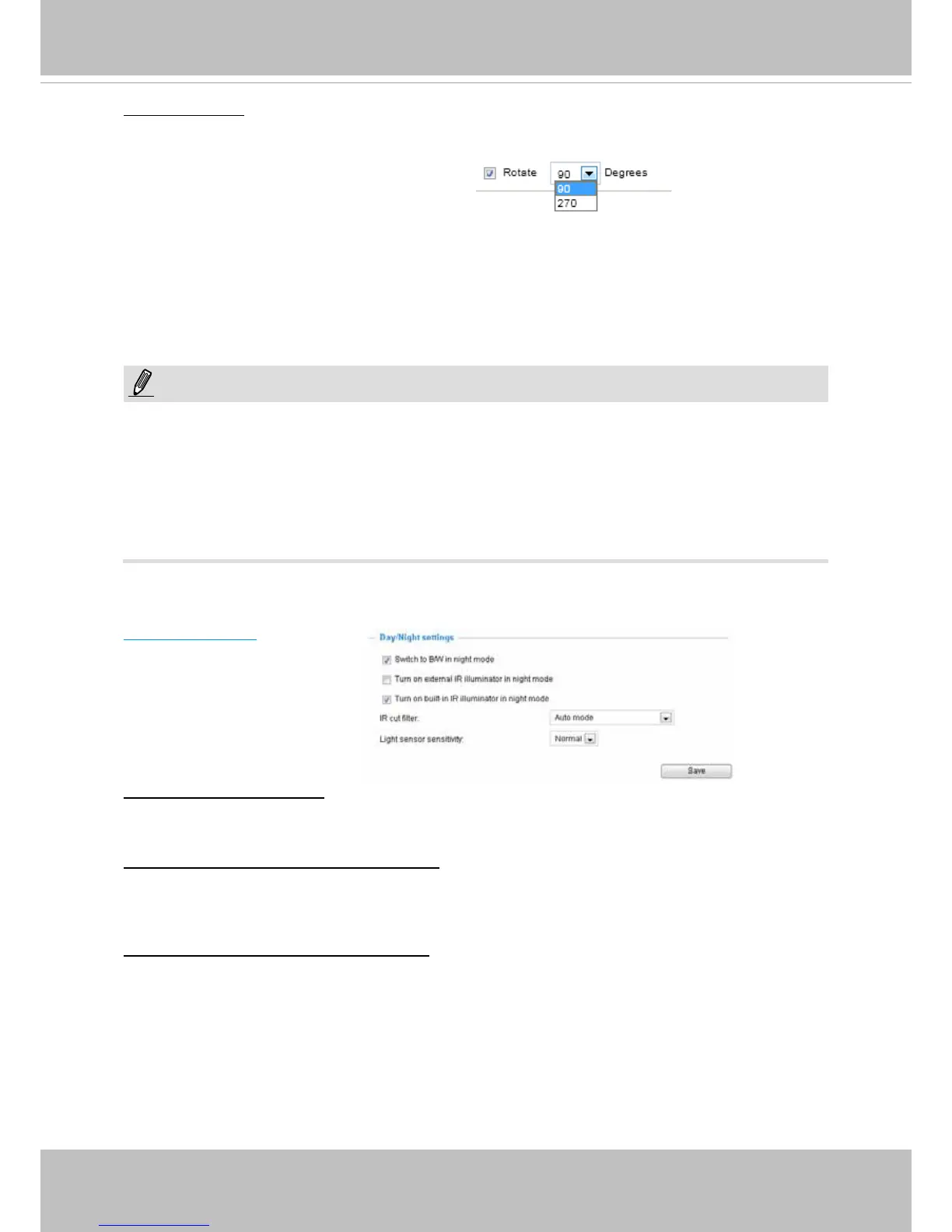
Day/Night Settings
Switch to B/W in night mode
Select this to enable the Network Camera to automatically switch to Black/White during night
mode.
Turn on external IR illuminator in night mode
Select this to turn on the external IR illuminators when the camera detects low light condition and
enters the night mode. This can be done by connecting a pair of DO signals to external IR device,
and conguring a DO triggering event via the event setting.
Turn on built-in IR illuminator in night mode
Select this to turn on the built-in IR illuminators (effective range up to 15 meters) when the camera
detects low light condition and enters the night mode.
Video orientation: Flip - vertically reect the display of the live video; Mirror - horizontally reect the
display of the live video. Select both options if the Network Camera is installed upside-down (e.g.,
on the ceiling) to correct the image orientation. Please note that if you have preset locations, those
locations will be cleared after ip/mirror setting.
Rotation:
If the surveillance area is a tall, narrow corridor or the interior of a vehicle, you may need to rotate
the image to t the scenario. You can choose to rotate the image to 90 or 270 degrees depending
on the requirements at the installation site.
• Note that the Rotation function is only available by selecting “Video Rotation (Max. 30fps)” in
Conguration > Media > Video mode window.
NOTE:
• Changing the rotation setting will clear your previous congurationsf with the Motion detection,
Privacy mask, Preset position, Exposure, and focus window.
• The Rotation function does not apply to the JPEG stream, and hence the JPEG option is not
available when the Rotation mode is selected.
• Also note that enabling or disabling the mode can take several minutes.



 To Next Page