EasyManua.ls Logo

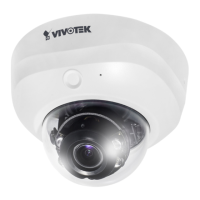
Vivotek FD8151V - User Manual

Vivotek FD8151V
198 pages
Print Icon
To Next Page IconTo Next Page
Loading...
User’s Manual
Fixed Dome
Network Camera
1.3MP Vandal-Proof Day & Night
FD8151V
Rev. 1.0

Table of Contents

Other manuals for Vivotek FD8151V

Question and Answer IconNeed help?

Do you have a question about the Vivotek FD8151V and is the answer not in the manual?

Vivotek FD8151V Specifications

General IconGeneral
BrandVivotek
ModelFD8151V
CategorySecurity Camera
LanguageEnglish

Summary

Read Before Use

Hardware Installation

Dome Cover Removal and Mounting

Instructions for removing the dome cover and mounting the camera.

Network Deployment

Power over Ethernet (PoE) Connection

Explains camera connection using PoE-enabled switches or injectors.

Software Installation

Ready to Use

Adjusting the Lens

Internet Connection via Router

Accessing the Network Camera

Web Browser Access

Explains camera access using web browsers like IE or Firefox.

Main Page Interface

Live Video Window and Controls

Details the live video display and controls like snapshot, zoom, and recording.

Client Settings

H.264 Streaming Options

Sets media and protocol options for H.264/MPEG-4 streaming.

MP4 Saving and Streaming Buffer Options

Configuration Modes

System > General Settings

System Time Configuration

System > Homepage Layout

System Logs and Remote Logging

System Maintenance

Firmware Upgrade and Reboot

Procedures for upgrading firmware and rebooting the camera.

Settings Management

Media > Image Settings

Day;Night Settings

Night Vision Features and Scheduling

Controls B/W mode, IR illuminators, IR cut filter, and scheduling.

Image Adjustment and Quality

Exposure Settings

Exposure Control Parameters

Adjusts measurement window, exposure level, time, and gain.

Privacy Mask Configuration

Media > Video Stream Settings

Stream Configuration Options

Defines region of interest and output frame size for video streams.

Video Quality and Frame Rate Configuration

Media > Audio Settings

Network > General Settings

Network Type and IP Address Configuration

Sets network type (LAN/PPPoE) and IP address automatically or manually.

DNS, WINS, and UPnP Network Features

PPPoE Connection Setup

Port Settings for Network Services

Network > Streaming Protocols

HTTP Streaming Configuration

Configures HTTP streaming with authentication and port settings.

RTSP Streaming Configuration

Configures RTSP streaming with authentication and port settings.

Network > DDNS Configuration

Express Link and Manual DDNS Setup

Guides on setting up Express Link and manual DDNS with providers.

Network > QoS (Quality of Service)

QoS;DSCP (DiffServ Model) Configuration

Network > SNMP Configuration

Security > User Account Management

Password and Privilege Management

Manages root password, user privileges, and accounts.

Security > HTTPS Configuration

Security > Access List

Security > IEEE 802.1 X Authentication

PTZ > PTZ Settings

Patrol Settings Configuration

Event > Event Settings

Event Server Configuration

Media Settings for Events

Applications > Motion Detection

Applications > Digital Input and Tampering Detection

Recording > Recording Settings

Recording Configuration Parameters

Sets recording name, enable, and adaptive recording features.

Local Storage > SD Card Management

Local Storage > Content Management

7.1 System Parameters

7.4 Security Parameters

7.5 Network Parameters

7.5.7 RTSP Streaming Protocols

Technical Specifications

Related product manuals