VIVOTEK
52 - User's Manual
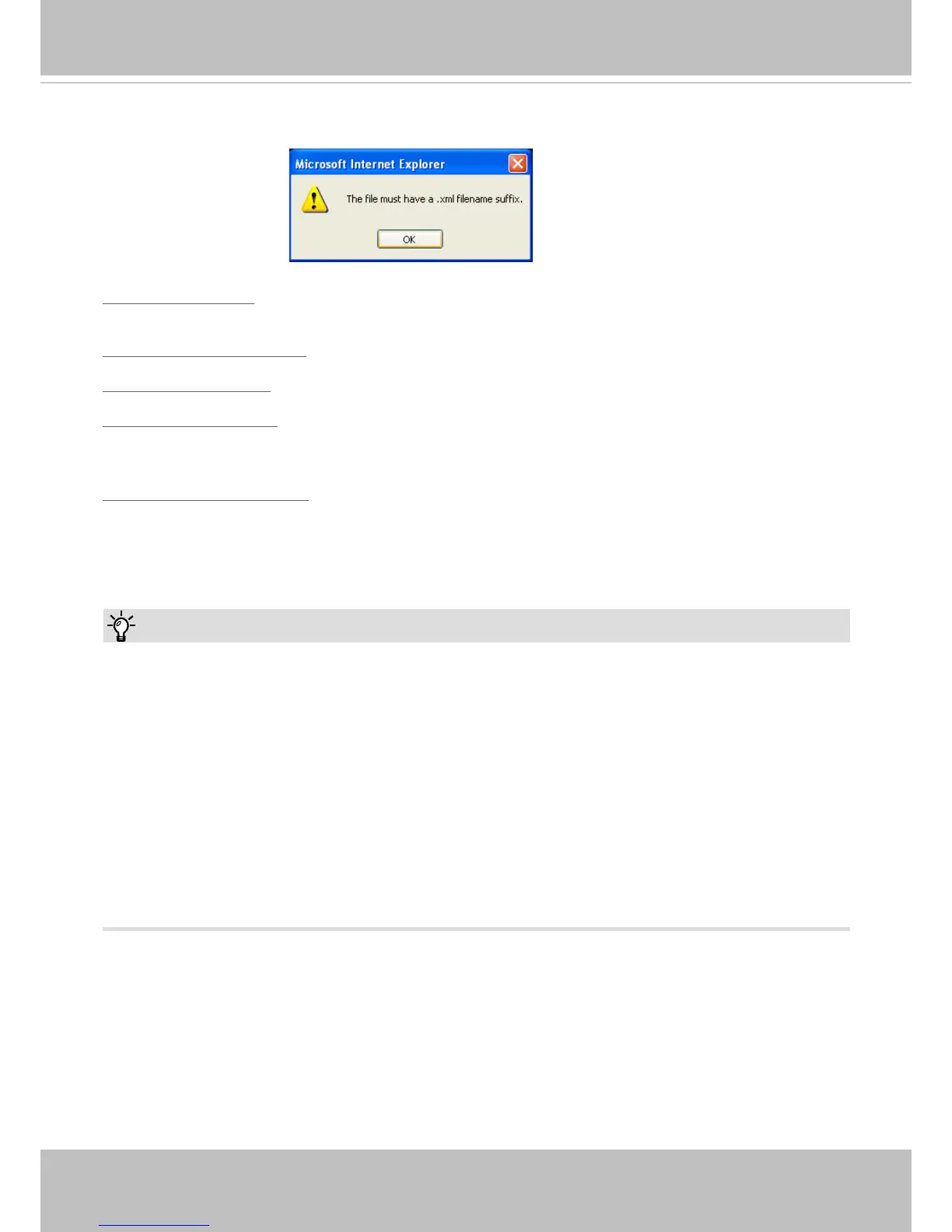
The following message is displayed when attempting to upload an incorrect le format.
Export language file: Click to export language strings. VIVOTEK provides nine languages: English,
Deutsch, Español, Français, Italiano,
日本語,
Português,
簡体中文
, and
繁體中文
.
Update custom language le: Click Browse… and specify your own custom language le to upload.
Export conguration le: Click to export all parameters for the device and user-dened scripts.
Update conguration le: Click Browse… to update a conguration le. Please note that the model and
rmware version of the device should be the same as the conguration le. If you have set up a xed IP
or other special settings for your device, it is not suggested to update a conguration le.
Export server staus report: Click to export the current server status report, such as time, logs,
parameters, process status, memory status, le system status, network status, kernel message ... and so
on.
Tips:
• If a firmware upgrade is accidentally disrupted, say, by a power outage, you still have a last resort
method to restore normal operation. See the following for how to bring the camera back to work:
Applicable scenario:
(1) Power disconnected during rmware upgrade.
(2) Unknown reason causing abnormal LED status, and a Restore cannot recover normal working
condition.
You can use the following methods to activate the camera with its backup rmware:
(1) Press and hold down the reset button for at least one minute.
(2) Power on the camera until the Red LED blinks rapidly.
(3) After boot up, the rmware should return to the previous version before the camera hanged. (The
procedure should take 5 to 10 minutes, longer than the normal boot-up process). When tthis
process is completed, the LED status should return to normal.



 To Next Page