VIVOTEK
102 - User's Manual
PTZ > PTZ settings
This section explains how to control the Network Camera’s Pan/Tilt/Zoom operation.
Digital PTZ Operation (E-PTZ Operation)
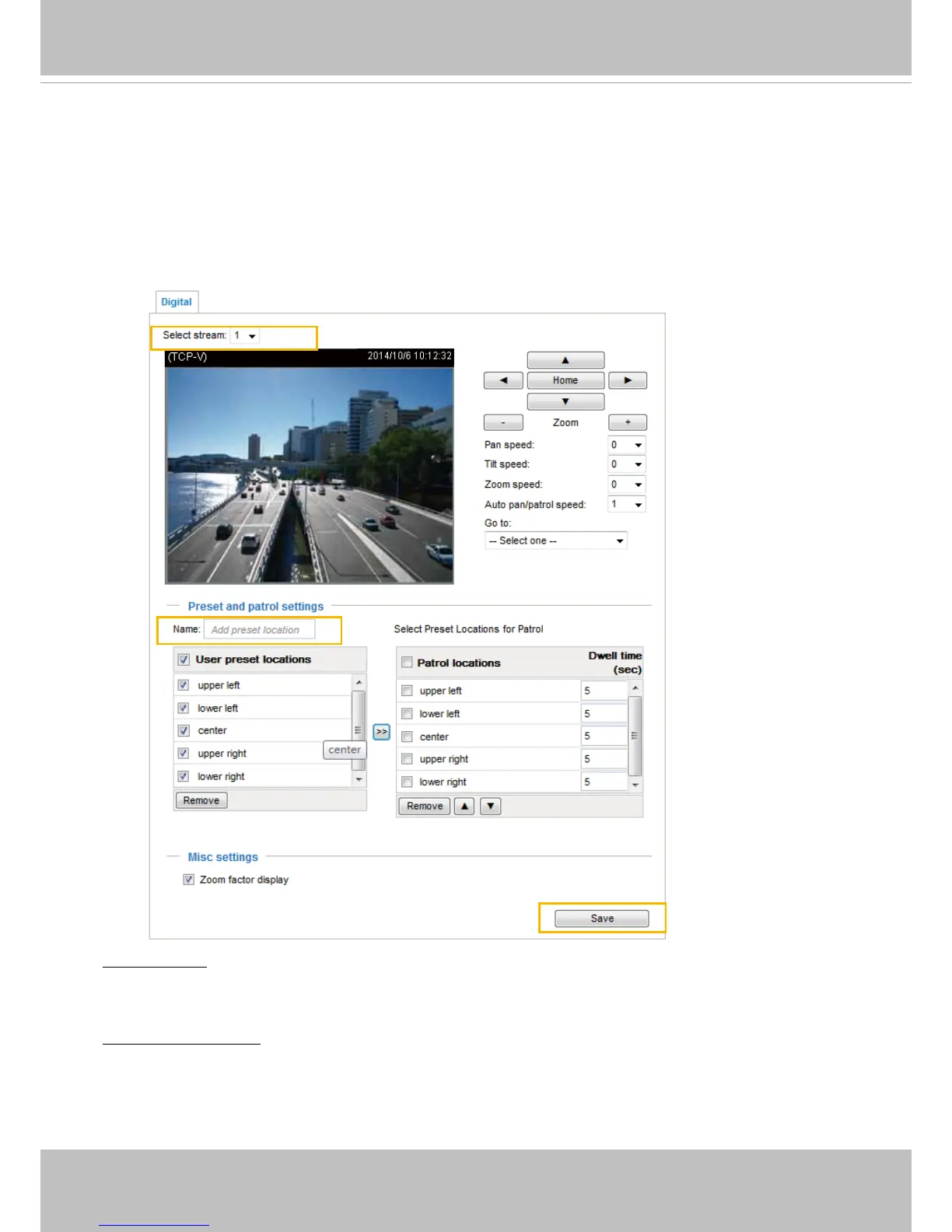
The e-PTZ control settings section will be displayed as shown below:
Select Stream: Select a video stream to set up the e-PTZ control. Please note that each stream can
possess its own preset and patrol settings. For detailed information about how to set up preset and patrol
settings, please refer to page 102.
Auto pan/patrol speed: Select the speed from 1~5 (slow/fast) to set up the Auto pan/patrol speed control.
When completed with the e-PTZ settings, click Save to enable the settings on this page.
2010/12/10 17:08:56
2011/12/10 17:08:56
x1.8



 To Next Page