VIVOTEK
68 - User's Manual
• Smart stream:
Smart stream can effectively reduce the video packet size while maintaining good
video quality in the selected areas of your interest. When properly congured, Smart
stream can reduce the stream size to half or even lower.
Unfold the Smart stream conguration menu by selecting the Smart stream checkbox.
You can then congure the following parameters:
Background
Q= Medium or low
Foreground
Q= Good or better
• Foreground quality: Foreground is the area of your interest where you want to
maintain its video quality. The quality can be: Customized, Medium, Standard,
Good, Detailed, or Excellent. Note that the Customized number refers to the video
compression rate. The larger the number, higher the compression rate, and thus
results in lower quality.
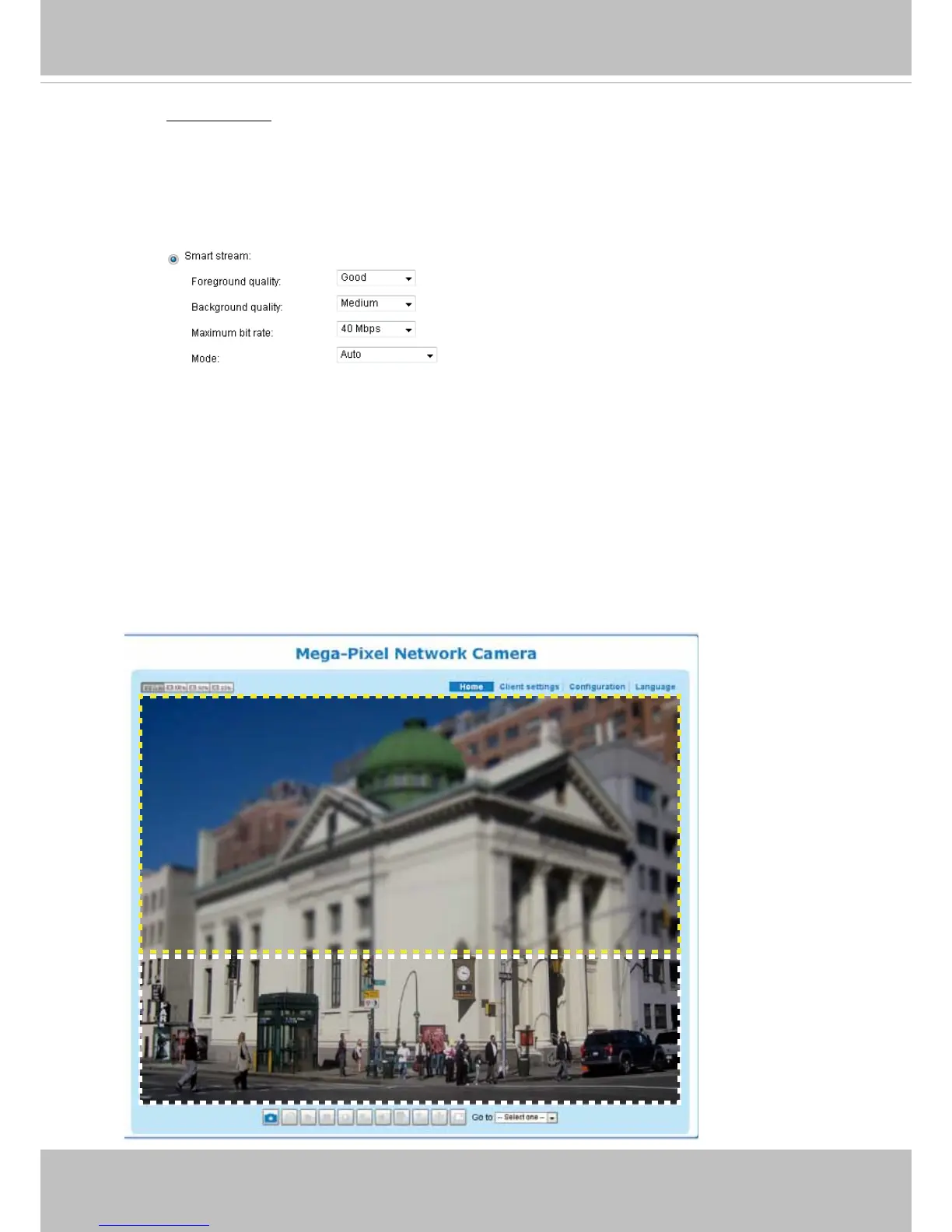
• Background quality: Background is the area that is less important on the
scene, such as the building in the below drawing. You can congure the camera
to produce a lower-quality display for this area. The background quality can be:
Customized, Medium, Standard, Good, Detailed, or Excellent.
• Maximum bit rate: This is an upper threshold on the bit rate per second for
producing and transmitting the Smart stream video. It is congurable from 1Mbps
to 40Mbps. You can also manually enter a number (in kbps).



 To Next Page