VIVOTEK
User's Manual - 5
Hardware Installation
1
2
3
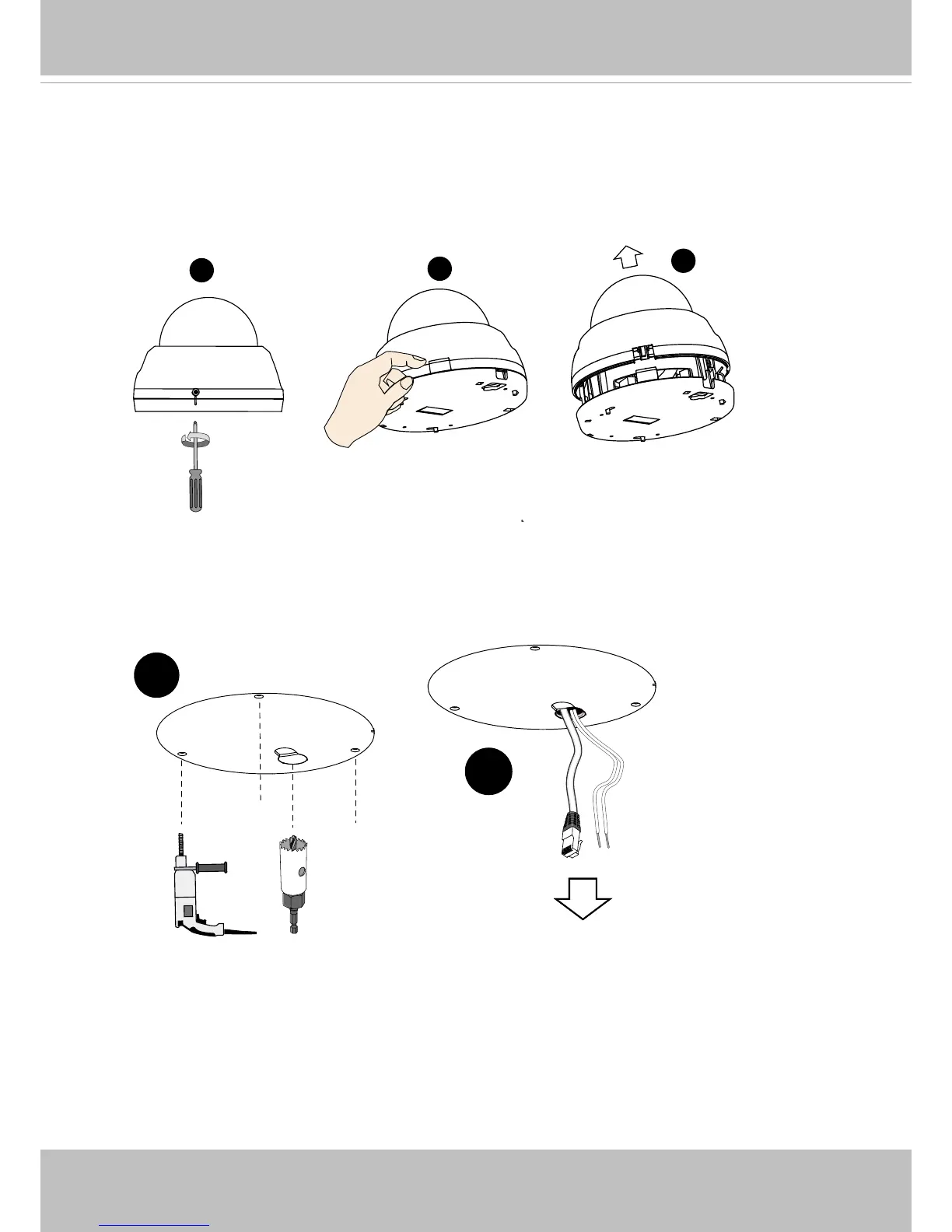
1. Loosen the screw on the dome cover.
2. Press the release button.
3. Remove the dome cover.
6. Route an Ethernet cable and DC wires (if preferred) through the hole.
4. Install the SD card.
5. Attach the alignment sticker to preferred location. Drill anchor holes and cabling holes
into the ceiling or wall.
5
6



 To Next Page