EN - 3
English
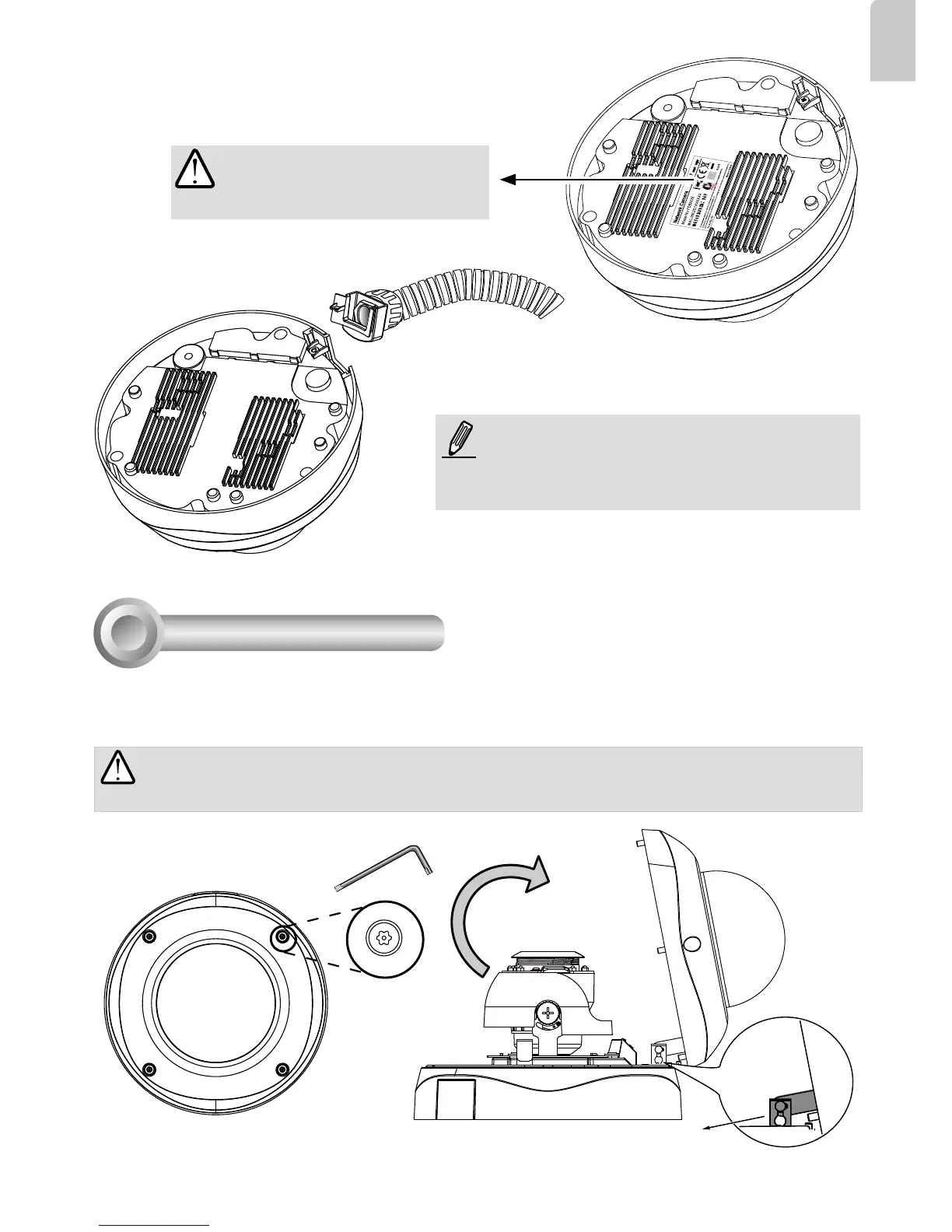
First, use the included T20 hex key wrench to loosen the four screws and detach the dome cover from
the camera base. Follow the steps below to install the camera either to a ceiling or a wall.
Hardware Installation
3
Top View
Dome Cover
Dome Cover Retainer
IMPORTANT:
Dome cover should be removed because if it should fall during the installation
process, physical injury could occur to your co-workers.
Record the MAC address under the
camera base before installing the
camera.
Replace the side opening cover with the included
side outlet bushing if you want to route cables from
the side of camera. The 1/2" protection conduits
and tubing are separately purchased.












 To Next Page