EN - 6
1
2
3
A
4
B
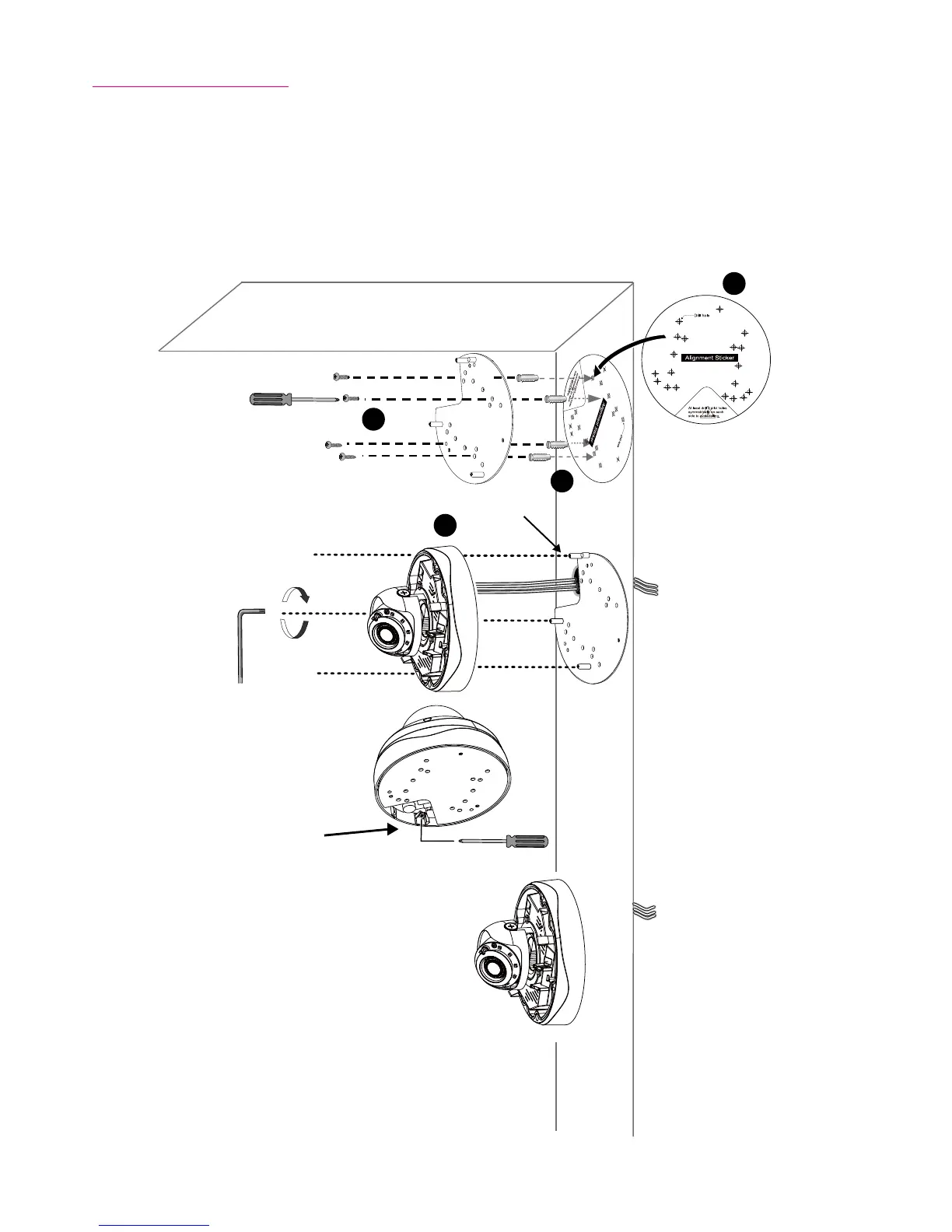
Mounting the Camera
1. Attach the supplied alignment sticker to the wall.
2. Using the circle marks on the sticker, drill at least 2 pilot holes symmetrically on each side into the
wall. Then hammer the four supplied plastic anchors into the holes.
3. Through three or four holes on the mounting plate, insert the supplied screws into the corresponding
holes and secure the mounting plate with a screwdriver.
4. Feed the cables through the triangular cutout A or side opening B. If you want to use hole B, remove
the side cover using a screwdriver. Secure the camera base to the mounting plate with three supplied
screws.












 To Next Page