VIVOTEK
10 - User's Manual
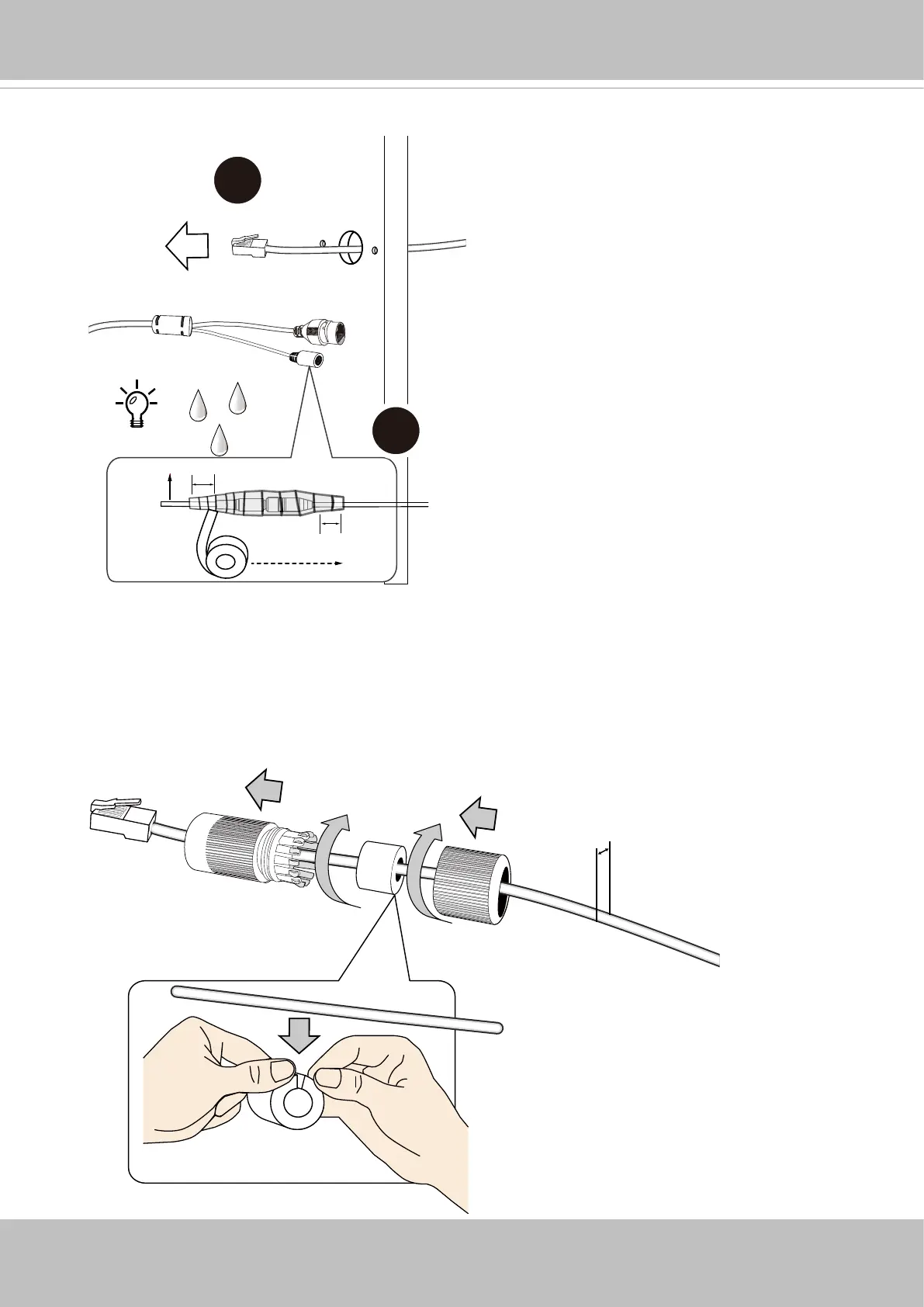
6. Pass an Ethernet cable through the waterproof cable gland components, and through
the rubber seal as shown below. Connect the Ethernet cable to the camera's RJ45
connector.
5. Route an Ethernet cable through the cabling hole. Use putty or tape to seal the Ethernet
and AC/DC power connections.
5.5 ~ 6.4mm
Cable
Layer - Self-fusing tape
or electric tape
2cm
2cm
1. Stretch the waterproof tape by twice its length and
wind around the cables.
2. The tape should overlap the cable joints by 20mm.
3. All connectors, whether they are used or not,
should be waterproof.














 To Next Page