VIVOTEK
User's Manual - 115
Patrol settings
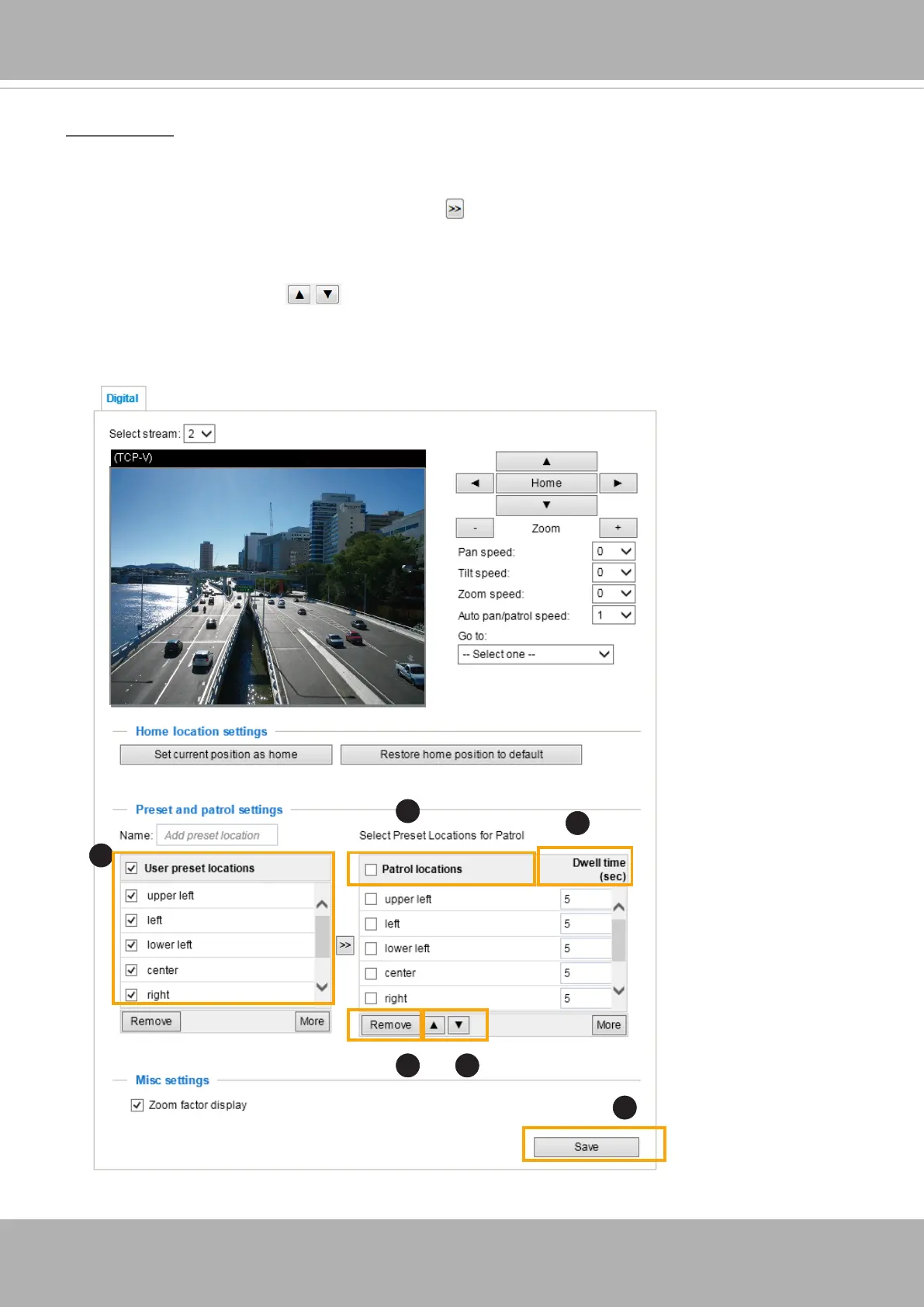
You can select some preset positions for the Network Camera to patrol.
Please follow the steps below to set up a patrol schedule:
1. Select the preset locations on the list, and click .
2. The selected preset locations will be displayed on the
Patrol locations
list.
3. Set the
Dwelling time
for the preset location during an auto patrol.
4. If you want to delete a preset location from the Patrol locations list, select it and click
Remove
.
5. Select a location and click to rearrange the patrol order.
6. Select patrol locations you want to save in the list and click
Save
to enable the patrol settings.
7. To implement the patrol schedule, please go to homepage and click on the
Patrol
button.
x1.8
2015/3/20 09:57:30
1
2
6
54
3














 To Next Page