VIVOTEK
120 - User's Manual
3. Action
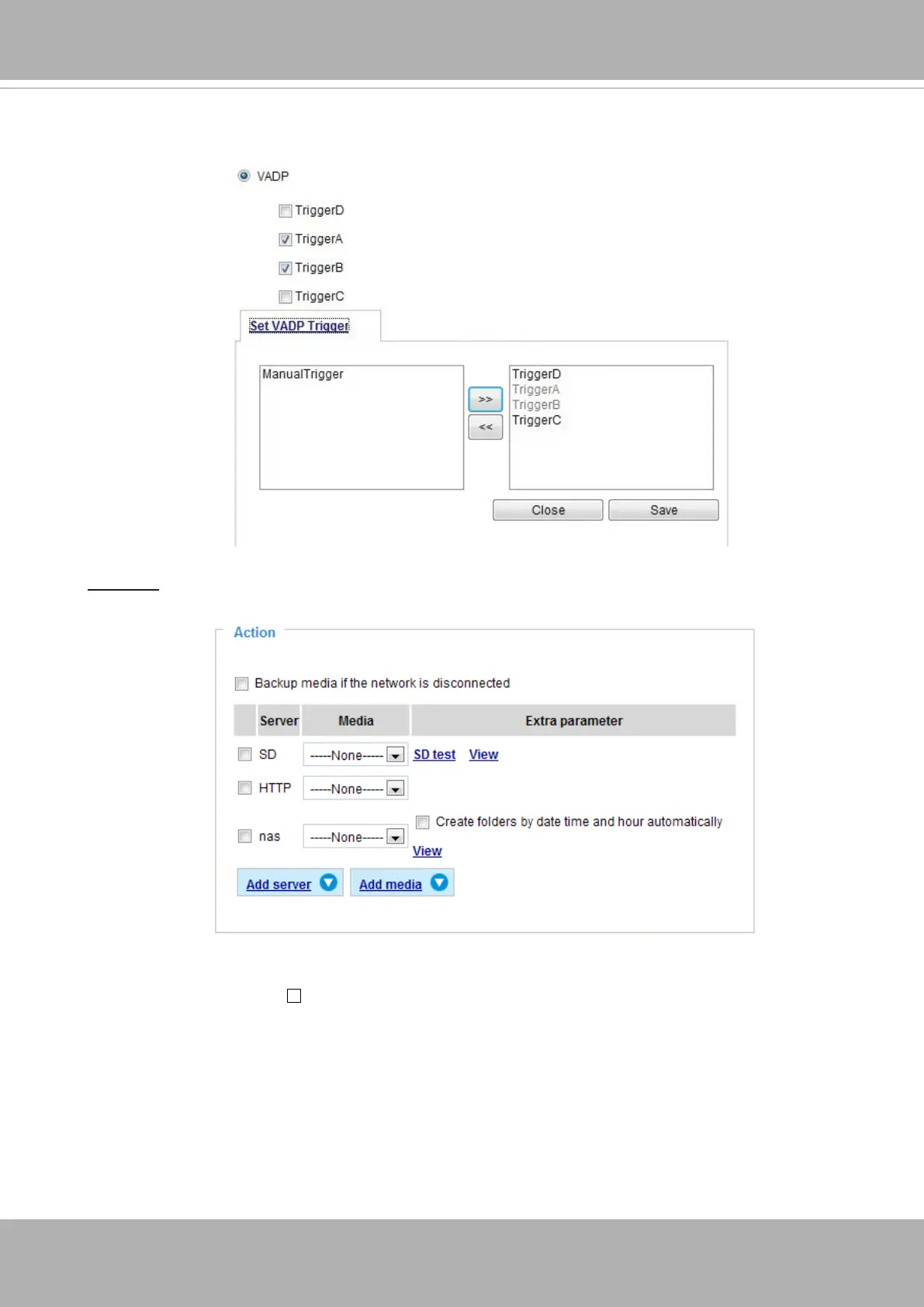
Dene the actions to be performed by the Network Camera when a trigger is activated.
■ Trigger digital output for seconds
Select this option to turn on the external digital output device when a trigger is activated. Specify
the length of the trigger interval in the text box.
■ Backup media if the network is disconnected
Select this option to backup media les to SD card if the network is disconnected. Please note
that this function will apply after you configure the Email, FTP, HTTP or NAS notification. For
example, if a snapshot is supposed to be delivered to an Email receiver, in the event of network
failure, the snapshot will be saved in the SD card.
Once the triggers are congured, they will be listed under the VADP option.














 To Next Page