VIVOTEK
User's Manual - 21
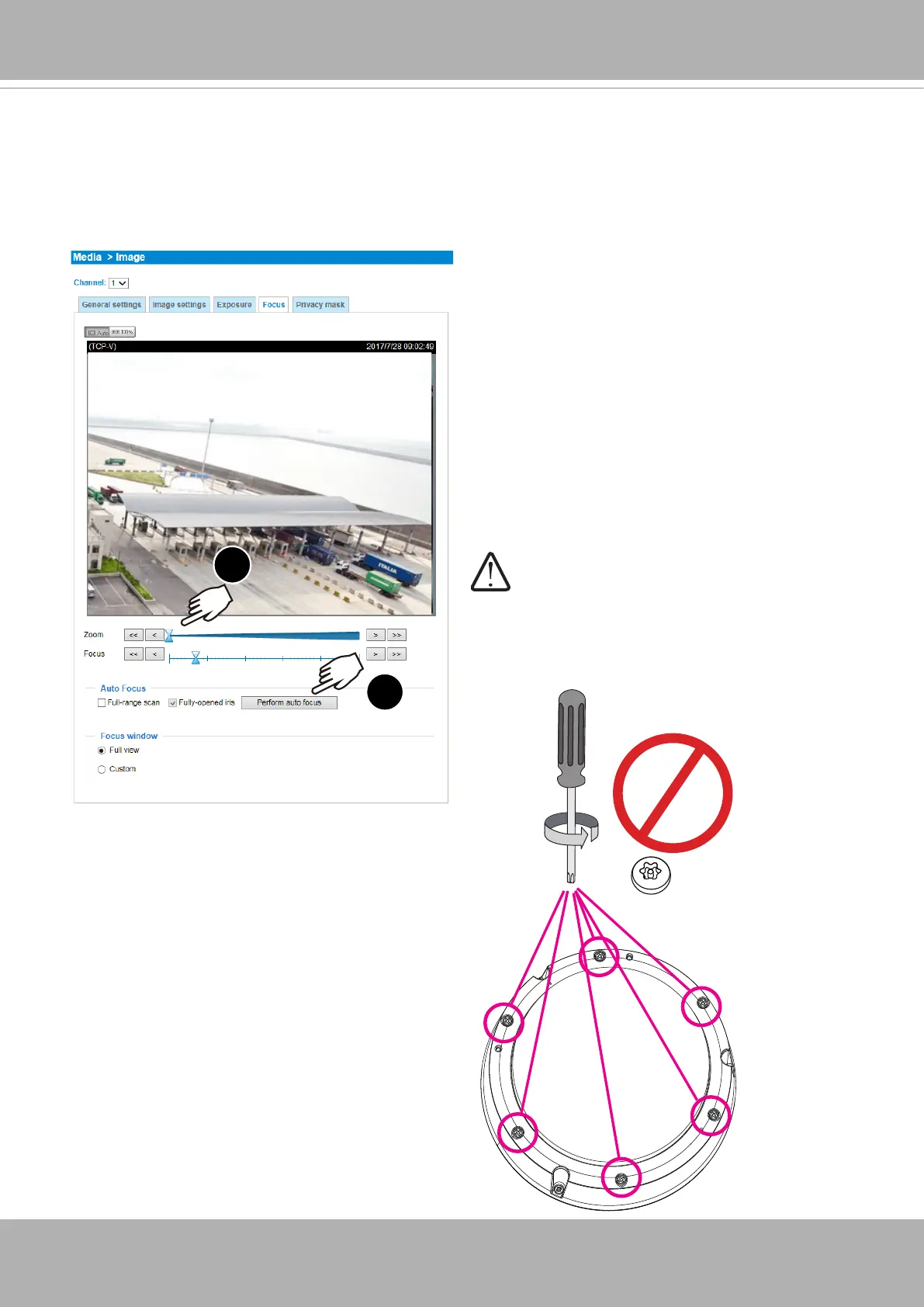
19. With a live view displayed on your laptop, adjust the zoom and focus to obtain an optimal
image. Check the live view to ensure the image is in focus.
The "T" models comes with motorized focus lens. Use the Auto Focus function in rmware
menu for best image. See
Conguration
>
Image
>
Focus
.
1
2
Note that you should not remove the 6 anti-tamper
screws on the dome cover.














 To Next Page