VIVOTEK
User's Manual - 25
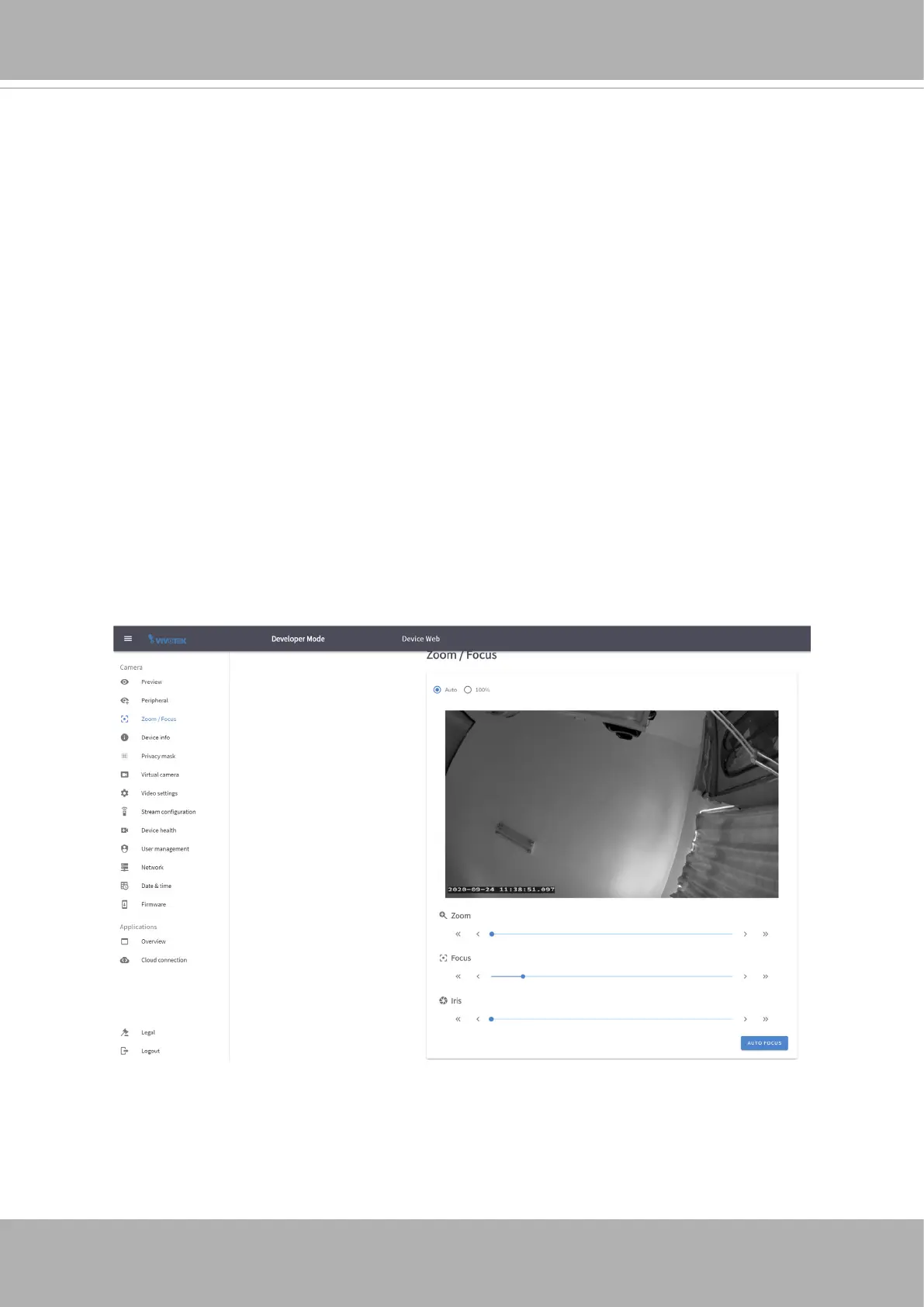
Zoom / Focus
The camera comes with a zoom module lens. If an area of your interest is a distance away,
you can zoom in on the scene.
If you nd your image is out of focus, use the AUTO FOCUS function to let the camera nd
the optimal image focus.
You cann use the << or >> buttons to ne-tune the imaging results. Normally the AUTO
FOCUS function can deliver the best results.
The Day and Night setting is also available on this page. You can change the IR cut lter
and the light sensor sensitivity settings. Normally the default setting sufces ordinary uses.
The IR cut lter is turned on or off depending on the lighting level detected by the onboard
light sensor.














 To Next Page