VIVOTEK
34 - User's Manual
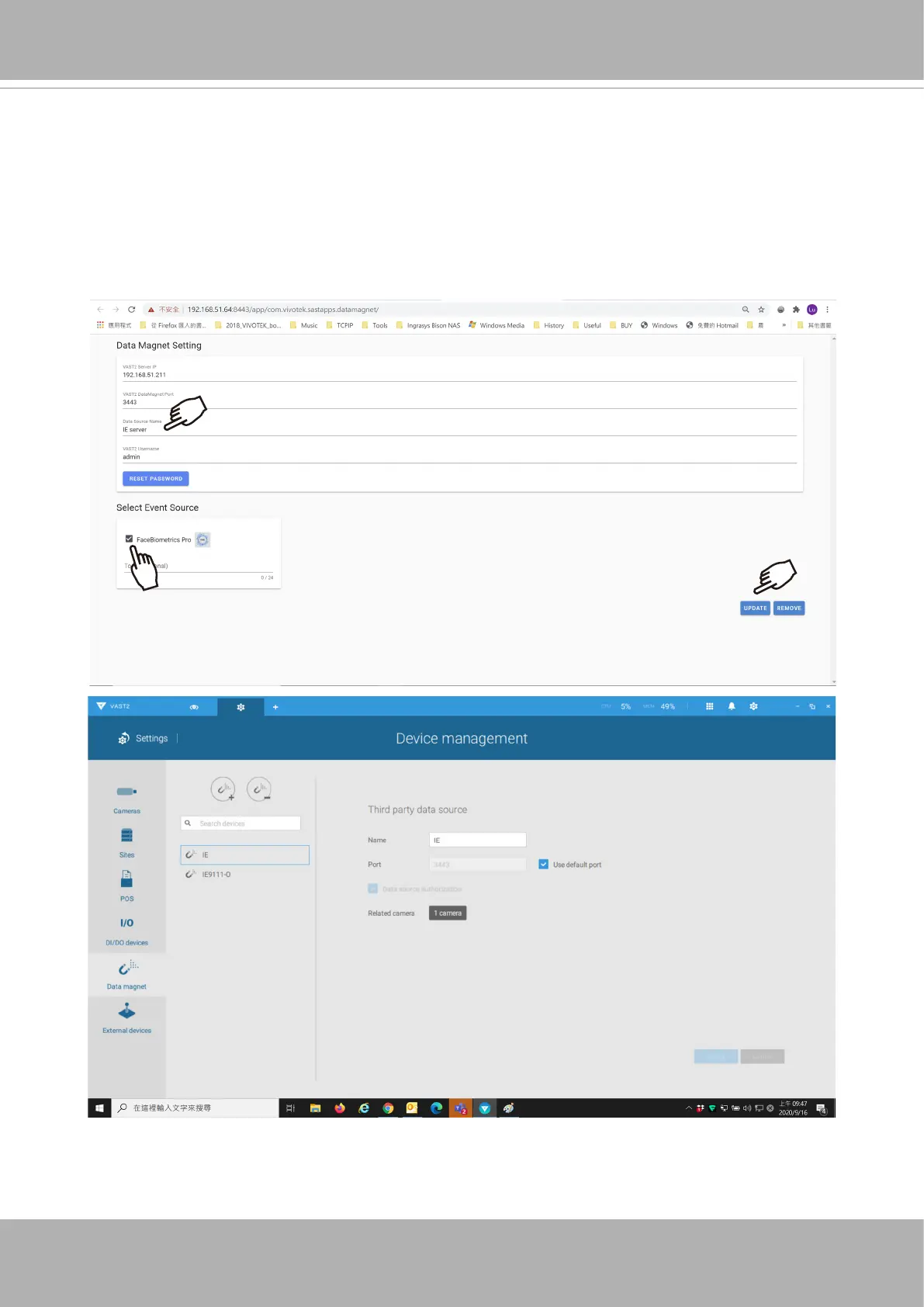
Enter the following to enable the connection through Data Magnet:
1. Your VAST2 server IP.
2. Data Magnet port: usually 3443.
3. Data Source Name: Note that this name
must be identical
to that on the VAST2 Data
Magnet setting page.
4. VAST2 user name and password.
5. Select the app installed on your device. Click the Update button.
6. On VAST2 > Settings > Device > Data Magnet, click Add data source.














 To Next Page