VIVOTEK
18 - User's Manual
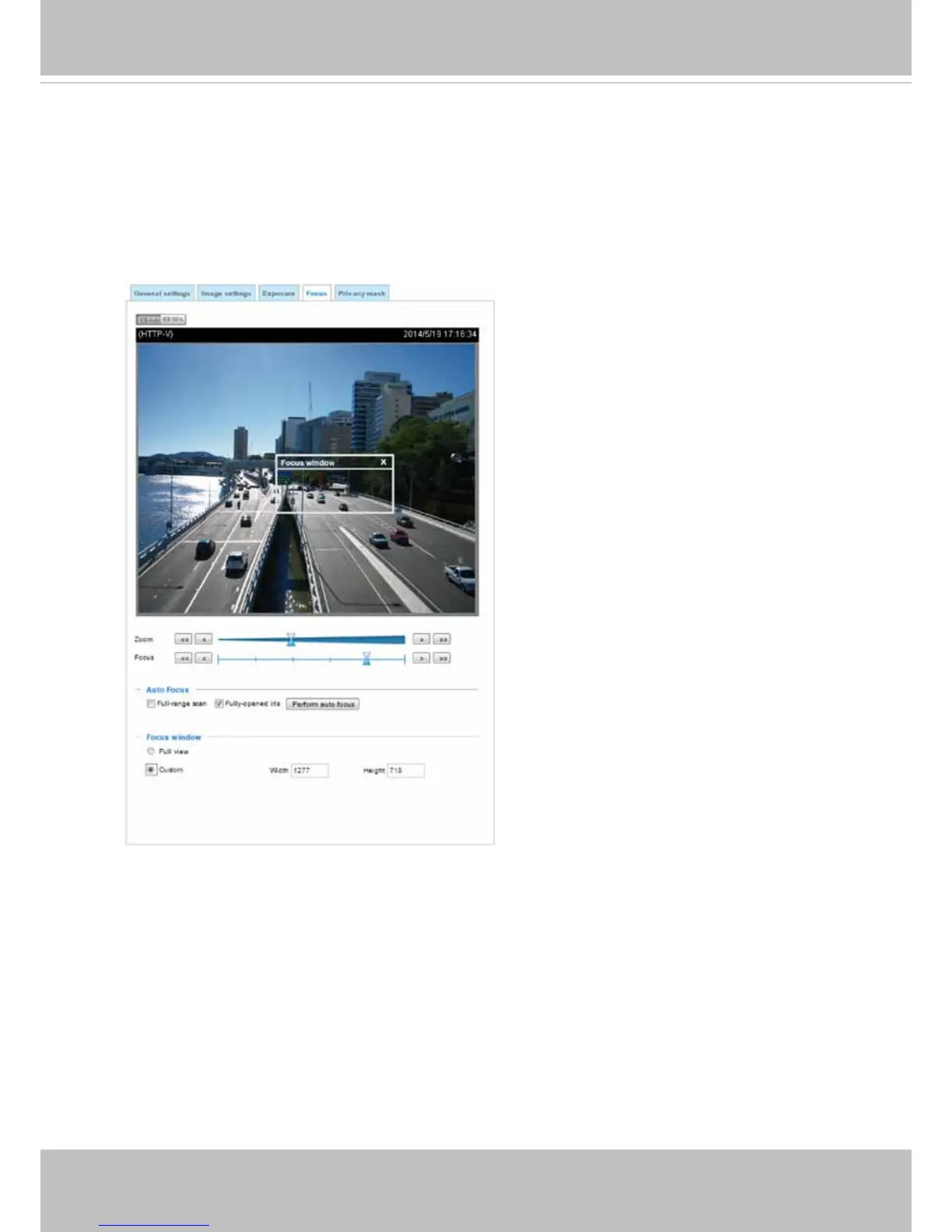
Auto Focus
On the web session, visit the Conguration > Image > Focus window. Perform the Auto
Focus function for best image. However, if you have cascaded cameras, do this one
by one. Do not perform this function simultaneously on multiple cameras because the
motorized lens also consume considerable power, and may cause the last camera on the
line to hang.


 To Next Page