VIVOTEK
User's Manual - 49
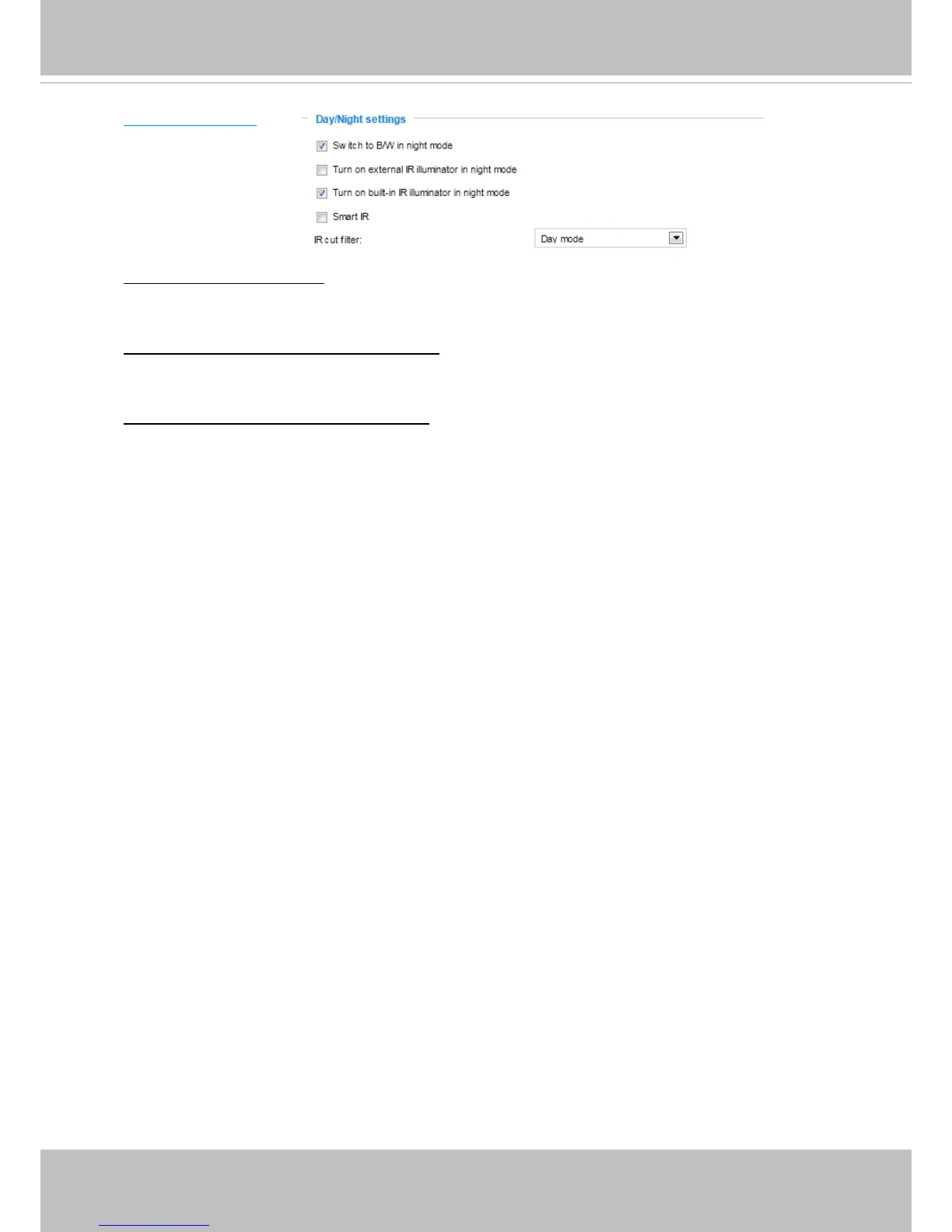
Day/Night Settings
Switch to B/W in night mode
Select this to enable the Network Camera to automatically switch to Black/White during night
mode.
Turn on external IR illuminator in night mode
Select this to turn on the external IR illuminator when the camera detects low light condition and
enters the night mode. A Digital Output connection to external IR is needed.
Turn on built-in IR illuminator in night mode
Select this to turn on the camera’s onboard IR illuminator when the camera detects low light
condition and enters the night mode.


 To Next Page