Congure the Wireless Connection
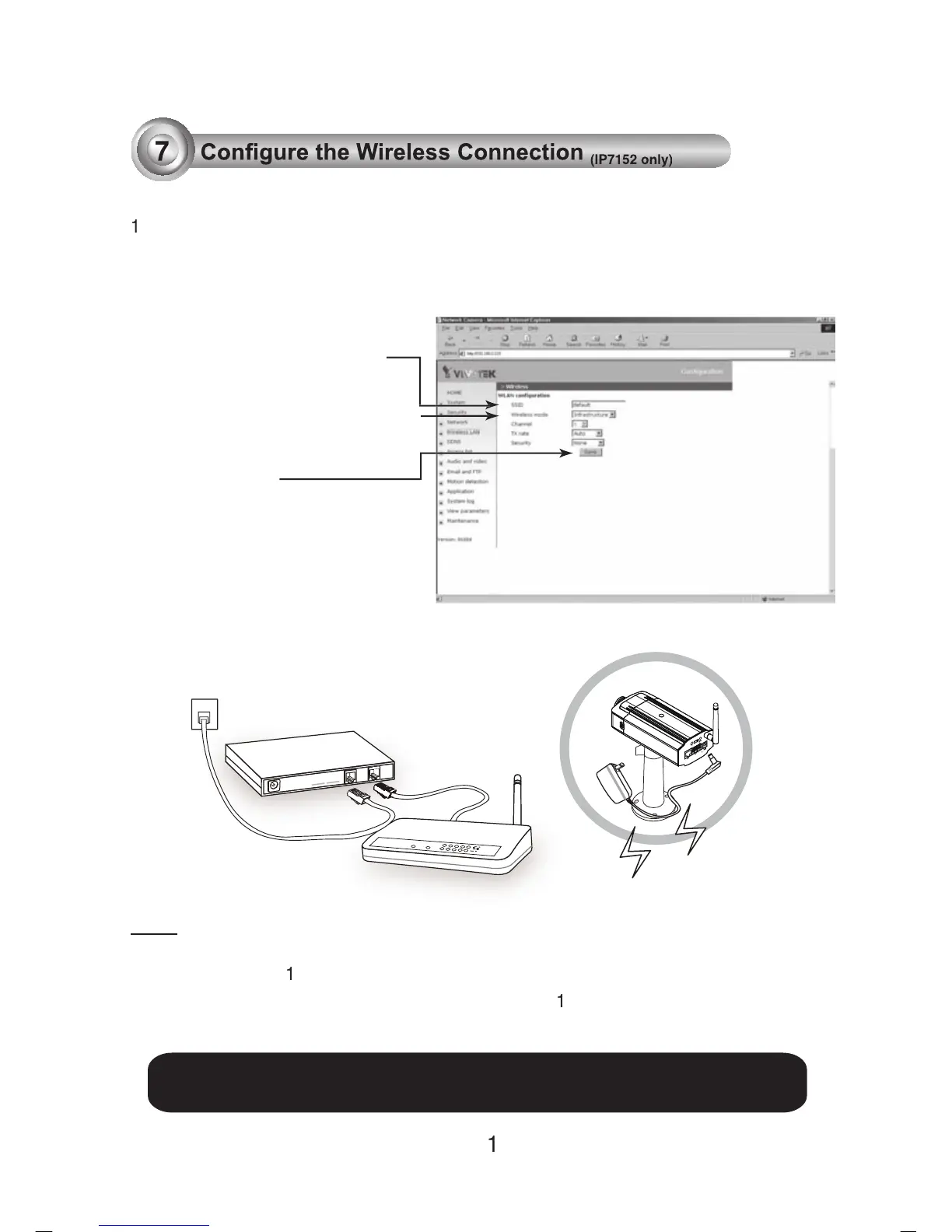
. Check the SSID currently set on your wireless access point (AP).
2. Go to IP7152's Conguration > Wireless LAN.
1.SSID, abbreviated from Service Set Identier, is the name assigned to the wireless
's factory SSID setting is set to "default".
.Select "Ad-Hoc" wireless mode if you want the IP7
using an AP or wireless router.
POWER
COLLISION
LINK
RECEIVE
PARTITION
1
2
3
4
5
ADSL/Cable/Hub
AP
. Type in the SSID consistent
with the setting on your AP.
. Select the Wireless mode as
For further setup, please refer to user's manual on the software CD.



 To Previous Page