Home
Vivotek
Security Camera
IP7151
Quick Installation Guide
Page 3 (Before You Use This Product)
Vivotek IP7151 - Before You Use This Product
11 pages
Manual
Save Page as PDF
To Next Page
To Next Page
To Previous Page
To Previous Page
Loading...
EN - 2
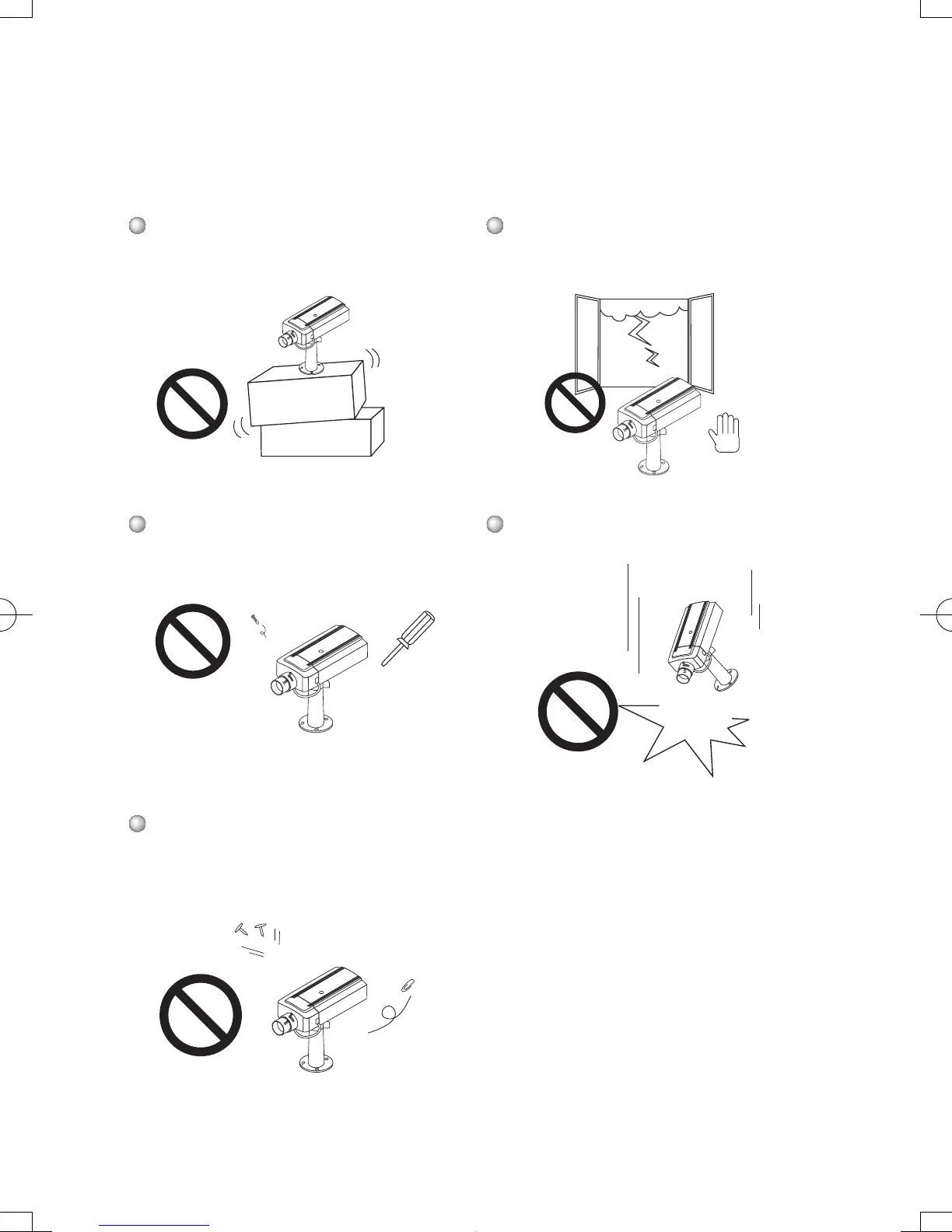
Do not place the Network Camera
on unsteady surfaces.
Do not touch the Network Camera
when it's lightening.
Do not disassemble the Network
Camera.
Do not drop the Network Camera.
Do not insert any object into the
Network Camera, such as needles.
IP7151_7152_QIG.indd 2
2007/9/19 上午 09
:34:42
2
4
Table of Contents
Main Page
Warning before Install
2
Check Package Contents
4
Physical Description
5
Front Panel
5
Back Panel
5
Mounting the Lens to the Camera
6
General Connection (Without Poe)
7
Assigning IP Address
9
Retrieving Images
10
Other manuals for Vivotek IP7151
User Manual
106 pages
Specifications
2 pages
Related product manuals
Vivotek IP7131
73 pages
Vivotek IP7138
123 pages
Vivotek IP7142
139 pages
Vivotek IP7133
8 pages
Vivotek IP7161
164 pages
Vivotek IP7139
123 pages
Vivotek IP7135
67 pages
Vivotek IP7137
72 pages
Network Camera IP7133/IP7134
87 pages
Vivotek IP7361
170 pages
Vivotek IP7330
114 pages
Vivotek IP8130
196 pages



 To Next Page