5
English
For further setup, please refer to the lens’ instruction manual inside the
lens package.
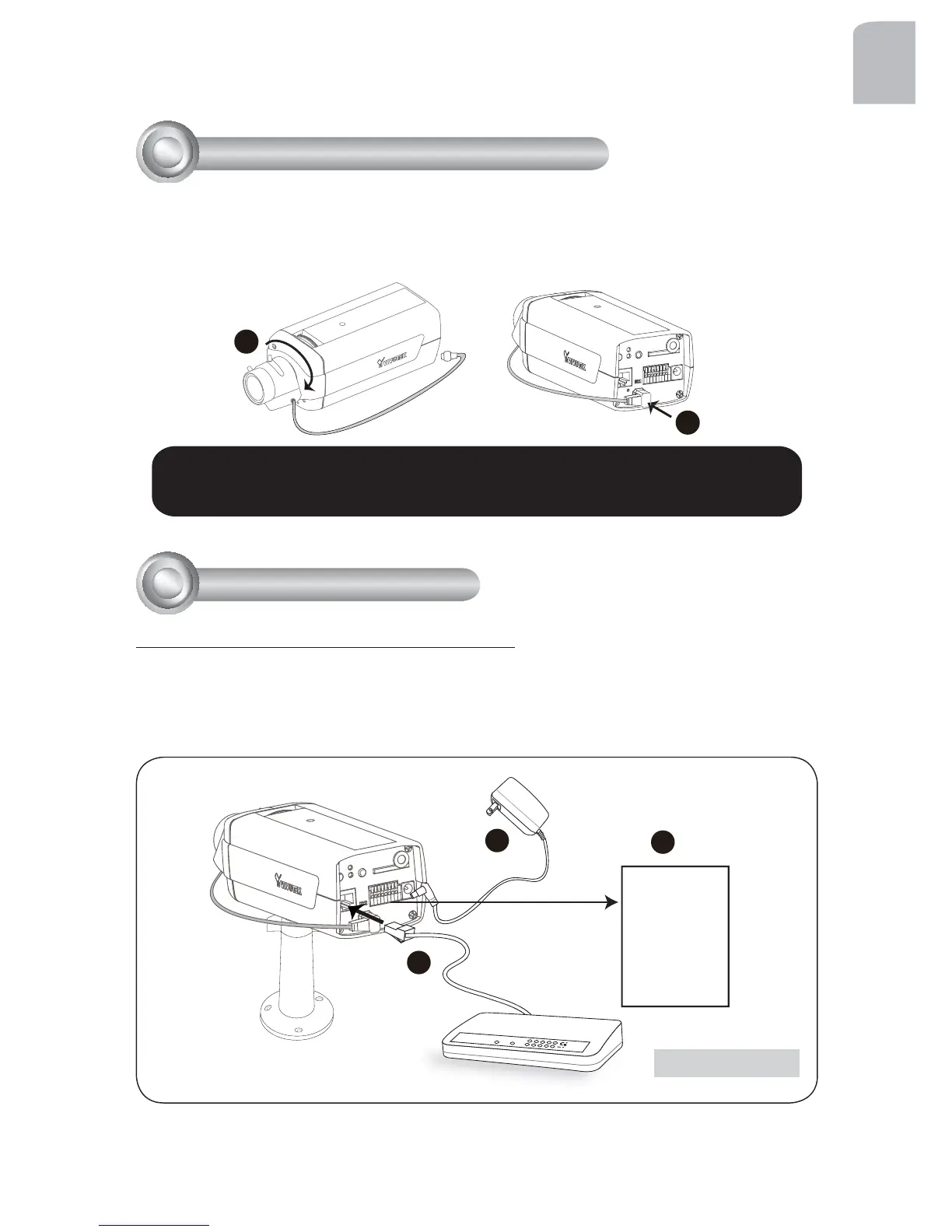
1. Mount the lens by turning it clockwise onto the camera mount until it stops. If
necessary, turn the lens counterclockwise slowly until it gets the best attitude.
2. Connect the lens cable plug to the camera connector.
3
Mounting the Lens to the Camera
1
2
General Connection (without PoE)
1. If you have external devices such as sensors and alarms, connect them to the
general I/O terminal block.
2. Connect the camera to a switch via Ethernet cable.
3. Connect the power cable from the Network Camera to a power outlet.
POWER
COLLISION
LINK
RECEIV E
PARTITION
1
2
3
4
5
1
2
3
4
Network Deployment
Ethernet Switch
1: Power +12V
2: Digital output
3: Digital input
4: Ground
5: AC 24V
6: AC 24V
7: RS485+
8: RS485-



 To Next Page