VIVOTEK
User's Manual - 15
Wireless Connection #3: Initial Setup Using a Cell Phone
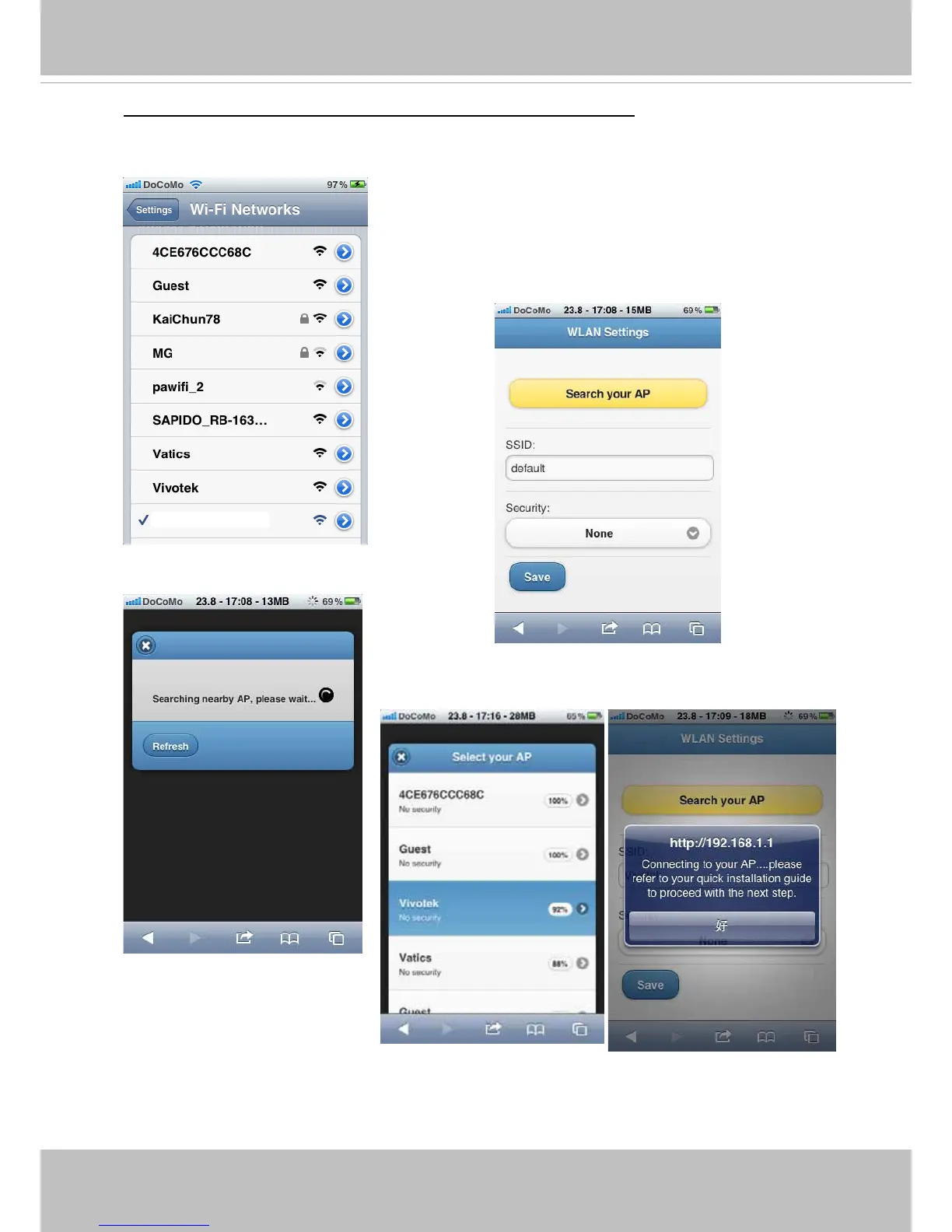
1� Connect power to the camera� Search for the camera in the Wi-Fi Networks� The camera
initially operates in the AP mode� Screen captures have been taken from an iPhone
®
�
The search may take several seconds�
3��Select and connect to a preferred AP�
VIVOTEK (1C:CC)
2� Once connected, you should connect the camera to
another AP� You should open a browser, enter the
camera's default IP (192.168.1.1) in the URL eld.
When connected, manually enter the SSID and
security code for access to another AP, or use the
"Search your AP" function to search for nearby APs.



 To Next Page