VIVOTEK
16 - User's Manual
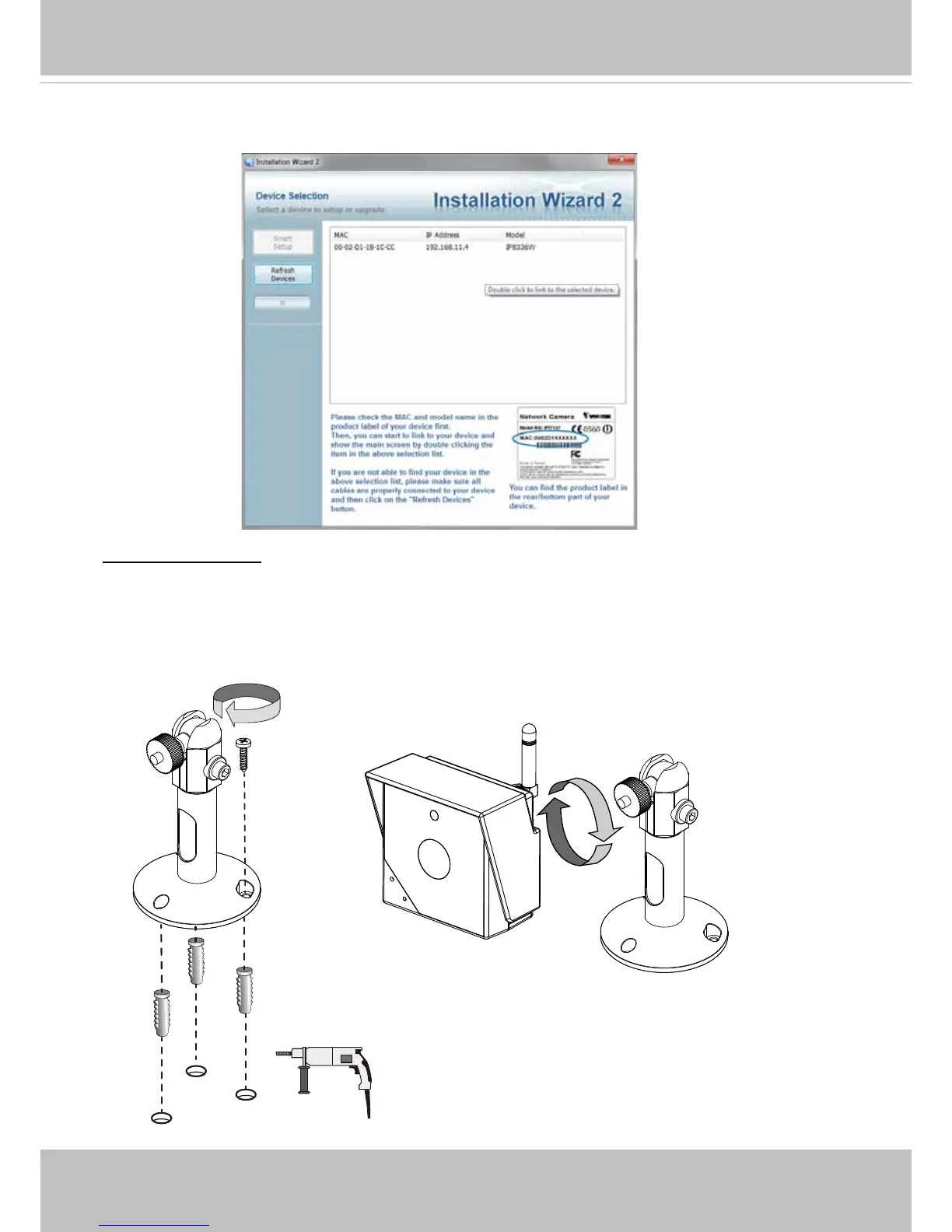
4� Open the IW2 utility on a PC or laptop located in the same subnet of the camera� The camera
will be assigned with a new IP address by the AP� Double-click on it to start a web session�
1� Drill holes on a wall or ceiling� 2� Insert the plastic anchors, and then mount the camera stand
by driving the included screws� 3� Close and secure the bottom cover if you opened it� 4� Attach
the camera by turning it around the threaded mount� 5� Adjust the camera's shooting angle and
secure the camera to the stand�
Installing Camera



 To Next Page