VIVOTEK
User's Manual - 23
Using RTSP Players
To view the MPEG-4 streaming media using RTSP players, you can use one of the following
players that support RTSP streaming�
Quick Time Player
VLC
VLC media player
mpegable Player
pvPlayer
As most ISPs and players only allow RTSP streaming through port number 554, please set the
RTSP port to 554� For more information, please refer to RTSP Streaming on page 68�
For example:
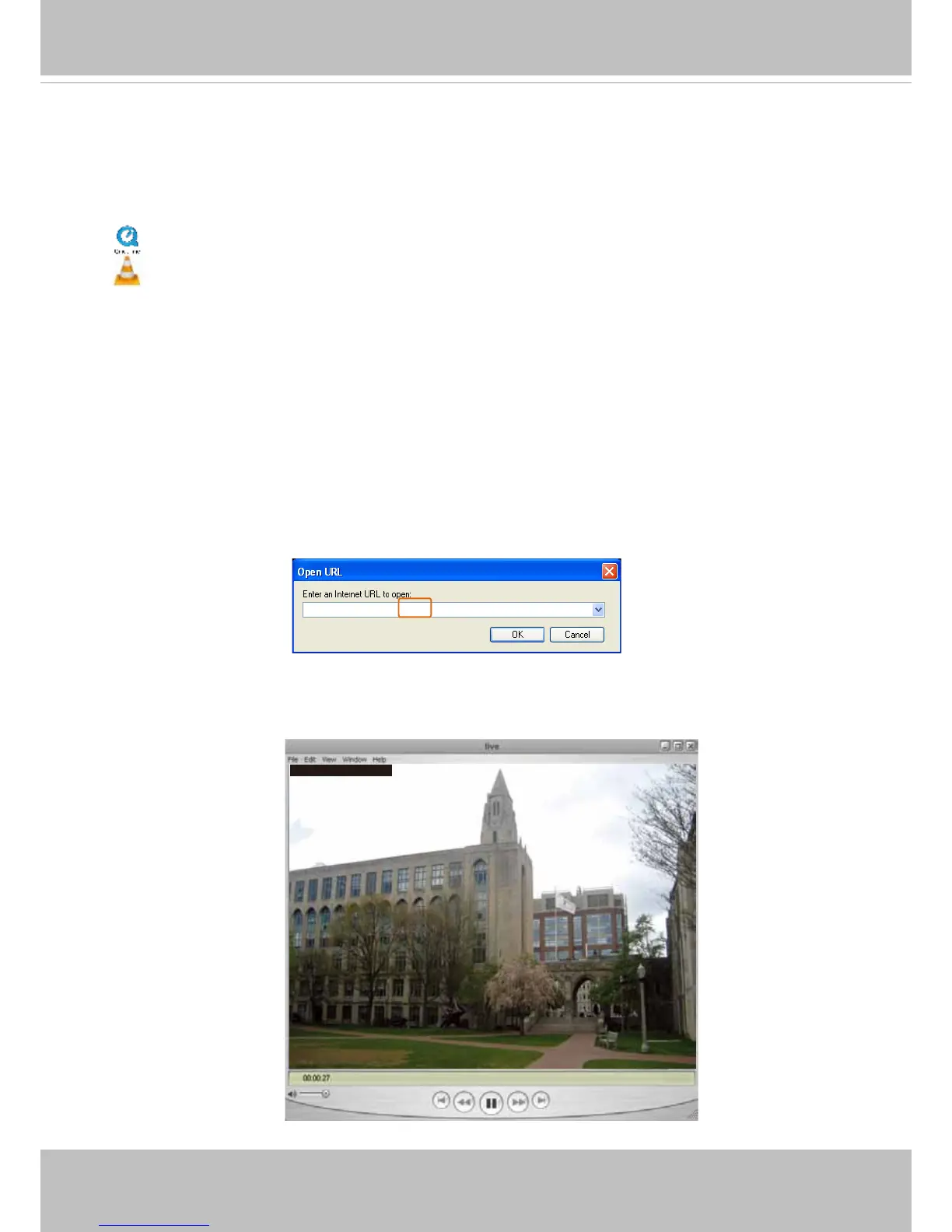
4� The live video will be displayed in your player�
For more information on how to configure the RTSP access name, please refer to RTSP
Streaming on page 68 for details�
rtsp://192.168.5.151:554/live.sdp
1� Launch the RTSP player you prefer�
2� Choose File > Open URL� A URL dialog box will prompt�
3. The address format is: rtsp://<ip_address>:<rtsp_port>/<RTSP streaming access name for a
specic video stream>
VIVOTEK’s network cameras support simultaneous playback of 2 to 5 video streams� The
streaming access names for these streams are:
Stream 1 – live�sdp,
Stream 2 – live2�sdp,
Stream 3 – live3�sdp,
Stream 4 – live4�sdp�
Video 16:38:01 2012/01/25



 To Next Page